
Reader with one spare socket
Wants to plug in a reading light and another device at the same time without using two mains adaptors.


If you want to plug in a reading light and another device using a single socket, choose a charger with ports that match the cables you use. First, check your light’s manual: one manual we reviewed specifies 5 V/1 A and rules out certain fast-charging methods, but that guidance applies only to that particular light model. Also compare the output per port when charging both devices at the same time.
Wants to plug in a reading light and another device at the same time without using two mains adaptors.
Wants to keep using their current light cable, so checks which output the charger has.
Needs ports that work with both the light cable and phone cable, and checks the output when charging both at once.
Suitable if: your reading light and the other device both use a USB-A cable.
Bear in mind: this connection does not have a USB-C port. Also check what your light’s manual recommends.
Suitable if: your light uses a USB-A cable and you need USB-C for a second device.
Bear in mind: a fast-charging feature for your second device does not automatically make the charger suitable for your reading light.
Count the devices you need to charge at the same time, check that the cables fit the ports you’ve chosen, and always follow your reading light’s own charging instructions.
| What to consider | What should you check? | Who is this important for? |
|---|---|---|
| Two devices using one socket | Count the devices you’ll charge at the same time and check the output specifications for each port. | If I want to charge my light and another device from one socket, I look at how many usable ports there are. Around 36% of consumers prioritise saving socket space. |
| Cable and light requirements | Check the plugs at both ends of the light cable and the power requirements in the manual. | If I want to keep using my existing light cable, I check that it connects to the charger and is suitable for my light. Around 29% of consumers prioritise this connection and the instructions. |
| Charging a light and phone at the same time | Compare the output of both ports when used simultaneously with the requirements of both devices. | If I want to charge my phone and reading light at the same time, I check how the power is shared between the ports when both devices are connected. Around 21% of consumers prioritise this. |
| Space around the socket | Check the charger’s dimensions and the direction of its plug and ports if you need to keep neighbouring sockets free. | If there’s limited space around the socket, I look at the charger’s shape and dimensions. Around 14% of consumers prioritise a compact fit. |
The output from a single port may differ from the power shared between ports when two devices are connected at the same time. Your reading light’s manual also determines which power supply is permitted for that model.
Check the output per port when charging simultaneously, and follow the instructions for your own reading light.
Chargers with two ports can have different combinations of USB-A and USB-C outputs. If a port does not match your existing cable, you may need a different one.
Before buying, check the plug on the charger end of your light cable.
You may need a different cable if the charger connection does not match your current one.
According to the Netherlands Food and Consumer Product Safety Authority, CE marking is compulsory for mains-powered electrical products placed on the market in the Netherlands. The mark is a declaration by the manufacturer; it does not automatically mean that every charger has been independently tested.
Check the product identification, instructions for use and any current safety warnings. Do not assume that the mark alone is proof of a test result.
Belkin lists models with two USB-A ports, as well as models with one USB-A port and one USB-C port.
According to Anker, the Anker 323 Charger combines one USB-A port with one USB-C port.
According to UGREEN, the Nexode 35W is a two-port charger with one USB-A and one USB-C output.
This selection includes multi-port USB chargers and a power strip with USB ports for anyone who wants to plug in a reading light and other devices when sockets are limited. Check the connection and charging instructions for your light. For mains-powered products in the Netherlands, also look for the required CE marking.
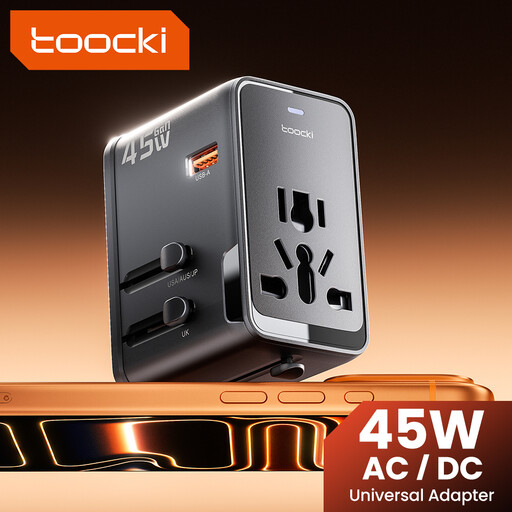 No image available
The product name lists one USB-A port and two USB-C ports. Check that the adapter is suitable for your reading light’s connection and charging requirements.
45 W PD; 1 USB-A port and 2 USB-C ports.
 No image available
The product name lists USB-A and USB-C charging ports alongside several sockets. Check which connections you need and follow your reading light’s manual.
The title lists a 1.5 m cord and 2500 W MAX.
 No image available
The product name lists Type A and Type C outputs for two devices. Check that the connection and charging method are suitable for your reading light.
80 W; Type A and Type C.
 No image available
The product name lists USB-A and USB-C ports. Check how the output is shared when charging simultaneously, and read your light’s instructions.
30 W; USB-A and USB-C.
 No image available
The product name lists USB-A and USB-C ports for two devices. Check that the ports and charging requirements are suitable for your reading light.
20 W; USB-A and USB-C.
No, not without checking your light’s instructions first. The manual for one reading light model we reviewed specifies 5 V/1 A and rules out QC 2.0, QC 3.0 and fast charging. This restriction applies to that specific model, not automatically to all USB reading lights.
Check the cable plugs, the output per port when charging simultaneously, and the charging instructions for both devices. Anker lists different USB-C power outputs for using one port and two ports on the 323 Charger.
Contact the seller. According to the Dutch government, you are entitled to a product that is fit for purpose, and the seller must provide a solution if something goes wrong. There is no fixed statutory guarantee period in the Netherlands that applies to every product.
Yes. The Netherlands Food and Consumer Product Safety Authority states that CE marking is compulsory for electrical products. The mark indicates that the manufacturer declares the product complies with the relevant European rules; it does not automatically mean the product has undergone independent testing.
You cannot assume that this applies to every reading light. Whether rules for a particular device category apply to a specific light model depends on its category and the relevant conditions. So check the connection and manual for your own light.