
Vandaag of morgen in huis

Kwaliteit gegarandeerd

Welkomstaanbiedingen ontgrendelen: GRATIS bezorging | Tot 80% korting | Gratis 30 dagen JoyPlus-proefperiode
Download de app
Choosing a new gaming mouse can feel like navigating a minefield of marketing jargon. Brands promise the world with sky-high DPI figures and flashy RGB lighting, but in practice, this often leads to disappointment. Many users fall into the same traps: a mouse that dies after just a few hours of gaming, an "ergonomic" design that causes cramps, or specs that sound impressive but are useless in practice.
As a Joybuy Product Recommendation Officer, I see it as my job to cut through this noise. In this guide, we'll focus on what really matters when choosing a compact, wireless mouse. We'll discuss the specifications that make the difference between a bad purchase and a mouse you'll enjoy for years to come, using the Razer Orochi V2 as our core example.
Before you make a decision, it's important to recognise three common pitfalls and understand which specifications truly matter.
Many manufacturers advertise DPI values of 20,000 or more. While this is technically impressive, virtually no gamer or professional uses such high settings. An extremely sensitive cursor is impractical and difficult to control. A high-quality sensor that responds accurately and without acceleration is far more important than an unusably high DPI number.
A wireless gaming mouse offers freedom, but that freedom quickly vanishes if you constantly have to recharge it. Models with extensive RGB lighting, in particular, consume a lot of power. Long battery life, ideally with a power-saving mode like Bluetooth, is crucial for uninterrupted use, both at home and on the go.
Ergonomics are personal. A mouse that fits perfectly in one person's hand can be uncomfortable for another. A compact mouse for travel or for users with smaller hands requires a different design than a large mouse intended for a palm grip. Pay attention to the dimensions and shape, and be sceptical of universal claims.
Focus on these three objective criteria to make an informed choice.
Weight and Size: For fast-paced games and use with a laptop, a lightweight gaming mouse (ideally under 80 grams) is a major advantage. A light mouse reduces fatigue and makes quick, precise movements easier. For example, the Razer Orochi V2 weighs only around 60 grams (without a battery), making it ideal for both competitive gaming and on-the-go productivity.
Connectivity: 2.4GHz vs. Bluetooth: A good wireless mouse offers multiple connection options. A 2.4GHz connection via a USB dongle provides the lowest latency, which is essential for competitive gaming. A bluetooth gaming mouse connection, on the other hand, is more power-efficient and convenient for use with a laptop without sacrificing a USB port. The flexibility to switch between the two is a major plus.
Sensor and Switches: The quality of the optical sensor determines the tracking accuracy. Look for a sensor known for its reliability, such as the Razer 5G Advanced sensor. Additionally, the switches (the buttons) are important. Mechanical switches provide clear, tactile feedback and typically have a longer lifespan than standard switches.
Not everyone has the same needs. Below are some choices that fit different profiles, based on objective product features.
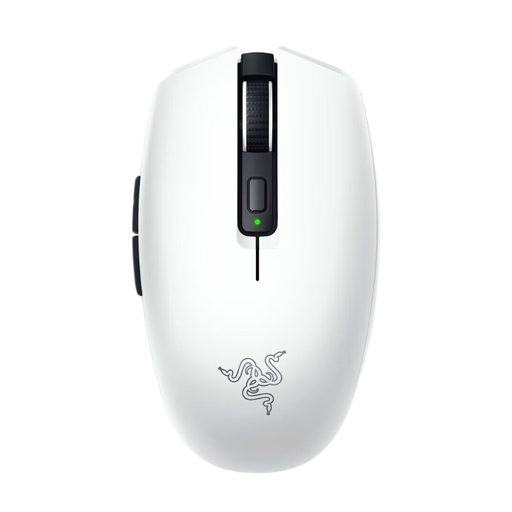
Why This Fits Their Persona: Ideal for the gamer, student, or professional who expects top performance in a compact form factor. Perfect as a gaming mouse for a laptop, it's easy to carry, and the sleek Razer Orochi V2 White finish complements a modern, minimalist setup.
It bypasses the battery pitfall with up to 950 hours of battery life (via Bluetooth). Its ultra-light, compact design is a direct solution to the "one-size-fits-all" trap for users who prioritise mobility.
Ultra-lightweight design (approx. 60g): for quick responses and comfort. Dual connectivity: Razer HyperSpeed 2.4GHz for gaming and Bluetooth for productivity.
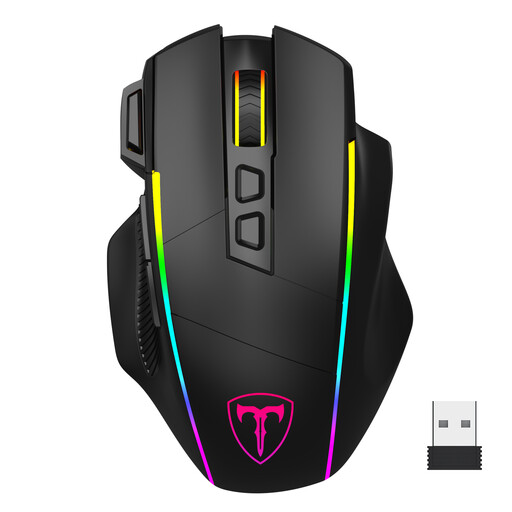
Why This Fits Their Persona: Suitable for the user who wants a single mouse for multiple devices and situations. The three connection modes offer maximum flexibility for a desktop PC, a laptop, and even other devices.
This mouse is rechargeable via USB-C and can also be used wired, neutralizing the battery pitfall. The 8 programmable buttons offer customisation options that go beyond a standard design.
Tri-mode connectivity: 2.4G, Bluetooth, and wired via USB-C. 8 programmable buttons: for setting up macros and shortcuts for gaming and work.
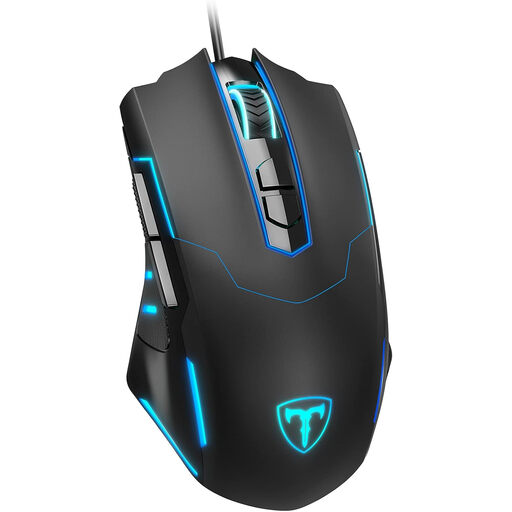
Why This Fits Their Persona: A solid starting point for gamers looking for a reliable mouse without breaking the bank. It offers essential gaming features like adjustable DPI and programmable buttons in an affordable package.
Its wired connection completely avoids the pitfalls of battery life and wireless latency. You get consistent and reliable performance, which is crucial for beginner gamers.
No battery required: always ready for action. 7 programmable buttons: offers customisation options normally found in more expensive models.
We have compiled a complete, up-to-date list of products that fully meet these strict selection criteria and local regulations.
Here are answers to some frequently asked questions about the Razer Orochi V2.
Battery life is one of its strong points and depends on the connection mode. According to Razer, the mouse offers:
The Orochi V2 is a compact mouse, designed for mobility and users with small to medium-sized hands. It is particularly suitable for a claw grip or fingertip grip. Users with large hands who prefer a palm grip may find this model too small for long-term comfortable use.
Yes, the mouse works out of the box via plug-and-play for both the 2.4GHz and Bluetooth connections. The basic functions and default DPI steps are available immediately. For advanced customisations, such as setting specific DPI levels, remapping buttons, or managing profiles, the Razer Synapse software is required.
