
Vandaag of morgen in huis

Kwaliteit gegarandeerd

Welkomstaanbiedingen ontgrendelen: GRATIS bezorging | Tot 80% korting | Gratis 30 dagen JoyPlus-proefperiode
Download de app
A lightweight mouse with RGB lighting and a high DPI sounds appealing, but these features do not tell the whole story. With a Razer Cobra gaming mouse, the cable, button layout, software and hand position are also important. Small differences can become noticeable, particularly when gaming every day.
Watch out for these common pitfalls:
According to the product specifications, the Razer Cobra features an 8500 DPI optical sensor. DPI indicates how sensitively the cursor responds to movement. The mouse supports settings in 50 DPI increments, allowing you to fine-tune the sensitivity more precisely than with just a few fixed profiles.
For fast-paced shooters, a lower DPI combined with a large mouse mat can feel comfortable. For strategy games, office work or a smaller workspace, a higher setting may be more convenient. So do not just look at the maximum figure; focus on how you can adjust the sensitivity.
An optical gaming mouse uses light to register movement across a surface. We recommend using a clean, even mouse mat. Dust and dirt can affect the user experience.
The product information lists a weight of 58 grams and dimensions of approximately 11.9 × 6.3 × 3.8 cm. The mouse is designed for different grip styles and has six buttons. Using Razer Synapse, buttons can be assigned to commands or macros, provided the software and operating system support this.
When choosing a lightweight gaming mouse, consider your own grip:
The six buttons mentioned are practical for games with additional commands, but not every game benefits from numerous programmable functions.
According to Razer, the Razer Cobra uses third-generation optical mouse switches. According to Razer’s own information, these switches have a lifespan of up to 90 million clicks and a response time of 0.2 milliseconds. These are brand claims, so they should be understood as stated product characteristics rather than a guarantee of a specific service life.
The included Razer Speedflex cable is designed to move flexibly. This can help reduce cable resistance during wide mouse movements. The cable is 1.8 metres long and connects via USB.
The underside features 100% PTFE mouse feet at the front and rear. PTFE is known as a low-friction material. However, the surface remains important: a worn or dirty mouse mat can affect how smoothly the mouse glides.
This Razer Cobra wired gaming mouse is suitable for PC gamers who specifically want to use a USB gaming mouse and do not want a battery or wireless receiver. The direct connection is practical for a permanent gaming setup. According to the product information, the hardware is suitable for Mac users, but check in advance which Razer Synapse features are available on your version of macOS.
The Razer Chroma RGB mouse offers lighting with up to 16.8 million colours and dynamic effects. The settings can be adjusted through Synapse. If RGB is not important to you, you may be paying for a feature that is mainly visual.
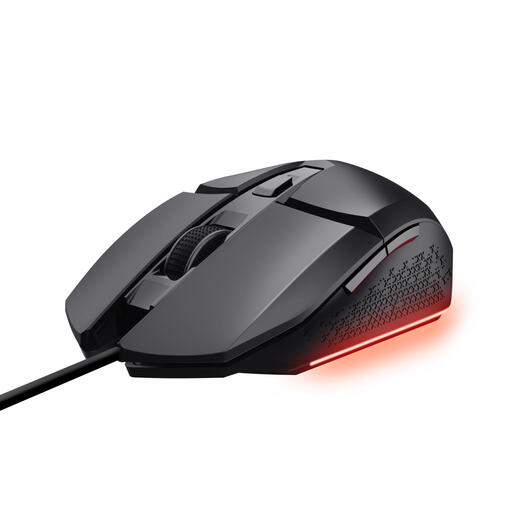
Why it suits this profile: This wired gaming mouse offers six buttons, RGB lighting and adjustable sensitivity up to 6400 DPI, making it an accessible starting point.
The DPI is adjustable and the buttons can be customised through software. You are not limited to a single fixed sensitivity.
Optical sensor, six programmable buttons, three RGB settings and a 1.5-metre cable.
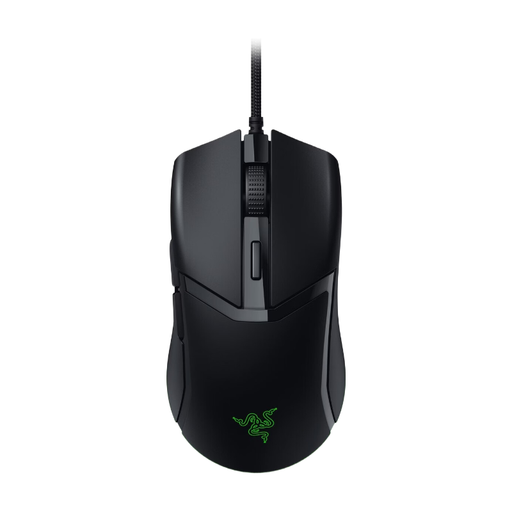
Why it suits this profile: The combination of a stated weight of 58 grams, 8500 DPI, Chroma RGB and six buttons is well suited to gamers who want to customise their controls and setup.
The flexible Speedflex cable and PTFE feet address two practical issues: cable pull and restricted gliding.
8500 DPI in 50 DPI increments, six programmable buttons, optical switches according to Razer and Razer Chroma RGB.
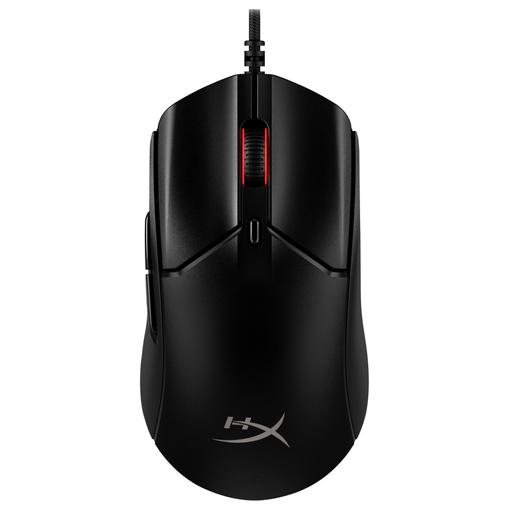
Why it suits this profile: For players who value very high sensor resolution, a high polling rate and low weight, this model offers a different balance of specifications.
The cable is designed for flexibility, and the set includes grip tape and PTFE feet. This lets you fine-tune the mouse without having to look for accessories straight away.
Weight of around 52–53 grams according to the product specifications, up to 26,000 DPI, six buttons and a polling rate of up to 8000 Hz.
Connect the mouse to a spare USB port on your PC or Mac. To adjust the DPI, buttons and lighting, install Razer Synapse. Before doing so, check compatibility with your operating system. Not every software feature is available on every platform.
Use a mouse mat that is large enough for your sensitivity setting. Position the cable so that it does not rub against the edge of your desk. Clean the casing with a dry or slightly damp cloth, and keep water away from the USB connection. A wired mouse does not have a battery, so it does not need charging. This keeps running costs limited to the electricity used through USB.
We have put together a complete, up-to-date list of products that fully meet these strict selection criteria and the applicable European safety regulations.
According to the product information, the mouse is suitable for PC and Mac. Razer Synapse is required to set up Chroma RGB, DPI and programmable buttons. Check the current software support for your version of macOS.
According to Razer’s own information, the third-generation optical switches have a stated lifespan of up to 90 million clicks. This is a manufacturer’s claim and not a fixed guarantee for every user. Intensity, conditions of use and maintenance can affect the practical lifespan.
Not necessarily. 8500 DPI mainly provides a wide range of adjustment options. Many players choose a lower value for greater control. The right setting depends on your game, screen resolution, mouse mat and personal preference.
