
Vandaag of morgen in huis

Kwaliteit gegarandeerd

Welkomstaanbiedingen ontgrendelen: GRATIS bezorging | Tot 80% korting | Gratis 30 dagen JoyPlus-proefperiode
Download de app
A high-speed wireless gaming mouse with plenty of buttons and long battery life sounds appealing. However, product pages can hide important details. For example, a high DPI value does not automatically mean you will aim better. A high polling rate can also place additional demands on your PC.
For dedicated PC and laptop gamers, three pitfalls are particularly relevant:
The RAPOO VT9Pro 4K wireless gaming mouse is aimed at users who want to make conscious use of these features. Below, you can find out which specifications matter and what type of setup this model is suited to.
The polling rate indicates how often the mouse sends information to the computer each second. At 1000Hz, this happens 1,000 times per second; at 4000Hz, it happens four times as often. In competitive games, a higher frequency can contribute to smoother cursor data, particularly during rapid movements.
According to the product description, the RAPOO VT9Pro has a wireless polling rate of 4000Hz. This is particularly interesting for players with a powerful gaming PC and a monitor with a high refresh rate. However, check CPU usage after installation. If you experience frame drops, switching back to 1000Hz may be a practical solution.
Pay attention to the connection, too. A wireless mouse with 4000Hz requires a suitable receiver, software and a stable USB connection. Ideally, connect the receiver with no obstacles between the mouse and the PC.
The PAW 3398 sensor in this gaming mouse is linked in the product information to a maximum resolution of 26,000 DPI, 650 IPS and 50G acceleration. These are verifiable product specifications, but they do not tell you everything about your gaming experience.
A 26,000 DPI gaming mouse can technically be set to an extremely high sensitivity. For most users, a lower value is more suitable, depending on screen resolution, in-game settings and personal preference. So do not look only at the highest DPI figure. Also consider:
The RAPOO VT9Pro’s on-board memory can be useful if you use the mouse with multiple PCs or laptops. According to the product description, settings can be saved directly to the mouse, making you less dependent on software on each individual computer.
A super-light gaming mouse can make rapid movements feel less tiring, but a low weight is not automatically comfortable for everyone. Some players prefer a heavier model for greater resistance and control.
According to the product specifications, the RAPOO VT9Pro weighs 68 grams. Its design is ambidextrous, meaning it is intended for both left- and right-handed use. However, check the position of the thumb buttons and the dimensions of the body. An ambidextrous gaming mouse will not offer equally practical control for every hand.
This model also has 10 programmable buttons. That can be beneficial in MMOs, simulators and productivity tasks, but in fast-paced shooters, extra buttons can also be pressed accidentally. Only assign functions that you actually use.
According to the product information, the built-in lithium-polymer battery has a capacity of 800 mAh and a stated battery life of up to 180 hours. Treat this as a product specification under certain conditions, rather than a fixed usage time for every setup.
The mouse comes with a USB-C charging cable. According to the product information, anyone who wants to charge wirelessly will need a separately available P3 Wireless Charging Module. Note the manufacturer’s warning: do not connect the USB-C cable at the same time as wireless charging, as this could damage the product.
For longer battery life:
The selection below matches the products to different usage scenarios. The RAPOO VT9Pro is the gaming mouse in this list. The other products can complement a laptop or gaming-room setup.
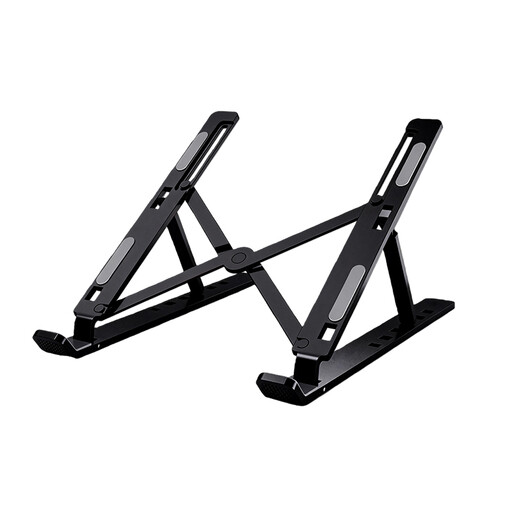
Why this suits the profile: For anyone gaming on a laptop who wants to create an organised workspace alongside upgrading their mouse.
The adjustable aluminium construction lets you adapt the laptop position; however, check the dimensions and load capacity for your device beforehand.
18-inch format, adjustable design and lightweight aluminium construction.
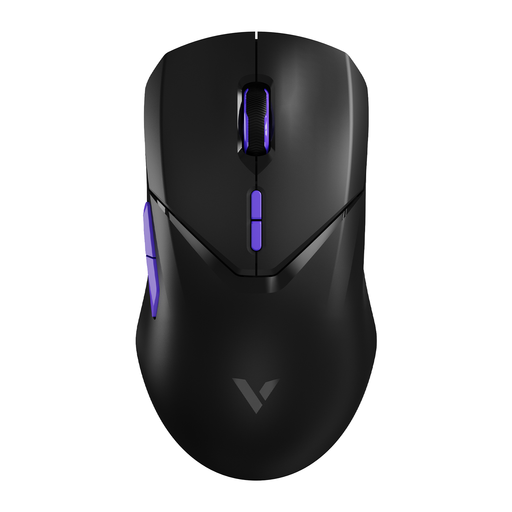
Why this suits the profile: Designed for PC and laptop gamers looking for 4000Hz, high sensor resolution, low weight and plenty of customisation options.
The product information mentions not only 4000Hz, but also the potential for higher CPU usage. This means you can check in advance whether your system is suitable.
68 grams, PAW 3398 sensor, up to 26,000 DPI, 10 programmable buttons and a stated battery life of up to 180 hours.
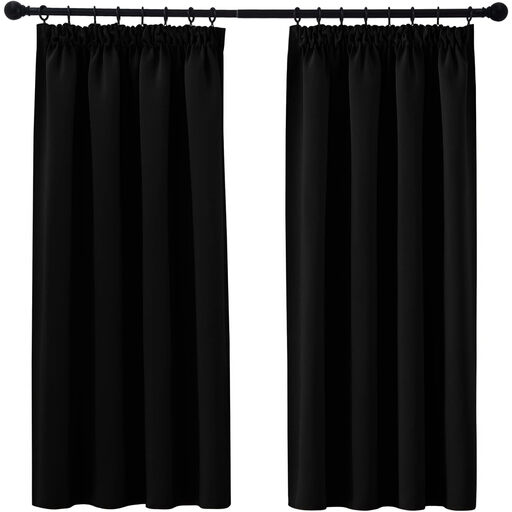
Why this suits the profile: For gamers who want to create a dedicated dark gaming space and tailor their desk environment to their needs.
The panels have clearly stated dimensions and a specified fabric construction. Before buying, check whether 116.84 × 137.16 cm per panel will fit your window.
Two polyester panels, triple-weave construction and compatibility with a curtain pole or track according to the product description.
Choose this model if you are looking for a gaming mouse for PC and laptop with plenty of customisation options and a low weight. The combination of a PAW 3398 sensor, 26,000 DPI and 4000Hz is aimed at players who want to fine-tune their settings.
For a simple laptop setup, 4000Hz may be less relevant than comfort, USB receiver range and battery life. For competitive players, it is more important that the PC can handle the higher polling rate without noticeable frame drops. Also, only use the extra buttons when they serve a clear purpose in your games.
We have put together a complete, up-to-date list of products that fully meet these strict selection criteria and the applicable European safety regulations.
Not necessarily. 4000Hz can increase the reporting frequency, but according to the product information, it also requires more CPU capacity. If your system struggles to maintain stable frame rates, 1000Hz may be more practical.
The manufacturer states a battery life of up to 180 hours. Actual battery life may vary depending on the polling rate, intensity of use and other features. Charge the mouse when the indicator flashes red and avoid regularly allowing the battery to run completely flat.
Most players do not. 26,000 DPI mainly indicates the range supported by the sensor. The right setting depends on your game, screen, mouse mat and personal playing style. A lower, stable sensitivity may be more practical than the maximum setting.
