Gaming mice at Joybuy
This Joybuy selection includes wired and wireless gaming mice, as well as a keyboard and mouse set. For each model, check that its controls and connection suit your gaming setup.
 No image available
Logitech G502 HERO Wired Gaming Mouse
The wired version suits anyone who doesn’t want to manage a mouse battery; check that its right-handed shape suits your grip.
Connection: USB Type-A. Shape: right-handed. Stated dpi: 25.600.
View at Joybuy
 No image available
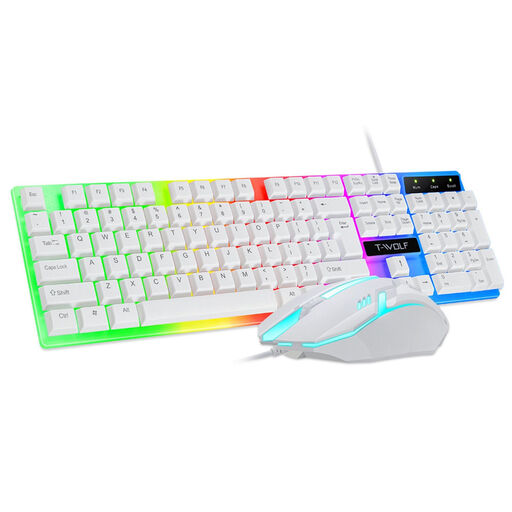
NAXSIR Gaming Keyboard and Mouse Set, Wired, White
This wired set is for anyone looking for a keyboard and mouse together; check whether you need the set rather than just a mouse.
The product name specifies a wired set in white.
View at Joybuy
 No image available
ASUS ROG Keris II Ace Wireless AimPoint Black
The listed wireless connection options may suit you if you want to match the connection to your computer; check which ones your setup supports.
Connections according to the product name: RF wireless, Bluetooth and USB Type-A. Shape: right-handed. Stated dpi: 42.000.
View at Joybuy
 No image available
ASUS ROG Strix Impact III Wireless
The product name specifies a symmetrical shape and wireless connection options; check that the controls suit your hand and preferred connection.
Shape: ambidextrous. Connections according to the product name: RF wireless and Bluetooth. Stated dpi: 36.000.
View at Joybuy
 No image available
AJAZZ AJ159 PRO Wireless Gaming Mouse
The listed connection options may be useful if you want to match the connection to your computer; check which one you’ll actually use.
Connections according to the product name: 2.4 GHz, USB-C and Bluetooth. Stated dpi: 26K. Stated weight: 56 g. The product name specifies a magnetic base; keep it away from pacemakers and other medical implants, and keep at least 15 cm away from a pacemaker.
View at Joybuy
Frequently asked questions
Do I need lots of side buttons for map navigation in Transport Fever 2?
Not necessarily. According to the official Transport Fever 2 controls, you use the mouse wheel to zoom and the pressed middle mouse button to rotate and tilt the camera. Extra buttons are most useful if you can and want to assign commands to them.
How do I set up mouse buttons for a game?
First, check the game and mouse settings. In Transport Fever 2, you can customise the controls in the settings menu; programmable mouse buttons may also require the accompanying mouse software.
Can I connect a wireless mouse alongside my headphones?
That depends on the connections available on your computer and headphones. According to SteelSeries, the Aerox 5 Wireless offers Bluetooth and 2.4 GHz connectivity. Check that your computer supports your preferred connection and that there’s room for a receiver if needed.
What are my rights if a mouse I bought online isn’t suitable or stops working?
For eligible distance purchases from a business, you generally have a 14-day cooling-off period, according to the Dutch government. Products must also be fit for purpose; there is no fixed statutory warranty period in the Netherlands. If a product is faulty, contact the seller about the statutory remedy. This is separate from any manufacturer’s warranty.
What product rules apply to a wireless mouse sold in the Netherlands?
According to the Dutch Authority for Digital Infrastructure, electrical, electronic and radio equipment sold on the European market must comply with the applicable European directives. This general rule does not in itself confirm that a specific product listing meets the requirements.


