
Map builder
You often zoom, pan and rotate the map. A comfortable scroll wheel and an easy-to-reach middle click are important.


Start with a scroll wheel, middle click and grip that feel comfortable when navigating a map; a high DPI won’t make up for these. If you share a room, look out for clearly stated quiet main buttons. If you move between workspaces, check which connections your laptop supports and whether you’ll need a receiver or batteries.
You often zoom, pan and rotate the map. A comfortable scroll wheel and an easy-to-reach middle click are important.
You play or study in a shared space, so quieter clicks may matter more to you than extra gaming buttons.
You move between your desk and other workspaces. Check which connections your laptop supports and whether you’ll need a receiver or a battery.
In Transport Fever 2, the default controls use the scroll wheel to zoom, the pressed middle button to rotate or tilt the camera, and the right button to pan around the map, according to the Transport Fever 2 Wiki by Urban Games. Controls can vary between games, so check your game’s settings too.
| What to consider | What to look for when buying | Who is this important for? |
|---|---|---|
| Scroll wheel and map controls | Try scrolling, middle click and the right mouse button using your usual grip; check your game’s controls. | If I zoom in and pan around the map often, I want to do so smoothly. Around 26% of consumers prioritise map controls most. |
| Noise level | Look for a specific claim about quiet main buttons, and consider the sound of the middle click and scroll wheel too. | In a shared room, I want to disturb others as little as possible while gaming or studying. Around 21% of consumers prioritise quieter clicks. |
| Grip and comfort | Check the shape, size and reach of the buttons; also consider the space next to your keyboard. | During longer sessions, I want to use the mouse without holding my fingers or arm in an awkward position. Around 21% of consumers choose a mouse mainly for its grip and easy-to-reach buttons. |
| Purchase and running costs | Compare the current price of the exact version, and factor in replacement batteries if the model uses AA batteries. | If I want to keep my spending down, I weigh the purchase price and any battery replacements against the features I’ll actually use. Around 16% of consumers prioritise this cost comparison. |
| Connectivity and portability | Check your laptop’s ports and Bluetooth support, as well as the connection options for the exact mouse variant. | If I take my mouse between workspaces, I want to know whether I’ll need a cable or a separate receiver. Around 16% of consumers prioritise portability and a tidy desk. |
A high DPI figure alone doesn’t tell you whether scrolling, middle click or the grip will feel comfortable. In Transport Fever 2, the default controls use the wheel and mouse buttons for camera movements.
First, consider the actions your game requires and check that the mouse supports them comfortably.
A claim about the left and right clicks doesn’t automatically tell you how loud the scroll wheel or middle click is. Logitech’s sound comparison for the MX Master 3S covers the left and right clicks compared with the MX Master 3.
If you share a room, consider the sound and feel of the middle click and scroll wheel too.
The Basilisk V3, Basilisk V3 35K and Basilisk V3 Pro are separately named models. A product page for a 35K or Pro version doesn’t automatically confirm the features of the original Basilisk V3.
Compare the full model name and check the connection and button layout of the exact version.
A wireless mouse may use a receiver, Bluetooth or both. These options aren’t the same for every version.
Check the connection for the full model number with the manufacturer before relying on Bluetooth.
The G502 X is a wired option with two scroll modes, while the G305 LIGHTSPEED is wireless and runs on AA batteries.
According to Razer, the wired Basilisk V3 offers programmable buttons and different scroll modes. The Pro Click Mini is a compact productivity mouse.
The Rival 3 Wireless is an option if you’re comparing Bluetooth with a 2.4GHz receiver.
The wired M55 RGB PRO is an option if you’re considering a symmetrical shape.
The GXT 1109W Vylax is a gaming mouse with programmable buttons.
Here you’ll find wired and wireless mice for map controls and a range of desk and laptop set-ups.
 No image available
An option if you want to navigate maps with a wired mouse; check that the wheel controls and grip suit you.
The product name lists 35,000 DPI and 11 buttons. Wired; check that you have a compatible USB port.
 No image available
This may suit you if you want to choose between wired and wireless connections; check in advance which options work with your laptop.
The product name lists wired, 2.4G wireless and Bluetooth, 12,800 DPI and 7 programmable macro keys.
 No image available
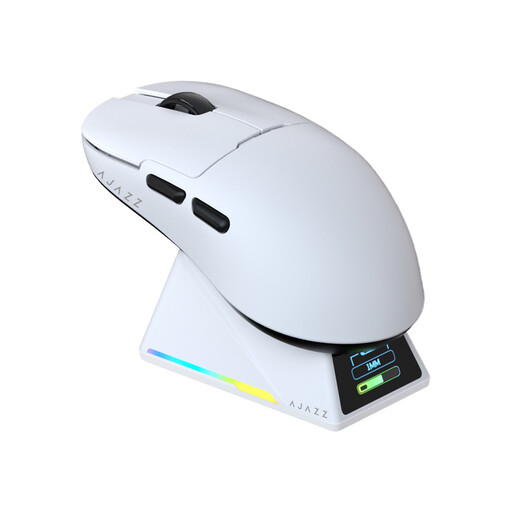
An option if you’re looking for several connection options and a symmetrical shape; check that the shape suits your hand.
The product name lists Bluetooth, 2.4 GHz and USB-C, a PAW3950 sensor, 8 kHz, up to 42,000 DPI and a charging dock.
 No image available
An option if you want to switch between precise and free-spinning scrolling when navigating maps; Logitech G describes both wheel modes for the G502 X.
The product name lists a USB Type-A connection, an optical sensor and 25,600 DPI. The mouse is wired and designed for right-handed use.
 No image available
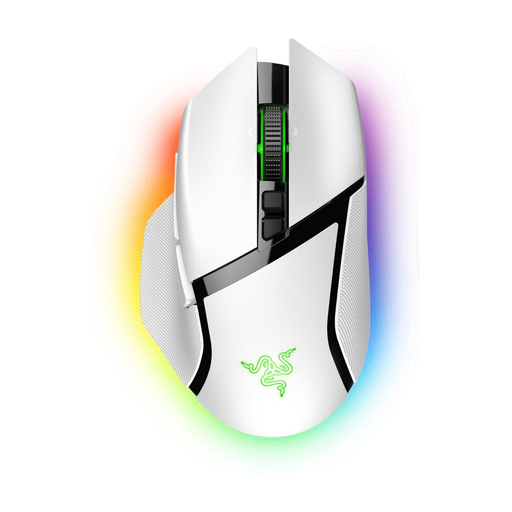
An option if you’re considering a wireless mouse for different workspaces; check the connections on this exact version and make sure the grip feels comfortable.
Not just because of the game genre. In Transport Fever 2, important camera actions are assigned by default to the right button, scroll wheel and middle click. Check your own game’s controls before choosing extra buttons.
Check that the mouse suits your hand and the desk space available, vary your posture and take microbreaks. Arboportaal gives this advice for working with screens; it doesn’t mean that a specific mouse model will prevent discomfort.
A mouse that runs on AA batteries may involve ongoing battery costs. For a typical online consumer purchase in the Netherlands, ACM ConsuWijzer states that you generally have up to 14 days from delivery to change your mind. You’re also entitled to a product that, under normal use, meets what you could reasonably expect; check the applicable exceptions and returns information before buying.
According to the Dutch Government, used batteries shouldn’t go in the bin; you can take them to shops that sell batteries, among other places. You can take an old electric mouse to designated collection points. If you buy a similar new device, private buyers are also covered by the take-back scheme described for old-for-new purchases.