Start by choosing a monitor that suits your laptop’s connections and power requirements. With a compatible laptop, USB-C video with enough Power Delivery may make a separate adapter unnecessary. Screen size and resolution are important points of comparison for maps and menus, while built-in speakers could also save you from needing a separate speaker set. The monitor itself still needs mains power.
Who is this guide for?
Laptop gamer with few power sockets
Wants to connect the display and, if the laptop and monitor are compatible, power the laptop through a single USB-C cable. Check that the port supports video and provides enough charging power. LG Netherlands and BenQ Netherlands list USB-C power options for specific models.
Map and menu planner
Wants to view routes, maps and control panels on a suitably sized screen, so compares screen size and resolution with the available desk space. LG Netherlands and BenQ Netherlands highlight these features in their monitor information and buying advice.
Gamer who wants to avoid separate speakers
Wants fewer separate devices on the desk, so looks at models with built-in speakers. Dell Netherlands and LG Netherlands list this feature for specific models; its presence alone says nothing about sound quality.
What should you look for when buying?
Start with the connections and power requirements of your current setup. Then compare the screen space and features that really matter for the way you play.
| What to consider |
What should you check? |
Which consumers does this matter to? |
| Laptop power and connections |
Check whether the laptop supports video over USB-C, how much Power Delivery the exact monitor variant provides, and what the laptop needs while in use. |
If I want to connect my laptop through the monitor when there are few power sockets, both the picture and power need to work. Around 36% of consumers give laptop power the highest priority. |
| Viewing maps and menus |
Compare the screen diagonal and resolution with the available desk space and the display settings your computer can support. |
When routes and menus need to be easy to read, I want to choose a screen size and resolution that suit my desk. Around 29% of consumers prioritise readability. |
| Sound without an extra device |
Check whether the exact model has built-in speakers and which audio outputs are available. |
If I don’t want to connect separate powered speakers, I check whether the monitor’s sound is enough for my setup. Around 21% of consumers prioritise avoiding separate audio devices. |
| Refresh rate and gaming features |
Check the resolution and refresh rate you want through the connection and cable you’ll use with the monitor. |
If extra gaming features are what matter most to me, I compare the stated refresh rate with what my computer and games can make use of. Around 14% of consumers put these features ahead of the other buying concerns listed. |
Common buying mistakes
-
Assuming USB-C makes your laptop adapter unnecessary
A USB-C port alone doesn’t guarantee that the laptop can output video through it or receive enough power. The power required depends on the laptop and how you plan to use it.
Before buying, compare the USB-C video function and Power Delivery of the exact monitor variant with your laptop’s connections and power requirements.
-
Thinking a high Hz rating solves the problem of having few power sockets
Refresh rate, resolution and connections are different features. A higher stated Hz rating doesn’t, by itself, reduce the number of power sources your setup needs.
First decide whether screen space, laptop power or refresh rate matters most to you, then compare the relevant models.
Brands to consider
LG
The LG models listed have different features; compare the full model code and configuration before choosing.
- LG Netherlands lists a 27-inch QHD screen, 100 Hz and USB-C with up to 65 W Power Delivery for the 27BA65QB-B.
- The QHD product page doesn’t confirm built-in speakers. The 27BA650-B is a different, Full HD model with built-in speakers; don’t assume this feature is available on the QHD version.
Dell
The S2725DC is worth considering if you want QHD, USB-C and built-in speakers in one monitor.
- Dell Netherlands lists a 27-inch QHD screen, 144 Hz, USB-C and integrated speakers for this model.
- Check whether the USB-C power is sufficient for your laptop; the stated model specifications don’t confirm a charging capacity that would let you replace the laptop adapter.
BenQ
The EX271Q is worth considering if USB-C video and Power Delivery are important for a compatible laptop.
- BenQ Netherlands lists USB-C with DisplayPort Alt Mode, data transfer and 65 W Power Delivery.
- 65 W doesn’t guarantee that every laptop will get enough power while gaming; compare the output with your own laptop’s requirements.
AOC
The Q27G4XF is a gaming-focused QHD option if a high stated refresh rate matters to you.
- AOC lists a 27-inch QHD screen with a Fast-IPS panel and 180 Hz for this model.
- These features alone don’t show that the monitor can power a laptop or reduce the number of power sockets you need.
Joybuy products
These QHD monitors are for anyone who wants to view maps and menus on a suitably sized screen. If you want to power a laptop through the monitor, check USB-C video and the available Power Delivery output for each model.
 No image available
AOC Q27G4ZDR 26.5-inch QHD QD-OLED
The QHD resolution and screen size suit anyone who wants to view maps and menus in high resolution.
26.5 inches; QHD 2560 × 1440; QD-OLED; 240 Hz; adjustable stand. The product information doesn’t list built-in speakers.
Joybuy
 No image available
MSI MAG 272QPW QD-OLED X28 27-inch QHD
This 27-inch QHD screen could suit you if you want to view maps and menus in high resolution and use USB-C video as well.
QHD 2560 × 1440; 280 Hz; USB-C with DisplayPort Alt Mode and Power Delivery up to 15 W. This output doesn’t guarantee that a particular laptop can run without its own adapter.
Joybuy
 No image available
LG UltraGear 27GX704A-B.AEU
This 27-inch QHD model is worth comparing if screen space and resolution matter for your game.
27 inches; OLED; QHD 2560 × 1440; 240 Hz; 2 × HDMI 2.1 and 1 × DisplayPort 1.4.
Joybuy
 No image available
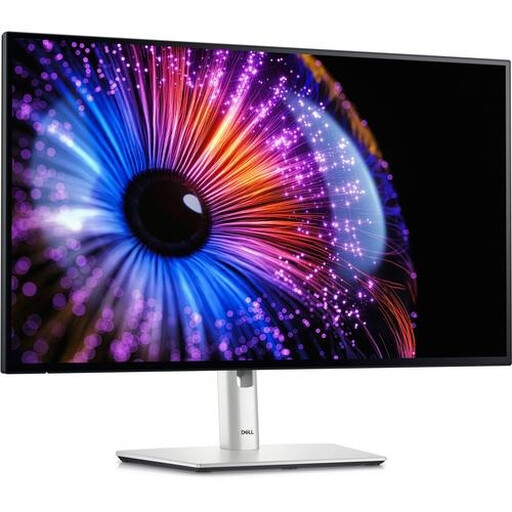
Dell UltraSharp U2724DE
This 27-inch QHD model could suit you if you want to view maps and menus at a higher resolution.
27 inches; 2560 × 1440 pixels; Quad HD LCD panel.
Joybuy
 No image available
MSI MAG 272QP QD-OLED X24 26.5-inch WQHD
This 26.5-inch WQHD screen is an option if you’re looking for a resolution close to QHD on a screen around 27 inches.
QD-OLED; WQHD 2560 × 1440; 16:9; 240 Hz; 2 × HDMI, DisplayPort and USB Type-C.
Joybuy
Frequently asked questions
Can a USB-C monitor always replace your gaming laptop charger?
No. Check whether your laptop supports video through its USB-C port and whether the Power Delivery output of the exact monitor is sufficient for how you plan to use it. LG Netherlands and BenQ Netherlands list up to 65 W for the models mentioned; this doesn’t guarantee compatibility with every laptop.
How can I safely connect several devices when I have few power sockets?
Assess the load on your existing socket and extension lead, and don’t simply connect extension leads to one another. The Fire Service warns that plugging too many extension leads into one circuit can cause overloading and fire. The Fire Service advises plugging high-power devices directly into a socket wherever possible.
How do I compare the power consumption of monitors?
Compare the energy labels of the models you’re considering. The European Commission includes computer monitors among the electronic displays that carry an energy label. This helps you compare energy-related features, but doesn’t tell you how many power sockets your entire setup will need.
Are monitors in the Netherlands always covered by an exact two-year warranty?
No. According to the Dutch government, the Netherlands has no fixed statutory warranty period. Report a faulty product to the seller; what you can expect from a product depends on the circumstances. A manufacturer’s warranty or an additional warranty comes on top of your statutory rights.


