What should you look for when choosing?
First, decide whether typing noise, room for your mouse, switching between computers or a familiar layout matters most to you. Then check the connection and keys on the exact version you’re considering.
| What to consider |
What should you check? |
Who might this matter to? |
| Typing noise |
Logitech and Trust describe certain models as quiet, but there are no comparable noise measurements. If possible, assess the noise level of the exact version. |
If I’m writing scripts with colleagues nearby, I want to know how audible my keystrokes are. Around 36% of consumers rank typing noise as their top purchase priority. |
| Workspace |
See whether a compact model without a dedicated number pad suits your keyboard and mouse setup. Consider your workspace as a whole, too. |
During long writing sessions, I want to position my keyboard and mouse so my workspace is comfortable. Around 29% of consumers prioritise posture and positioning. |
| Switching and connectivity |
Check that the computer supports Bluetooth, the right USB port or a wired connection, and that the connection is permitted in your workplace. |
If I switch between desks or devices, I want to know which connection I can use there. Around 21% of consumers prioritise portability or reconnecting. |
| Layout and connection |
Check the regional layout, the keys you use most often and, for a wired model, the USB port it requires. |
For writing scripts, I want punctuation marks and keyboard shortcuts in familiar places, and to know whether the connection works with my computer. Around 14% of consumers consider layout or connectivity their most important selection criterion. |
Keyboards at Joybuy
This selection includes compact wired keyboards, models for multiple devices and one for a fixed USB workstation. In particular, check the layout, connection and typing noise where you’ll be writing.
 No image available
AULA WIN60HE 60% wired keyboard, US QWERTY
This compact wired layout may suit you if you want to free up desk space and can use a cable connection at your workstation.
61 keys; US QWERTY layout; RGB lighting.
View at Joybuy
 No image available
REDRAGON mechanical keyboard with 94 keys and wrist rest
This version may suit you if you’re looking for a wired mechanical keyboard with an included wrist rest; check that its size works for your shared desk.
94 keys; metal construction; detachable wrist rest.
View at Joybuy
 No image available
Redragon M68 mechanical keyboard, 68 keys, US
The compact layout may suit you if you want to free up desk space; check that the US layout matches the keys you use for writing scripts.
68 keys; US layout; magnetic switches.
View at Joybuy
 No image available
HP 725 rechargeable wireless keyboard for multiple devices
This model may suit you if you want to switch between compatible devices; check which connection options are available on the shared computer.
The product description lists two Bluetooth connections and one 2.4GHz connection via a dongle.
View at Joybuy
 No image available
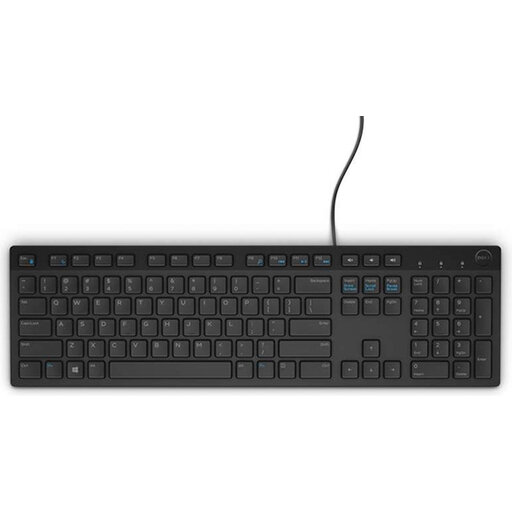
Dell KB216 USB keyboard, Belgian AZERTY
This wired version may suit a fixed computer with USB if you’re looking for a Belgian AZERTY layout and a number pad.
USB connection; Belgian AZERTY layout; number pad.
View at Joybuy
Frequently asked questions
Is a separate keyboard legally required when writing on a work laptop?
For employees who work at a screen for more than two hours a day, Arboportaal says the screen and keyboard must not be attached to each other. When using a laptop, a separate screen or keyboard can be used. This does not mean that every consumer has to buy a particular keyboard themselves.
How do I connect a keyboard to a shared computer?
First, check which connections are allowed by the computer and workplace: Bluetooth, a compatible USB receiver or a cable. For Logitech keyboards with Easy-Switch, Logitech says to press and hold the button to start Bluetooth pairing; for other models, follow the relevant instruction manual.
How do I keep a keyboard at a shared desk clean?
Follow the cleaning instructions for the exact model and check with the person responsible for the workplace before using cleaning products. Logitech warns that using the wrong cleaning method can damage equipment, so check the instructions from your keyboard’s manufacturer.
What if the typing feel isn’t right after buying online, or the keyboard develops a fault?
For a standard online consumer purchase, you generally have a statutory cooling-off period of up to 14 days after delivery, subject to legal exceptions, according to ACM ConsuWijzer. This is separate from your statutory rights if a product is faulty: according to ACM ConsuWijzer, if a product develops a fault during normal use, the seller must offer an appropriate free solution.


