
Mixer with a busy timeline
If you want to see tracks, the mixer and the running order all at once, compare an ultrawide screen with the way your DAW arranges its windows. Ableton explains how you can use different views on one large screen.


An ultrawide monitor suits radio producers who want to see the timeline and other windows at the same time while mixing. A 27-inch QHD monitor may be a better fit if desk space is limited or you tend to switch between windows. Dell and LG’s specifications offer examples of these different screen sizes. A KVM switch is most relevant if you actually switch between two computers: Philips describes this feature as a way to share a keyboard and mouse between two PCs.
If you want to see tracks, the mixer and the running order all at once, compare an ultrawide screen with the way your DAW arranges its windows. Ableton explains how you can use different views on one large screen.
If you regularly switch between, for example, a recording computer and an editing computer, check that the KVM has the connections you need. Philips describes a KVM feature that lets two PCs share one keyboard and mouse.
If you usually have just one project window open at a time, measure the space available and see which screen size will fit. Arboportaal also recommends making sure your screen-based workstation is properly set up and adjusted.
First decide whether you want to view several windows at once or switch between computers. Then compare the size, connections and adjustment options with your own workspace.
A good fit if: you often want to see the timeline, mixer and notes at the same time while editing, and you have enough desk width.
Consider: checking that your preferred windows remain practical side by side in your own DAW.
A good fit if: you have less space and don’t regularly need several wide windows open at once.
Consider: you may need to switch between windows more often than you would on a wider screen.
A good fit if: your DAW supports separate windows across two screens and you can continue using a monitor you already own.
Consider: you’ll need enough space, a second video output and suitable software settings. Ableton documents a second window for different views; this doesn’t tell you what every DAW supports.
A good fit if: you really do switch between two PCs at your workstation and want to share input devices.
Consider: checking the video and USB connections for each computer. A KVM isn’t designed for switching between projects on one computer.
| What to consider | What to look for | Who it matters to |
|---|---|---|
| Viewing the timeline and mixer | Compare the screen’s aspect ratio and resolution with your DAW’s window layout; also measure the desk width available. | If I want to see the timeline, mixer and notes at the same time, I focus on my software layout and the space on my desk. Around 33% of consumers say having a clear overview is their main concern when buying. |
| Switching between computers | Count the computers and check each device’s video output, USB connection and laptop power requirements. Philips describes a KVM for sharing a keyboard and mouse between two PCs. | Anyone recording and editing on two computers will want to share input devices without overlooking any connections. Around 27% of consumers prioritise switching between computers and connectivity. |
| Comfort and positioning | Check that you can position and adjust the monitor to suit you; also consider reflections and its position relative to light. Arboportaal offers advice on screen-based work and workstation setup. | For long editing sessions, I want to be able to position the screen to suit my workspace and the way light falls. Around 20% of consumers put comfort and positioning first. |
| Size without unnecessary features | Decide whether you often use several windows at once or connect two PCs; then compare the size and connections of the exact models. | If one project window at a time is enough for me, I don’t want to choose features I won’t use. I do want a size that suits my desk. Around 20% of consumers value compactness and simplicity most. |
The KVM feature Philips describes lets two PCs share controls; it isn’t designed for switching between projects on the same computer.
First count how many computers you use, then check whether you really need to share input devices.
With one computer, connecting and setting up a switching feature you won’t use takes extra time.
The resolution doesn’t tell you how your audio software will display the timeline, mixer and other windows.
Try your preferred layout in your DAW and measure your available workspace before choosing a screen size.
A wider screen may require more desk width or a different setup.
For the P3425WE, Dell specifies USB-C power delivery of up to 90 W. Your laptop and connection must support the display you want and provide the charging power you need.
Check the video support, required charging power and connections for both the exact monitor and your laptop.
Depending on your setup, you may need a suitable cable, adapter or separate laptop power supply.
According to the Dutch Government, the Netherlands has no fixed statutory warranty period. Your right to a product that is fit for purpose depends on what you can reasonably expect.
Keep your proof of purchase and contact the retailer if something goes wrong. Check any additional warranty terms separately.
The Dell models mentioned come in different sizes, giving you options if you’re weighing up screen space against the width of your desk.
The 34U650A-B is an example of an ultrawide screen for anyone looking for a single, wide workspace.
The Brilliance 346P1CRH/00 is worth considering if your workspace really does use two computers.
The FlexScan EV3450XC is an ultrawide office option if you also use your workspace for video calls.
This selection of Joybuy monitors ranges from screens with a large workspace to more compact sizes for anyone with less desk space.
 No image available
The 49-inch size is designed for anyone looking for a large workspace; measure your available desk width first.
The product name lists DQHD, 240 Hz and QD-OLED. Check the connections you need and make sure the monitor will fit your workspace.
The product information gives a weight of 15,5 kg. Check that your setup can support it, and arrange for help when positioning it.
 No image available
A 34-inch screen could suit you if you want more workspace while mixing; compare your preferred window layout with the space on your desk.
Check the connections and positioning options for your setup.
 No image available
This large screen could suit you if you want to work with several windows side by side; check your available space and DAW layout first.
The product name lists a resolution of 5120 × 2160 pixels, a 21:9 aspect ratio and PIP and PBP modes.
 No image available
A 27-inch monitor could suit you if you’re looking for a more compact size and usually work with one main window at a time.
The product name lists a resolution of 2560 × 1440 pixels. Check that it suits the layout you want to use for your DAW.
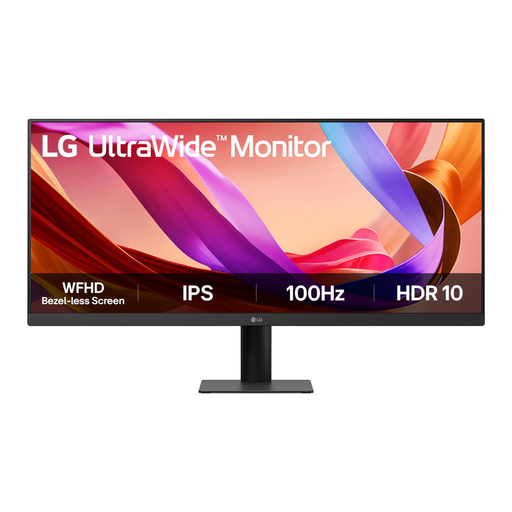 No image available
This 29-inch model could suit you if you want a wider screen without moving up to a larger size; measure the space available.
The product name lists Full HD, IPS and 100 Hz. Check that the resolution suits the windows and text size you need in your DAW.
Not if those projects are on the same computer. Philips describes a KVM for sharing one keyboard and mouse between two separate PCs.
It depends on the software. Ableton documents different views in a second window, across two monitors or on one large screen; check which options your DAW offers.
Consider the audio routing separately from the monitor connection. Steinberg’s Cubase instructions treat the audio interface, inputs and outputs, buffer size and latency as separate settings; a USB-C monitor connection won’t configure these automatically.
Arboportaal outlines employers’ obligations for screen-based work, subject to conditions that include an employee working for more than two hours a day. These conditions aren’t a general product specification for every private buyer. Arboportaal also recommends taking breaks and having a suitably arranged workstation.
No. According to the Dutch Government, the Netherlands has no fixed statutory warranty period: you’re entitled to a product that is fit for purpose, and the retailer is your point of contact if there’s a problem. Any additional manufacturer’s or retailer’s warranty is separate.
The European Commission confirms that computer monitors are covered by energy labelling for electronic displays. The label uses a scale from A to G; for a specific model, also check the accompanying product information.