What should you look for?
For a short spoken ident recorded in a compact space, your headset should do more than keep your desk clear. It also needs to suit your recording setup and the way you monitor your voice.
| What to consider |
What should you check? |
Who should pay particular attention? |
| Clear desk space |
Check that the microphone and headphones are part of the same headset, and consider how the boom and cable will sit in your workspace. |
If you don’t want a separate mic stand on your small desk, a compact setup is a priority. Around 31% of consumers prioritise keeping their work surface clear. |
| Clear speech |
Make a test recording at your usual speaking volume and check how clear it sounds, including for any plosive sounds. Follow the positioning instructions for your chosen model. |
If your short spoken message needs to come across clearly, assess the microphone position in your own recording. Around 31% of consumers prioritise speech clarity. |
| Connection to your recording setup |
Check the microphone and headphone connections separately, including any cables or splitter supplied. |
If you want to keep using your computer, recorder or mixer, both audio paths need to be compatible. Around 23% of consumers prioritise compatibility with their existing equipment. |
| Monitoring and wearing comfort |
Check whether your device sends the microphone signal to your headphones, and whether the fit suits your recording sessions. |
If you want to hear yourself while recording and wear the headset for longer periods, both monitoring and fit matter. Around 15% of consumers prioritise this combination. |
Headsets at Joybuy
These Joybuy products combine headphones with a microphone. Before buying, check that the connection and monitoring options suit your recording setup and the way you record a radio ident.
 No image available
Sennheiser MOMENTUM 4 Wireless, black
These wireless over-ear headphones list four microphones; check that the connection and monitoring options suit your recording setup.
60-hour battery life; noise cancelling; fast charging.
Joybuy
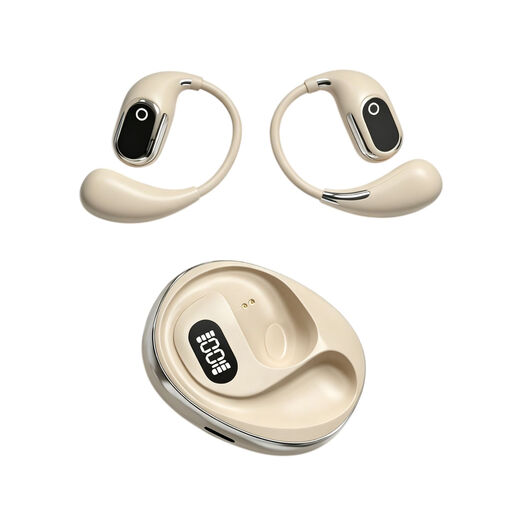 No image available
On-ear headphones with condenser microphone, translation in 144 languages
The product name lists a built-in condenser microphone and on-the-spot recording; check the connection and monitoring options for recording a spoken ident.
On-ear design; charging case with Type-C.
Joybuy
 No image available
Razer Kraken V3 X, black
This headset combines listening and a microphone in one wearable setup; check that the connection and monitoring options are suitable for your recording device.
Joybuy
 No image available
Jabra Evolve2 75
This headset combines headphones with microphones for communication; check that the connection and monitoring options work with your recording device.
Joybuy
 No image available
Jabra Evolve 30 II MS Stereo
According to the product description, this stereo headset has a microphone; check which of the listed connection options works with your recording device.
3.5mm connection; USB controller; 0.95 m cable.
Joybuy
Frequently asked questions
How can you reduce plosive sounds when recording?
Start by following your headset’s positioning instructions and make a test recording. For the SM35 headset microphone, Shure recommends positioning it by the corner of your mouth, rather than directly in front of it, to reduce plosive sounds. Don’t assume the same position will work for a different model.
Do you always need just one XLR cable for an XLR headset?
No, it depends on the headset’s connections. According to Audio-Technica, the microphone on the Audio-Technica ATH-M50xSTS connects via XLR, while the headphones use a separate 3.5mm connection. Check both connections and what’s included with the version you choose.
What can you do if your headset doesn’t work properly after purchase?
For a consumer purchase in the Netherlands, contact the seller if a product is faulty. The Dutch government states that the Netherlands has no fixed statutory warranty period for all products. For distance purchases from a business, you’ll generally also have a 14-day cooling-off period; check whether these rules apply to your purchase.
Can you broadcast your recorded ident with music?
Buying a headset or recording an ident doesn’t in itself give you the rights to use music. If you use music owned by rights holders in a production or radio programme, check what permission or licence you need before publishing it. Business.gov.nl also states that separate licensing rules apply to the use of a radio frequency; recording equipment doesn’t replace such a licence.


