
Practising on the circuit
You want to practise corners and braking points repeatedly, and need a wheel, pedals and feedback that work with your game and platform. Logitech G and Thrustmaster make different platform versions of their wheel models.


Start with your racing game and platform, then choose a wheel with pedals and a mounting system that fit your desk. Force feedback provides motorised resistance through the wheel; vibration feedback is different. In a shared bedroom, consider the noise and any vibration from the entire setup: a claim about the motor doesn’t automatically tell you how the wheel base, desk and pedals will sound or feel together.
You want to practise corners and braking points repeatedly, and need a wheel, pedals and feedback that work with your game and platform. Logitech G and Thrustmaster make different platform versions of their wheel models.
You want to be considerate of your housemate and don’t want to assume that a claim about the drive means the whole setup is guaranteed to be quiet. Thrustmaster describes the T300RS GT Edition motor as quiet; this isn’t a measurement of the noise made by the entire setup.
You don’t have a permanent cockpit and want to check that the wheel clamp, pedal position and available space will work. Thrustmaster says the T128 clamp fits surfaces up to 5.5 cm thick; MOZA and Fanatec list a table clamp with specific bundles.
Right for you if: you want to try using a wheel and pedals, and motorised resistance through the wheel isn’t essential.
The trade-off: the Trust GXT 289 Movi offers vibration feedback, not motorised force feedback.
Right for you if: you want motorised resistance through the wheel and are looking for a desk setup; compare the Logitech G29 or G920 with the right T128 version.
The trade-off: the G29 and G920 are designed for different consoles; the T128 also has separate PlayStation and Xbox versions.
Right for you if: you race on PC or PlayStation and value the interchangeable wheel option and GT pedals of the Thrustmaster T300RS GT Edition.
The trade-off: Thrustmaster’s description of a quiet motor doesn’t compare the noise made by a complete bedroom setup.
Right for you if: you race on PC and specifically want direct drive and adjustable force feedback, such as the MOZA R5 Racing Bundle or Fanatec CSL DD Ready2Race Bundle (5 Nm).
The trade-off: torque figures alone don’t tell you anything about noise, lap times or whether your desk and pedal position are suitable.
| What to consider | What should you check? | Who is this important for? |
|---|---|---|
| Practising corners and braking points | Check game and platform compatibility, the type of feedback and which pedals are included. | If I want to practise corners and braking points repeatedly, I want the wheel and pedals to work with my game. Around 29% of consumers put control during practice first. |
| Being considerate of a housemate | Consider the wheel, desk and pedals together; don’t infer a noise level from a claim about the motor alone. | If I share a bedroom, I don’t want to look only at the wheel, but also at the setup on my desk. Around 29% of consumers make being considerate of a housemate a priority. |
| Fitting on a shared desk | Measure the desktop and the clearance underneath it; check where the pedals can go. | Without a permanent cockpit, I want to be able to mount the wheel and fit the pedals into my existing space. Around 24% of consumers prioritise a shared desk. |
| Putting together a complete set | Check whether the version you’ve chosen includes a wheel, pedals and the required mounting system. | If I want to put together a usable set, I want to know in advance exactly which parts are included in the bundle I’ve chosen. Around 18% of consumers prioritise getting a complete set. |
The Trust GXT 289 Movi offers vibration feedback, but according to the product description, it doesn’t provide motorised resistance through the wheel. This distinction matters if you specifically want to feel resistance through the wheel while practising.
Choose this type only if vibration feedback is what you’re looking for; don’t compare models based on the word ‘feedback’ alone.
Logitech G distinguishes the G29 for PlayStation and PC from the G920 for Xbox and PC. The Thrustmaster T128 also comes in separate versions for different platforms.
Before choosing a version, check the full model name, your console or PC, and whether your racing game supports it.
Choosing the wrong platform version could mean you need to buy a different model after all.
What’s included varies by version. The Fanatec CSL DD Ready2Race Bundle (5 Nm) lists a wheel base, wheel, pedals and table clamp as bundle components.
Check the contents of the exact version you’re considering so you know what else you’ll need to arrange separately.
Any missing wheel, pedal or clamp components will need to be arranged separately.
Thrustmaster describes the T300RS GT Edition motor as quiet, but this doesn’t tell you how the wheel base, desk and pedals will sound or vibrate together.
Consider the complete setup in your room, and don’t compare noise levels unless they’ve been measured under the same conditions.
The G29 is designed for PlayStation and PC; the G920 is for Xbox and PC. They’re separate versions for different platforms.
The T128 is an entry-level option designed for desk use; the T300RS GT Edition offers a different setup with dual-belt drive and GT pedals.
The R5 Racing Bundle is a direct-drive option for a PC desk setup.
The CSL DD Ready2Race Bundle (5 Nm) is a PC bundle with specified components.
The GXT 289 Movi is a PC wheel with pedals for anyone looking for vibration feedback.
This selection of Joybuy products includes racing wheels with pedals for a range of PC and console setups; check platform compatibility and the space available for the wheel and pedals for each model.
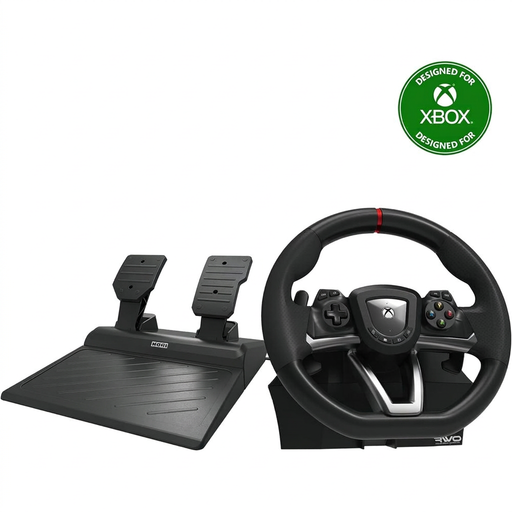 No image available
An option if you race on PC or Xbox and want to use a wheel and pedals.
The product information lists a 270° steering angle and a desk clamp mount. Accelerator and brake pedals are included.
 No image available
An option if you race on PC, PS4 or PS5 and want to use programmable settings.
The product information lists 270° steering rotation, vibration feedback and full-size pedals.
 No image available
An option if you race on PC or Xbox and want motorised force feedback.
The product information lists TRUEFORCE force feedback and a progressive brake pedal. The wheel is sold with pedals.
 No image available
An option if you race on Xbox or PC and want a desk mount.
The product information lists 240° steering rotation, a pedal set and a quick-release clamp for surfaces up to 4.5 cm thick. Bungee cord technology returns the wheel to the centre.
 No image available
An option if you race on PS5, PS4 or PC and want direct drive with force feedback.
Thrustmaster product information lists 5 Nm constant torque, a 30 cm wheel and pedals with adjustable resistance. The wheel needs to be securely mounted.
Don’t assume so. Logitech G distinguishes the G29 for PlayStation and PC from the G920 for Xbox and PC; Thrustmaster offers separate T128 versions for PlayStation and PC, or Xbox and PC. Also check that your specific racing game supports the model.
First, measure the thickness of your desktop and the clearance beneath the edge. Thrustmaster specifies that the T128 quick-release clamp fits surfaces up to 5.5 cm thick; MOZA lists a table clamp with the R5 Racing Bundle, and Fanatec with the Ready2Race bundle mentioned above. Also check where the pedals can go.
Follow the installation, driver and firmware instructions for your exact model. Thrustmaster provides separate support for the T128 and the T300RS GT Edition; don’t simply use settings for a different model.
When buying from a business at a distance, you’ll often have a 14-day cooling-off period, according to the Dutch government. If a product is faulty, the seller is responsible for the legal guarantee; in the Netherlands, there is no fixed statutory two-year guarantee period.