What should you look for when buying?
First, check your view and the pit functions available in your simulator. Then choose a set based on braking controls, platform and mounting, and only then consider any plans to expand your set-up.
| What to consider |
What to look for when buying |
Who should prioritise this? |
| View of the pit line and speed |
Check the camera position, field of view and where pit information appears on screen before choosing hardware to suit. |
If you want to follow the pit line and speed at the same time on one monitor, first check the view and information available in your simulator. Around 37% of consumers would consider this their main buying priority. |
| Braking and pit controls |
Check whether the set includes pedals and accessible, assignable buttons; see which pit functions are available for each car and game. |
If you want to brake before the pit line and operate pit functions while driving, suitable pedal and button controls will help. Around 36% of consumers would make this their top priority. |
| Platform and mounting |
Compare the exact PC or console version and check which pedals and mounting hardware are included. |
If your set needs to work with a specific console or PC and sit securely on your desk, the version and mounting matter. Around 18% of consumers would choose this as their main reason to buy. |
| Expanding your set-up later |
Check what the bundle includes and whether your planned upgrades are compatible with the parts you choose. |
If you want to expand a direct-drive set-up as well as practise pit entries, compare the base, pedals and other bundle components. Around 9% of consumers would prioritise expandability. |
Racing wheel bundles at Joybuy
Here you’ll find racing wheel bundles with pedals for a range of PC and console set-ups. Compare the exact platform version and included components with your simulator and mounting space.
 No image available
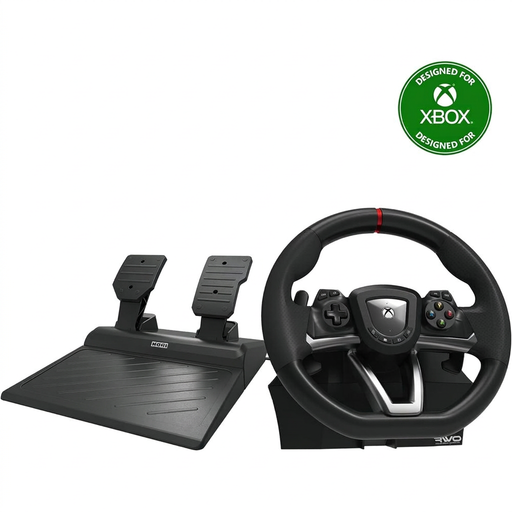
Hori Overdrive Racing Wheel for PC and Xbox
A set for anyone looking to practise on PC or Xbox and use programmable buttons.
The product information lists a 270-degree steering angle, separate accelerator and brake pedals, programmable buttons and a desk clamp. Check compatibility with your specific game and platform.
Joybuy
 No image available
Logitech G G923 for PC and Xbox
This version is designed for PC and Xbox; check that it suits your platform before choosing the set.
The product information lists TRUEFORCE force feedback, a maximum steering angle of 900 degrees and pedals with a progressive brake pedal. The stated feedback doesn’t confirm that pit functions are supported in every simulator.
Joybuy
 No image available
Trust GXT 289 Movi-Racing Wheel for PC
A PC set with separate pedals and programmable buttons for anyone who wants to customise the controls for their game.
The product information lists vibration feedback and a 270-degree steering angle. Motorised force feedback isn’t listed; according to the product information, this set isn’t intended for anyone who needs force feedback or a 900-degree steering angle.
Joybuy
 No image available
Thrustmaster T98-X Ferrari 296 GTB
A wheel and pedal set for anyone looking to practise on PC or Xbox with a table or desk set-up.
The product information lists a 240-degree steering angle and a quick-release clamp for tables and desks up to 4,5 cm thick. Check that your table is within this limit.
Joybuy
 No image available
Thrustmaster T598-P Direct Axial Drive
A direct-drive set for anyone looking to race on PC, PS4 or PS5 and wanting a pedal set.
The product information lists Direct Axial Drive, constant torque of 5 Nm and two metal sensor pedals. Check compatibility with your platform and simulator.
Joybuy
Frequently asked questions
Does the pit limiter automatically slow you down before the pit line?
No. In iRacing, neither the manual nor the automatic pit limiter brakes for you. Brake yourself to below the pit speed limit; some cars don’t have a limiter, and the automatic option isn’t available in every session.
How do I set up a single monitor for practising pit lane entries?
In iRacing, start by adjusting the field of view and camera position, then check that you can see the pit information as you approach. iRacing warns that setting a view much wider than is geometrically appropriate can distort your perception of speed.
How do I assign wheel buttons to pit functions?
In iRacing, you can change button assignments in the settings. First check which functions are available for your chosen car; according to iRacing, unavailable functions appear greyed out.
What can I do if my racing wheel develops a fault too soon during normal use?
According to ACM ConsuWijzer, the seller is responsible for the statutory guarantee if a product doesn’t do what you could reasonably expect from it. The manufacturer’s warranty period doesn’t automatically limit your statutory rights.
Can I return a racing wheel I bought online in the Netherlands?
For online purchases, you generally have a statutory cooling-off period of up to 14 days after delivery, with some exceptions. ACM ConsuWijzer explains these rules; check the terms that apply to your purchase.


