
Drivers with three screens
You want to judge braking and turn-in points from a realistic viewing position. iRacing Support explains that screen size, viewing distance and screen layout all play a part in setting up three monitors.


Choose a wheel and pedal set that suits your game, platform and mounting setup. For practising racing lines, consistent pedal control and useful force feedback matter more than any supposed special feature for three screens. iRacing Support explains that screen geometry and viewing position are configured in the sim, with wheel and pedal calibration as a separate step. A direct-drive set may suit you if you want more feedback settings, but check the mounting requirements and what’s included: specifications alone don’t prove that you’ll learn to drive faster.
You want to judge braking and turn-in points from a realistic viewing position. iRacing Support explains that screen size, viewing distance and screen layout all play a part in setting up three monitors.
You want to repeat your braking and throttle inputs lap after lap, so you compare the pedal set and its adjustment options. iRacing Support describes wheel and pedal calibration as part of the controller settings.
You want to compare force feedback systems while checking that the set is compatible with your platform and mounting location. What’s included in the bundle and game support will partly determine which features you can use.
First, consider your game, platform and screen setup. Then compare pedal control, force feedback and how the set is mounted.
| What matters when buying | What to look for | Who will find this important? |
|---|---|---|
| View of the racing line | Check that your game supports multiple screens. If required, measure your viewing distance, screen width and screen angles. | If I practise across multiple screens, I want to judge turn-in and braking points from my usual seating position. Around 31% of consumers put visibility and screen geometry first. |
| Consistent braking | Check which pedals are included, how you can secure them and whether the game offers calibration. | If I want to practise braking points lap after lap, I look for a pedal set I can use and adjust consistently. Around 31% of consumers put consistent braking and throttle control first. |
| Force feedback and mounting | Compare the drive type and the exact bundle. Check that your desk or cockpit can securely support the base. | If I want to adjust the feedback, I also want to know how the base is attached and which parts are included in the set. Around 23% of consumers give feedback and mounting the highest priority. |
| Platform and bundle contents | Read the full model and platform name, and check whether the pedals, base and mount you want are included. | If I play on PC or console, I want to make sure in advance that the version suits my platform and meets my expectations as a complete set. Around 15% of consumers put compatibility and bundle contents first. |
In iRacing, you set screen geometry and viewing position in the sim; the wheel doesn’t replace those settings.
First, check whether your game supports the screen setup you want. Then choose a wheel based on its controls, pedals, platform compatibility and mounting options.
A similar model name doesn’t automatically mean that the platforms and included parts are the same.
Before ordering, compare the full product name and bundle contents with the manufacturer’s specifications.
For the T300RS GT Edition, Thrustmaster lists compatible extra pedals as sold separately. Check whether any accessories you want are included in the bundle.
The stated Nm values are specifications for specific wheel bases. On their own, they don’t show that you’ll learn racing lines faster or achieve better lap times.
Use torque as one point of comparison, and also check the mounting and your game’s feedback settings.
Logitech G offers the G923 as a wheel and pedal set, with separate versions for different platforms.
According to Thrustmaster, the T300RS GT Edition combines a dual-belt drive with three included pedals and a detachable wheel.
The MOZA R5 bundle is a direct-drive set for PC, with an ES wheel, SR-P Lite pedals and a desk clamp.
The EU version of the 5 Nm CSL DD QR2 Ready2Race bundle reviewed is a direct-drive set for PC.
This Joybuy selection includes wheel and pedal sets for PC and/or consoles. Check the platform, mounting and included parts for each version.
 No image available
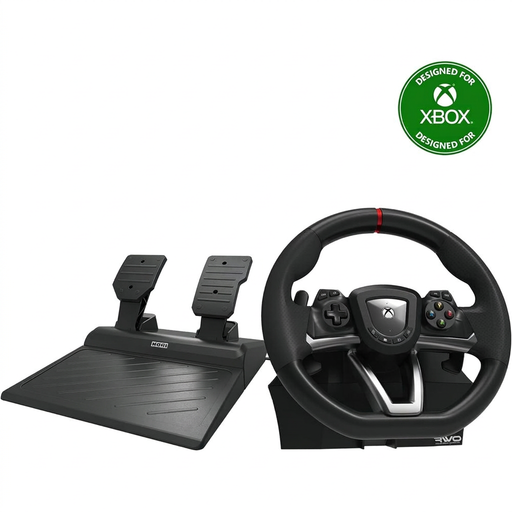
Suitable for a PC or Xbox setup; the product name lists pedals and a 270-degree steering angle.
 No image available
An option for a PC or PlayStation setup; the product name lists pedals and compatibility with PC, PS4 and PS5.
 No image available
Suitable for a PC or Xbox setup; the product name lists a wheel and pedals. Logitech G lists TRUEFORCE for the G923; check whether your game supports the feature.
 No image available
An option for a PC or Xbox setup. Before mounting it on a desk, check that the clamp fits the thickness and shape of your desk.
 No image available
A good option for a PC or PlayStation setup. The version described includes two pedals for braking and acceleration; check whether you also need a clutch pedal.
No. According to the iRacing Support instructions, you set up screens and screen geometry in the sim, then calibrate the wheel and pedals separately. Check the capabilities of your own game, as iRacing’s instructions don’t automatically apply to every game.
Calibrate the wheel and pedals in your game before comparing lap times. In iRacing, you can also enter your screen dimensions and viewing distance; the iRacing Driving School covers racing lines, looking ahead and braking technique as separate skills.
No, it depends on the exact bundle. Thrustmaster lists three pedals for the T300RS GT Edition, but says other compatible pedals are sold separately. Check the full set contents before ordering.
When buying from a business at a distance, you usually have a 14-day cooling-off period. You’re also entitled to a product that’s fit for purpose. According to the Dutch government, there’s no fixed statutory guarantee period of exactly two years for every product in the Netherlands. Check the seller and the terms of the specific purchase.
CE marking is required for products covered by EU rules that make the marking compulsory. Check the marking and product information for the specific version. According to Your Europe and the Dutch government, a brand name alone doesn’t prove that an individual product meets the applicable requirements.