
Mario Kart player
Start by checking whether you have a Switch or Switch 2 console, which controller you’ll use and the exact Mario Kart game.


Choose based on the game and platform you actually use. For Mario Kart, a compatible Joy-Con wheel or supported HORI wheel may be enough, while a PC kart simulator might call for a wheel with force feedback. Using a single monitor doesn’t in itself require a special type of wheel. Check game compatibility, the controller you need, pedal operation and how the wheel is mounted.
Start by checking whether you have a Switch or Switch 2 console, which controller you’ll use and the exact Mario Kart game.
You’re looking for a wheel with pedals for a kart simulator, and need to check that your specific game supports the wheel you choose.
You use a single monitor at a desk or in the living room and want to know whether a wheel, mount and pedals will fit comfortably.
When choosing a racing wheel for virtual karting on a single monitor, the main factors are the game and platform, the controls you want, the space available and the equipment you already own.
| What to consider | What should you check? | Who is this important for? |
|---|---|---|
| Game and platform compatibility | Make a note of your console or PC, the game title and the full model number. Check that the specific game supports the steering, buttons and pedal controls you want to use. | I want to avoid buying a wheel that doesn’t work with my game, console or controller. Around 33% of consumers prioritise compatibility. |
| Wheel feel and controls | Decide whether you want a Joy-Con in a wheel holder, a fixed wheel-and-pedal set or force feedback. Check that the game supports those controls. | I want to choose the type of controls my game actually uses, from steering with a controller to force feedback. Around 27% of consumers prioritise wheel feel and controls. |
| Set-up with a single monitor | Check that your desk is suitable for the mount and that you can position the pedals securely. | I need to fit the wheel and pedals into my usual gaming space. Around 20% of consumers are particularly mindful of limited gaming space. |
| What’s included | Check whether a controller, clamp and pedal set are included, and compare this with what you already own. | I want to know in advance which extra parts I’ll need besides the wheel. Around 20% of consumers prioritise a complete set. |
Platform support and support for a specific game aren’t the same thing. KartKraft’s shop page doesn’t specify which racing wheel models work with the game.
Before choosing, check the exact game and the wheel’s full model number.
The Nintendo Switch Joy-Con wheel accessory and Joy-Con 2 wheel set reviewed here are designed to be used with the relevant controller; the controllers aren’t included.
Compare what’s in the box with the controllers you already own.
HORI describes these as separate models and lists the features and game compatibility for each one.
Check the full model number and which features apply to your game.
These brands offer options for different types of wheels and games. Features of the product ranges mentioned aren’t a general assessment of the brand as a whole.
Joy-Con wheel accessories for kart games, used with the relevant controller.
Nintendo-licensed kart wheels with pedals, including separate versions for Switch and Switch 2.
Motorised wheel-and-pedal sets for platforms including PC.
The T248 is a hybrid force feedback wheel for PlayStation and PC.
Direct-drive bundles for simulators, including several versions of the R3.
This selection ranges from Joy-Con wheel accessories for Switch 2 to wheel-and-pedal sets for PC. Check which controls are supported by each game and exact model.
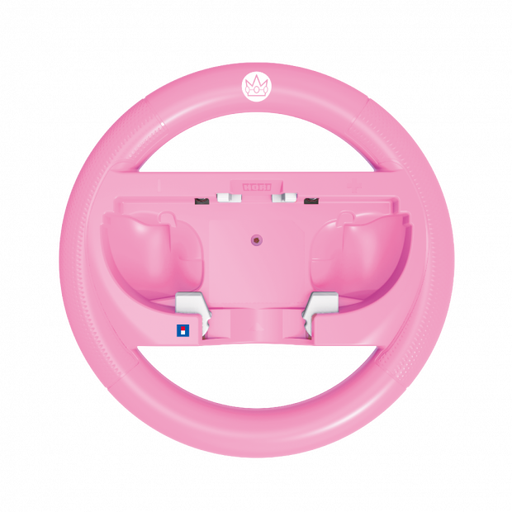 No image available
For Mario Kart World or Mario Kart 8 Deluxe if you want to use a Joy-Con in a wheel-shaped holder.
The description lists L/R and SL/SR buttons. A compatible Joy-Con or Joy-Con 2 controller is sold separately.
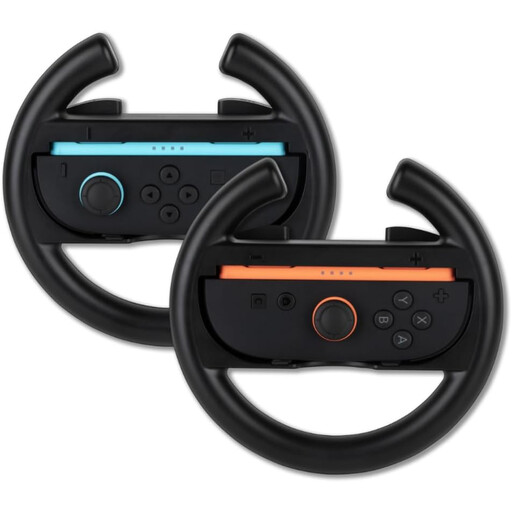 No image available
For motion controls in Mario Kart World with Joy-Con controllers.
The set includes two plastic wheel accessories; Joy-Con controllers are required.
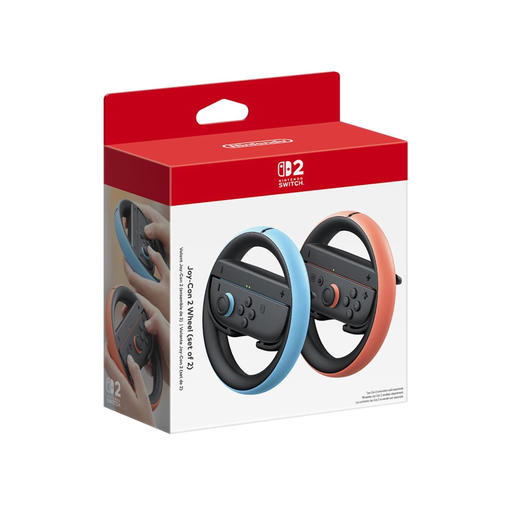 No image available
A wheel accessory for playing on Switch 2 with a Joy-Con in a wheel-shaped holder.
Before buying, check which controllers are included with this version.
 No image available
For PC or Xbox racing games if you’re looking for a wheel with pedals and TRUEFORCE force feedback. Check that it supports your specific game.
The product description lists a brake pedal and a 900-degree rotation range.
 No image available
For PC racing games if you want a desk mount, accelerator and brake pedals, and vibration feedback. Check that your game supports it.
The wheel has a 270-degree rotation range and desk clamps. Its feedback is vibration feedback, not motorised force feedback.
No. Check your console, the full model number and the game. HORI lists both Mario Kart World and Mario Kart 8 Deluxe for the NSX-123U; Logitech lists the G29 for PlayStation and PC, not Nintendo Switch.
Nintendo explains that when choosing a kart, you can press plus or minus to open the vehicle stats and switch on the tilt controls icon there. Nintendo also explains how to access the setting during a race.
The Nintendo Switch Joy-Con wheel reviewed here doesn’t include a Joy-Con. The Joy-Con 2 wheel set reviewed here doesn’t include Joy-Con 2 controllers either. These are wheel accessories, not pedal sets.
According to ACM ConsuWijzer, if a product is faulty, the seller must offer an appropriate solution at no cost. For an online purchase, you generally have a statutory cooling-off period of up to 14 days after delivery, subject to legal exceptions. The cooling-off period for changing your mind is separate from your rights if a product is faulty.