
Kart player who wants to pack away quickly
If you play with motion controls and want to put the wheel away afterwards, check that it fits your generation of Joy-Con. Nintendo lists tilting the Joy-Con as a control option in Mario Kart 8 Deluxe.


For Mario Kart with tilt controls, a Joy-Con steering wheel attachment is a compact option that you can put away after playing; just make sure you choose one that fits your generation of Joy-Con. A fixed wheel with pedals is a better fit if you have room on the table and floor, and your specific game and console are supported. Nintendo describes tilt controls for Mario Kart 8 Deluxe, while HORI says the steering wheel and pedal sets reviewed are also compatible with the original Switch; don’t assume they’ll be quieter or improve your lap times without comparative testing.
If you play with motion controls and want to put the wheel away afterwards, check that it fits your generation of Joy-Con. Nintendo lists tilting the Joy-Con as a control option in Mario Kart 8 Deluxe.
A fixed wheel with pedals is worth considering if you have room for the table mount and pedals, and your console and game are supported. HORI lists these components for the Mini and Deluxe versions reviewed.
For local multiplayer, you’ll also need enough compatible controllers as well as two suitable steering wheel attachments. Nintendo says the sets of two reviewed are sold without Joy-Con controllers.
Start with the game, console and controller you actually use. Then decide whether you want a separate attachment or a fixed setup with pedals.
Choose this if: you want to use tilt controls and put the wheel away after playing. Choose an attachment that fits your generation of Joy-Con.
Bear in mind: this is an attachment for a Joy-Con, not a wheel-and-pedal set; the controllers aren’t included with the Nintendo sets reviewed.
Choose this if: you want a fixed driving position and have room for the mount, cable and pedals. HORI says the Switch 2 versions reviewed are also compatible with the original Switch.
Bear in mind: this setup needs space on the table and floor; check the connection and support for your specific game.
Choose this if: you’re looking for a tabletop wheel that folds away after use. Subsonic says its version is suitable for Joy-Con and Joy-Con 2 with games that use motion controls.
Bear in mind: according to Subsonic, this version has suction cups and a foldable stand; check that the mounting surface works with your table.
Choose this if: you also play a racing game on a specifically supported platform. Thrustmaster lists PlayStation and PC for the T128 version reviewed.
Bear in mind: that support doesn’t prove compatibility with Mario Kart on Nintendo Switch; check that you have room for a fixed setup, too.
| What to consider | What to check before buying | Who is this most relevant to? |
|---|---|---|
| Compatibility | Check the game title, console, Joy-Con generation and supported controls. | I want to make sure my game, console and Joy-Con work together first; around 31% of consumers put compatibility top of their list. |
| Storage and setup | Check the mounting method, cable routing and available space on the table and floor. | In a shared bedroom, I want to be able to put the wheel away afterwards without losing a permanent place at the table; around 25% of consumers prioritise space and tidying away. |
| Local multiplayer racing | Check the number of attachments, available controllers and the game’s multiplayer mode. | If I’m playing with someone else, I want to know whether we have enough suitable controllers and attachments; around 19% of consumers make local multiplayer racing their main priority. |
| Wheel and pedals | Decide whether tilt controls are enough or whether you want a fixed wheel with pedals; check game support. | I specifically want a separate wheel with pedals rather than a Joy-Con in an attachment; around 19% of consumers prioritise this type of control. |
| Included parts and aftercare | Check what’s in the box and the terms that apply to your purchase. | When buying, I want to know whether the controllers are included and what options I have if something goes wrong; around 6% of consumers prioritise missing parts and aftercare. |
Nintendo says the Joy-Con 2 steering wheel set is designed for Joy-Con 2 controllers only.
Check the exact controller name rather than relying on terms such as ‘Switch’ or ‘Mario Kart’.
The Nintendo attachments reviewed are designed for Joy-Con controllers, which aren’t included. The HORI models reviewed are separate wheels with pedals.
Check the packaging and decide first whether you want a Joy-Con attachment or a fixed wheel with pedals.
The fixed HORI models reviewed have a cable, a mount and pedals; a separate steering wheel attachment requires a different setup.
Measure the available table and floor space, and decide where you’ll store the components after playing.
Nintendo offers separate steering wheel attachments for different Joy-Con generations, designed for players who want to use their controller as a wheel.
HORI offers both Joy-Con steering wheel attachments and separate Mario Kart Racing Wheel Pro wheels with pedals.
Trust offers the GXT 1257 as a set of two steering wheel attachments for Joy-Con 2.
Subsonic offers steering wheel attachments for different Joy-Con generations, as well as a foldable tabletop Pro Kart Racer.
Thrustmaster is another option if you also play supported racing games on other platforms, as well as kart games.
These picks focus on separate Joy-Con steering wheel attachments for a Switch 2 setup; they aren’t fixed wheel-and-pedal sets.
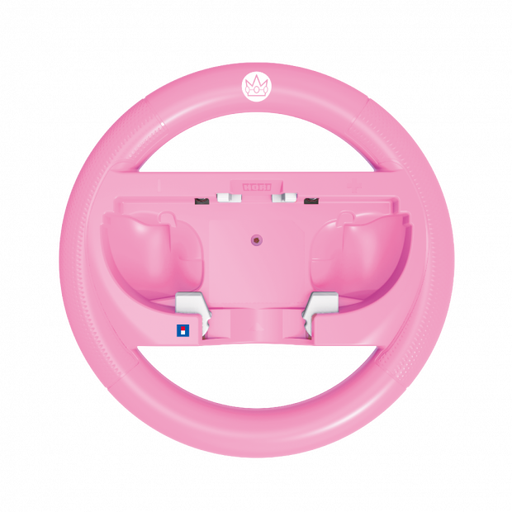 No image available
For anyone looking for a Joy-Con steering wheel shape for a Switch 2 setup.
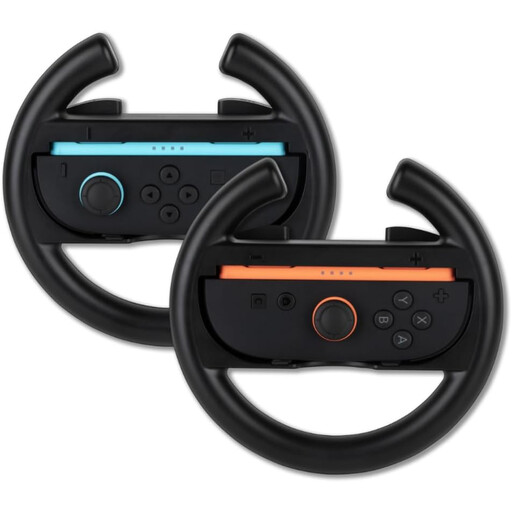 No image available
For racing together with Joy-Con steering wheel attachments; Joy-Con controllers are sold separately.
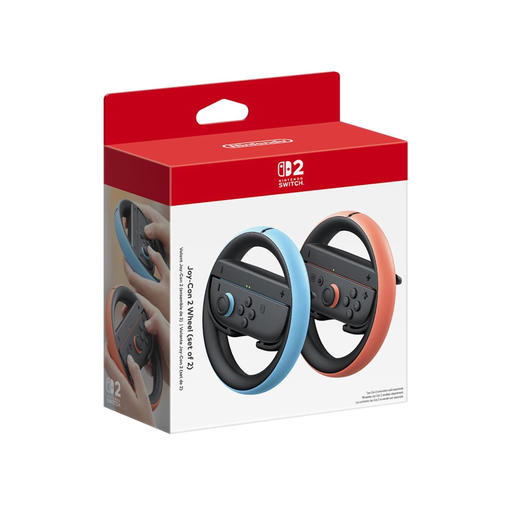 No image available
A Joy-Con steering wheel set for anyone looking for a separate attachment for a Switch 2 setup.
No. Nintendo describes control using the direction stick, as well as tilt controls with the Joy-Con, which you can switch on separately. Choose a Joy-Con steering wheel attachment if you want to use motion controls.
No. Nintendo says the Joy-Con 2 steering wheel set is designed for Joy-Con 2 controllers only. Nintendo says an original Joy-Con can be used wirelessly with a Switch 2 system; you’ll need an attachment designed for the original Joy-Con.
Before buying, check the connection, that you have a suitable table surface and that there’s room for the pedals. For the Switch 2 Mini reviewed, HORI specifies a USB-A cable and suction cups; the larger Deluxe has a USB-A cable and, according to HORI, can be mounted with suction cups or a clamp.
Check that you have enough suitable controllers and that your chosen game’s multiplayer mode supports the number of players you want. Nintendo says the Joy-Con steering wheel sets reviewed are sold without controllers.
When you buy from a business online, you generally have a statutory 14-day cooling-off period after delivery; check whether an exception applies. You’re also entitled to a legal guarantee from the seller if a product is faulty, separate from any manufacturer’s guarantee, as explained by ACM ConsuWijzer.