What should you look for when choosing racing pedals?
First, check your setup and connections. Then compare whether position sensing, force measurement or adjustable brake resistance suits the way you want to practise.
| What to consider |
What should you check? |
Who is this important for? |
| Braking steadily in a small space |
Measure the space available for the pedals, your feet and your chair. Compare the set’s dimensions and check that it stays stable when you use your usual braking force. |
If you practise braking points in a shared space, you’ll want the pedals and chair to stay put. Around 40% of consumers make stable placement their top buying priority. |
| Repeatable braking input |
Compare force measurement with position sensing, and check which springs, elastomers or calibration settings are available. |
If you want to repeat your braking pressure at a virtual braking point, it’s important to find a braking feel you can adjust to suit you. Around 30% of consumers put repeatable braking input first. |
| Connection to existing hardware |
Check the exact models, gaming platform, port used and whether a wheel base is required. |
If you already have a wheel or pedal set, you’ll want to know whether they’ll work together before choosing an upgrade. Around 20% of consumers make compatibility with existing hardware their top priority. |
| Complete setup |
Check whether the pedals, any clutch and the necessary mounting hardware are included, and take into account any parts you already own. |
If you want to put together a working setup without unexpected extra costs, check what else you’ll need. Around 10% of consumers start by making the cost of a complete setup their main consideration. |
Joybuy products for sim racing
This selection includes racing wheels with pedals and a replacement brake pedal. Before choosing a model, check the connection described and whether you need an existing pedal set.
 Image unavailable
Logitech G G923 Black racing wheel with pedals
A wheel with pedals to consider if you’re looking for more than a standalone pedal set.
The product description lists TRUEFORCE, a 900-degree rotation, a progressive brake pedal spring and adjustable pedal sensitivity. The title mentions PC, Xbox One, Xbox Series S and Xbox Series X.
View at Joybuy
 Image unavailable
Trust GXT 289 Movi-Racing Wheel with pedals
A wheel with separate accelerator and brake pedals to compare if you’re looking for both pedals in one set.
The product title lists PC use, vibration feedback, a 270-degree rotation and a black finish.
View at Joybuy
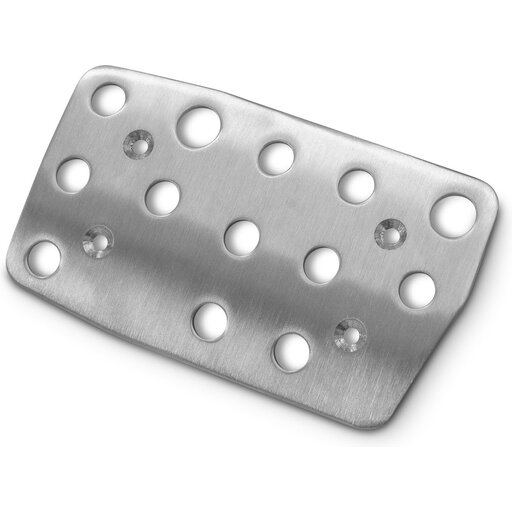 Image unavailable
Playseat G Brake Pedal for Logitech G27 Action Grip
This is a replacement brake pedal for anyone with a compatible Logitech pedal set, not a complete pedal set.
The product information lists stainless steel, a weight of 328 g and compatibility with Logitech G25, G27, G29 and G920 pedal sets. Check that your existing set is included.
View at Joybuy
Frequently asked questions about racing pedals
Do I need to set a load cell brake to a particular force to learn braking points?
No. A sensor’s maximum capacity isn’t a recommended force for your foot. Choose a setting that keeps your pedals and chair stable, and calibrate within the options available on your exact model. Manufacturers describe different ways to adjust braking feel or sensitivity.
Can I connect a PC pedal set directly to a PlayStation or Xbox?
Don’t assume so: the connection method varies by model and platform. MOZA describes a direct USB connection to a PC for the SR-P; according to Fanatec, console use of the CSL load cell combination requires a compatible Fanatec wheel base or racing wheel. Check the full combination of pedals, wheel and console.
What should I adjust or maintain after installation?
Adjust the mechanical brake resistance and, where supported by the model, the calibration or sensitivity for a stable setup. For the T-LCM, Thrustmaster lists PC calibration software and recommends checking the firmware of the wheel base when using it with a Thrustmaster wheel base. Follow the manual for your exact model for maintenance.
Who can help if pedals bought online are faulty?
For a consumer purchase in the Netherlands, you’re entitled to a product that conforms to the contract; according to the Dutch government, you should be able to contact the seller if there’s a problem. The Netherlands doesn’t have a fixed statutory two-year guarantee period for every product. For an applicable online purchase from a business, you’ll generally also have a 14-day cooling-off period; check the terms and exceptions that apply to your purchase.


