
Braking-point practice
You want to slow down under control before the pit lane entry line and are looking for a brake you can adjust to suit you. iRacing Support points out that the pit limiter won’t brake for you.


First, choose pedals that work with your platform and can be securely fitted to your setup. Then compare how the brake can be modulated and adjusted. A load-cell brake measures the force you apply, but it needs a suitable, stable mounting point. iRacing Support notes that the pit limiter won’t slow you down, so check the limiter controls and your headphone audio separately.
You want to slow down under control before the pit lane entry line and are looking for a brake you can adjust to suit you. iRacing Support points out that the pit limiter won’t brake for you.
You want to connect pedals to your current PC or console and check in advance whether you’ll need a compatible wheel base or another connection method. Thrustmaster and Fanatec specify different connection requirements for their pedal sets.
You practise at a desk or with a portable setup and want to consider how the pedals will be mounted before choosing a more rigidly adjusted brake. Heusinkveld specifies a very rigid mounting base for the Sprint.
First check that the pedals will work with your platform and setup. Then compare brake modulation and adjustability against your practice goals.
| What to consider | What to look for when buying | Who should pay particular attention? |
|---|---|---|
| Repeatable braking | Compare the brake sensor and adjustment options. According to iRacing Support, in iRacing you must slow down yourself before the pit lane entry line. | If I want to practise braking at the same point each time, I focus on modulation and adjustability. Around 36% of consumers in this practice scenario put brake modulation first. |
| Connectivity | Check the pedal version, cable and wheel base required for your platform and game. | I want the pedals to work with my existing platform and wheel without needing an unexpected extra connection method. Around 29% of consumers give connectivity top priority. |
| Mounting and space | Check the mounting options, seat position and available space. A stiffer brake may need a more rigid base. | With a desk-based or portable setup, I want to stop the pedals from moving when I brake. Around 21% of consumers say stable mounting is their main concern. |
| Controls and audio | Check whether you can assign the limiter to a control in your simulator and whether you can hear the game audio through your headphones. iRacing Support describes possible audio issues when another programme is using the same device exclusively. | When using headphones, I want to operate the limiter easily and hear the game audio clearly. Around 14% of consumers put controls and audio first. |
In iRacing, the pit limiter won’t slow you down. You need to brake to below the applicable speed limit yourself before the pit lane entry line.
Practise your braking point and check the limiter settings for the car and session you’re using.
MOZA distinguishes the SR-P Lite, which has Hall sensors, from the SR-P, which has a load-cell sensor. So the model name matters if you’re specifically looking for a load-cell brake.
Check the full model name and sensor type of the set on offer. If you choose the wrong version, you may need a different pedal set or an upgrade.
Heusinkveld specifies a very rigid mounting base for the Sprint. This is an important requirement for a loose floor setup or a desk.
Consider the mounting, seat and available space alongside your choice of pedals. You may need a suitable mounting base.
For consoles, Thrustmaster describes connecting the T-LCM via RJ12 to a compatible Thrustmaster wheel base; the PC connection may be different.
Check the platform, wheel base, cable and exact pedal version as one complete setup.
The T-LCM is an adjustable load-cell set for use with a compatible Thrustmaster connection or a supported PC connection.
The CSL Pedals Load Cell Kit is a separate brake upgrade for a CSL Pedals setup.
The SR-P Lite uses Hall sensors, while the separate SR-P is designed for those looking for a load-cell brake.
The XP1 is a load-cell set for those looking to adjust the brake and pedal position in a compatible setup.
The Sprint is designed for a fixed, very rigid PC rig with extensive pedal and brake adjustment options.
This selection is for anyone who wants to practise braking and pit lane procedures with an existing or simple pedal setup. Check that each model’s connections and included parts are compatible with your equipment.
 Image unavailable
An option for anyone who wants to use brake and accelerator input with a wheel set while practising.
The product title lists PC, PS4 and PS5 and says that pedals are included. Check that the connection is compatible with your simulator.
 Image unavailable
A good option if you’re considering a wheel set with pedals and want to check that the stated platform support works with your simulator.
The product name lists PC, Xbox One and Xbox Series S and X. Check which connections and settings your setup requires.
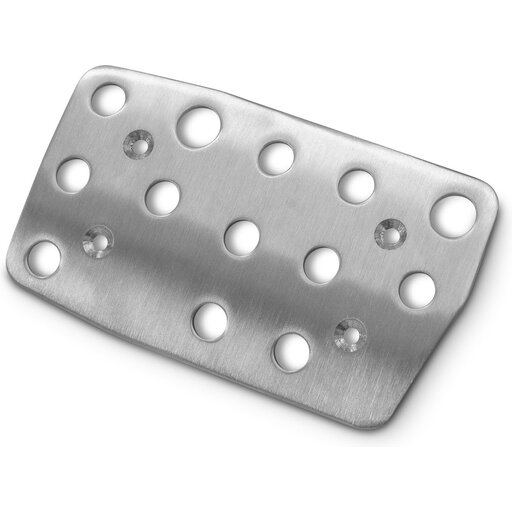 Image unavailable
This separate brake pedal component is an option if you already have a Logitech G27 setup.
Before buying, check that your current pedal set is compatible with this component.
 Image unavailable
An option for anyone looking for a wheel set with separate brake and accelerator pedals for use with a PC.
The product name lists PC and a 270-degree rotation angle. Check that the set is compatible with your simulator and setup.
 Image unavailable
An option for anyone considering a wheel set for one of the listed platforms.
The product name lists PS5, PS4 and PC. Check the product information to see which pedals are included with this version and how they connect.
Not in iRacing: according to iRacing Support, you must brake to below the applicable speed limit yourself before entering the pit lane. Check the rules for any other simulator separately.
For consoles, Thrustmaster describes an RJ12 connection to a compatible Thrustmaster wheel base, rather than a standalone USB connection. For a supported Windows PC, Thrustmaster also lists direct USB connection.
Check the selected audio output and whether another programme is using the same device in exclusive mode. iRacing Support warns that this can interfere with the simulator, chat or spotter audio.
For online purchases from a business, consumers generally have 14 days to change their mind, although exceptions and the type of seller matter. The Government of the Netherlands states that there is no fixed statutory warranty period in the Netherlands.