What should you look for when choosing?
Check the mounting and connection first, then decide which brake type and adjustment options suit your practice sessions. A different pedal set won’t correct excessive speed on pit entry: in iRacing, you need to brake in good time yourself.
| What to consider |
What should you check? |
Who is it most important for? |
| Brake control |
Compare the brake type, adjustable resistance and stated actual pedal force, then calibrate the brake in your simulator. |
I want to fine-tune my braking point and pressure during repeated practice, and slow down myself before the pit speed limit. Around 33% of consumers put progressive braking at the top of their list. |
| Stability and seating position |
Check the mounting points, the surface and whether you can adjust the pedal angle and spacing. |
For a long session, I want a stable pedal position that suits the way I sit. Around 27% of consumers give stability and seating position top priority. |
| Connection |
Check the exact pedal model, your platform, the wheel base and the specified cable connection. |
I want to make sure the pedals work with my PC or console and the wheel base I already use. Around 20% of consumers put connectivity first. |
| Set or upgrade |
Check what’s included and whether the brake or the mounting parts you need are already part of the set. |
If I already own pedals, I want to avoid buying a complete set or parts that don’t fit my model. Around 20% of consumers mainly want to keep their purchase focused on what they need. |
Joybuy products
These products are designed for practising with racing pedals: a wheel with pedals, a brake pedal for an existing set, or a PC wheel with separate accelerator and brake pedals. Check that each product’s connection and contents suit your set-up.
 No image available
Logitech G G923 Black USB 2.0 Steering Wheel + Pedals
This set includes a steering wheel and pedals, making it a good option if you’re looking for both together rather than a separate pedal set.
The product name lists PC, Xbox One, Xbox Series S and Xbox Series X.
The product description mentions a progressive brake spring and adjustable pedal sensitivity through G HUB on PC.
View at Joybuy
 No image available
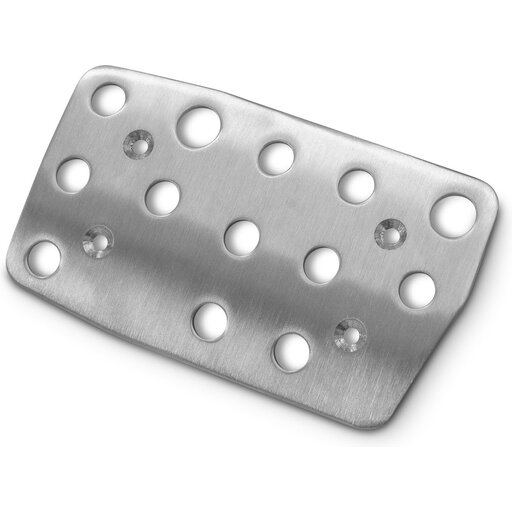
Playseat G Brake Pedal for Logitech G27 Action Grip
This is a brake pedal for anyone who wants to keep a compatible Logitech pedal set rather than replace the whole set.
The product description lists compatibility with Logitech G25, G27, G29 and G920 pedal sets.
Check the exact model of your existing pedals before assessing compatibility.
View at Joybuy
 No image available
Trust GXT 289 Movi-Racing Wheel with Pedals
This set includes a steering wheel and separate accelerator and brake pedals, making it a good option if you want to practise using both pedals on PC.
The product description lists a USB connection, clamps for securing it to a desk or table, and PC use.
This is a steering wheel with pedals, not a separate pedal set.
View at Joybuy
Frequently asked questions
Does a pit limiter mean I don’t have to brake myself?
No. According to iRacing Support, neither the manual nor the automatic pit limiter brakes for you in iRacing. Slow down to below the specified speed yourself before entering the pits; not every car has a limiter, and automatic assistance isn’t allowed in every session.
How do I connect T-LCM pedals?
The connection depends on your platform. For a compatible Windows PC, Thrustmaster recommends a direct USB connection; for PlayStation and Xbox, the manufacturer specifies connecting through a compatible wheel base with RJ12. Thrustmaster advises against using both cables at the same time.
Do I need a driving licence or permission to use racing pedals on the road?
Not for the use described here, as controls for a racing simulator. That does not, in itself, say anything about any modifications or other uses.
What are my rights when shopping online in the Netherlands?
According to ACM ConsuWijzer, online purchases generally come with a statutory cooling-off period of up to 14 days after delivery, although exceptions apply. You’re also entitled to a legal guarantee from the seller if a product doesn’t perform as you could reasonably expect during normal use; this is not automatically limited to the manufacturer’s warranty period.


