
PC racer looking for a wider view
Wants one large screen for racing games and is comparing 21:9 with 32:9, taking into account the resolution and the space the monitor will take up.


If you mainly race on PC and want plenty of space alongside your car, compare a 21:9 or 32:9 monitor with the space on your desk and the resolution your PC can handle. If you mainly play on console, start with a large 16:9 screen and check which resolution and refresh rate your console, game and connection support.
Wants one large screen for racing games and is comparing 21:9 with 32:9, taking into account the resolution and the space the monitor will take up.
Wants a large screen format that suits the console’s output and the capabilities of the connected game.
Wants a larger view of the race, but needs to balance screen width, stand and viewing distance against the space available.
Best for: console racing or choosing a common screen format.
Consider: you won’t get the extra horizontal screen space of an ultrawide.
Best for: wide-screen PC racing without going straight to 49 inches.
Consider: with larger screens, compare the viewing distance and level of sharpness you want; 45-inch and 34-inch monitors can have the same 3440 × 1440 resolution.
Best for: PC racers who want one very wide screen and have enough space.
Consider: check that the game displays the wider view and that your PC can drive the chosen resolution.
| What to consider | What should you check? | Who should pay particular attention? |
|---|---|---|
| Width and size | Check the aspect ratio, external dimensions, stand and widescreen settings in your racing games. | If you mainly want a wide view alongside your car on PC, consider both the space available and support for each game. Around 33% of consumers say the width of the racing view is their top priority. |
| Motion and panel | Compare the supported resolution and refresh rate via your connection; if you choose OLED, read the guidance on image retention. | If smooth racing visuals matter to you, also check what your PC or console can actually output. Around 27% of consumers prioritise motion handling and panel type. |
| Source compatibility | Check your console or graphics card’s output settings, the monitor connection and the game settings. | If you mainly play on console, you’ll want to know which picture settings that combination actually supports. Around 20% of consumers prioritise compatibility with their own source device. |
| Setup and care | Measure the space for the monitor and stand; check the mounting and read the guidance for the exact panel. | If space is limited or you want to factor in maintenance, compare the external dimensions and model-specific instructions in advance. Around 20% of consumers prioritise setup and maintenance. |
A monitor with a maximum refresh rate of 240 Hz doesn’t automatically mean a game or console can deliver 240 frames per second.
Check the resolution and refresh rate supported by your connection and in the racing game’s settings.
The Samsung Odyssey G9 G95C discussed here has the model code LS49CG954EUXEN. The series name alone isn’t enough to identify a version or its specifications.
Compare the full model code with Samsung’s information before choosing a version of the screen.
Samsung describes care features for applicable OLED monitors; this doesn’t make image retention impossible, and the same features don’t automatically apply to other models. Statutory rights and any additional manufacturer’s warranty are also not the same thing.
Read the care instructions and the manufacturer’s and retailer’s terms separately. The Dutch government explains that there is no fixed term for the statutory guarantee in the Netherlands.
The Odyssey G9 G95C is a 49-inch 32:9 option for a spacious PC setup.
The UltraGear 45GX900A-B is a large 21:9 monitor for anyone looking for a wide view when racing on PC.
The CU34G2XP/BK is a 34-inch 21:9 alternative if a 45- or 49-inch screen doesn’t suit your setup.
The AW3225QF is a 32-inch 4K option to consider alongside ultrawide screens, including for console use.
This selection includes large 16:9 screens, as well as ultrawide and super ultrawide options for racing games. Check which outputs your PC, console and game support for each model.
 No image available
A 32-inch gaming monitor for anyone looking for a large screen in a common format.
IPS; maximum refresh rate of 180 Hz. Check which resolution and refresh rate your source and racing game support.
 No image available
A large 21:9 option for PC racers who want a wide view without moving up to a 49-inch screen.
OLED; 3440 × 1440; up to 240 Hz according to LG for model 45GX900A-B. The refresh rate you can achieve also depends on your source and game.
 No image available
A 49-inch option for anyone looking for one very wide screen for PC racing and who has enough space for it.
The product name lists DQHD, 240 Hz and FreeSync Premium Pro. The product information advises avoiding static images for long periods and handling the QD-OLED screen with care; the monitor weighs 13.96 kg and installation is recommended for two people.
 No image available
A curved monitor for anyone who wants a wide view of the race on a single screen; check the dimensions and whether the game supports your preferred screen format.
The product name lists 240 Hz, a 0.4 ms response time and a KVM switch. According to the product information, place it on a stable surface and keep the ventilation openings clear.
 No image available
A large screen for anyone considering a wide PC setup; check the actual dimensions and the output you want via your connection.
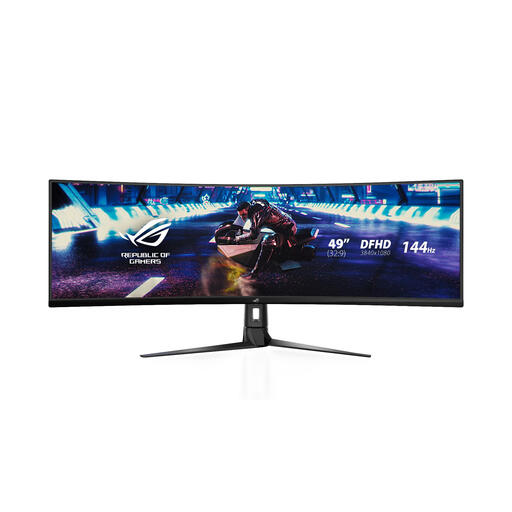
The product name lists 144 Hz. The product information advises using a stable surface; check that you have one available before installation.
No. A monitor with a maximum refresh rate of 240 Hz won’t automatically display 240 frames per second. Check the output from your PC or console and the racing game’s settings; PlayStation documents 4K video output up to 120 Hz for PS5.
Follow the care instructions for the exact model. For its OLED monitors, Samsung describes features including Pixel Refresh and Pixel Shift to help limit image retention; this information doesn’t automatically apply to an LG or Dell model.
Measure the available width and depth, then compare them with the dimensions of the monitor and the stand for the version you’re considering. A 34-, 45- or 49-inch diagonal doesn’t, on its own, tell you how much space you’ll need.
No. According to the Dutch government, there is no fixed statutory guarantee period in the Netherlands; you’re entitled to a product that works properly, and its expected lifespan is one of the factors taken into account. A manufacturer’s or retailer’s guarantee may offer additional cover; if there’s a problem, contact the retailer.
According to the Dutch government, when you buy from a business remotely, you’ll often have a 14-day cooling-off period. Before buying, check with the retailer which terms apply and whether any additional costs may be charged.