
Vandaag of morgen in huis

Kwaliteit gegarandeerd

Welkomstaanbiedingen ontgrendelen: GRATIS bezorging | Tot 80% korting | Gratis 30 dagen JoyPlus-proefperiode
Download de app
A QWERTY US keyboard can be a practical choice for Dutch users who work with American software, programme or are used to a fixed ANSI layout. However, not every keyboard with “QWERTY” in the product title is the same. The wrong layout, a missing numeric keypad or overly loud typing noise may only become apparent after purchase.
Pay particular attention to these three pitfalls:
A physical US ANSI keyboard usually has 104 keys in a full-size model and a recognisable American key layout. The long Shift keys, compact Enter key and positioning of punctuation marks differ from many European layouts.
The term US International keyboard often refers to an American layout in which the operating system supports additional international characters. This is not exactly the same as the physical shape of the keyboard. After connecting it, also check the language settings in Windows or macOS:
For programming, the physical position of symbols is particularly important. For Dutch-language office work, US International can be useful if you regularly enter accented characters.
The main formats are:
A keyboard with a numeric keypad is a sensible choice if you enter figures every day. Gamers and users with a small desk may benefit from a compact keyboard instead.
A mechanical keyboard uses individual switches beneath the keys. Linear switches generally feel smooth and consistent, while clicky switches produce a clearly audible click. A membrane model usually has a simpler construction and can be comfortable for quiet office work.
Also consider the connection:
An RGB keyboard provides lighting and sometimes programmable effects. This can be useful in a dark room, but lighting generally increases energy consumption on wireless models. Also check whether the lighting is controlled using the keys or software.
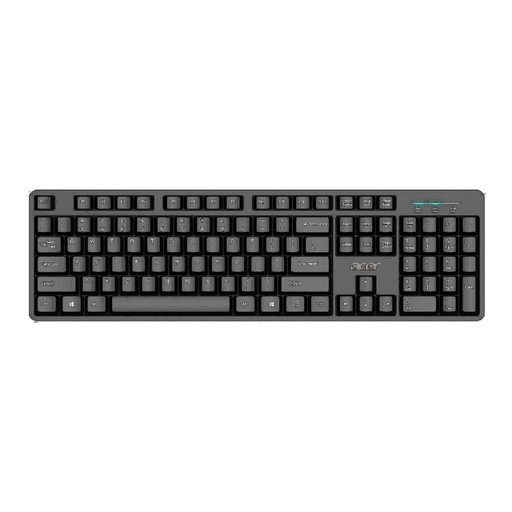
Why it suits this profile: This full-size USB model is designed for everyday use at home and in the office, with a numeric keypad and plug-and-play connectivity.
The wired USB connection eliminates the need to manage batteries, while the product details explicitly state US International, QWERTY and a numeric keypad.
Full-size layout, USB 2.0, 1.45-metre cable and water-resistant design according to the product description.
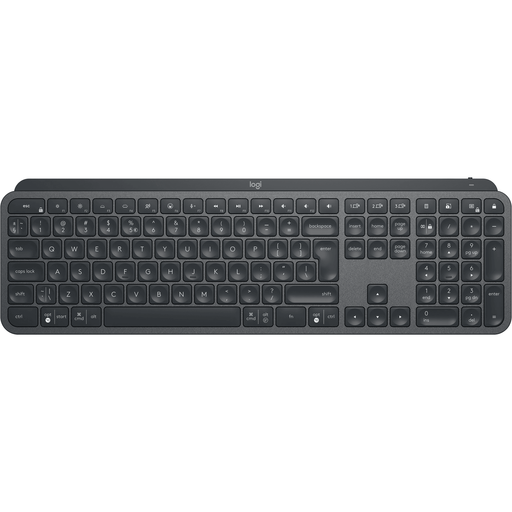
Why it suits this profile: Home workers, programmers and creatives get a full-size wireless keyboard with backlighting and control for multiple devices.
Connectivity includes Bluetooth and Logi Bolt wireless technology, so you are not limited to a single fixed USB cable.
Rechargeable battery, Easy-Switch for up to three devices, numeric keypad and compatibility with Windows, macOS, Android and iPadOS.

Why it suits this profile: Ideal for users who want a compact mechanical keyboard for typing, programming and gaming without filling the entire desk.
The specifications mention hot-swappable linear switches, so this is not a membrane keyboard that merely offers a mechanical feel.
75% format, USB-C cable, PBT keycaps, volume knob, gasket construction and RGB lighting according to the product information.
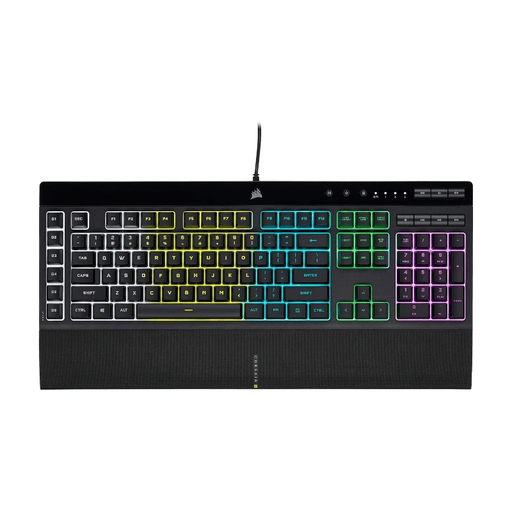
Why it suits this profile: This full-size gaming keyboard is designed for players who want to combine macro keys, media controls, lighting and a numeric keypad.
The product information clearly states that it uses membrane keys, so you will not mistake the keystroke for mechanical switches.
Five-zone RGB lighting, six programmable macro keys, anti-ghosting, USB connection, media keys and detachable wrist rest.
We have compiled a complete, up-to-date list of products that fully meet these strict selection criteria and the applicable European safety regulations.
Use this short checklist before ordering a model:
Yes, usually, provided the laptop has a suitable USB port or Bluetooth. You may need to select the correct keyboard layout in Windows or macOS. The key legends and software setting must match.
No. The noise level depends on the type of switch, the keycaps and the construction. Clicky switches generally make more noise. Linear switches and some membrane models can be quieter. A quiet keyboard such as the Trust Ody II uses low-profile, quiet membrane keys according to the product information.
That depends on the battery type and lighting. A model with standard batteries does not need a charging cable, but the batteries will eventually need replacing. A rechargeable Bluetooth keyboard uses electricity to recharge. RGB lighting can increase energy consumption. Therefore, check whether the lighting can be switched off and whether the keyboard has an on/off switch.
