
Housemates playing a phone-based quiz
They want to join in on their own phones and check whether they really need extra controllers. With Jackbox, one person needs a game to host; players use their phones as controllers, according to Jackbox Games.


Don’t automatically buy a gamepad for every player: with Jackbox, players join in on their phones while one person hosts the game. Extra Joy-Con are only really worthwhile for Everybody 1-2-Switch! if you want to play in Joy-Con style; a PC gamepad is only useful if the quiz game you choose supports gamepad input. Before buying anything, check the player limit, connection requirements and language options too.
They want to join in on their own phones and check whether they really need extra controllers. With Jackbox, one person needs a game to host; players use their phones as controllers, according to Jackbox Games.
They want to play Everybody 1-2-Switch! using Joy-Con and need to weigh up the number of available controllers against the number of players. Nintendo Netherlands gives a player range of 2–8 for this play style.
They’re looking for wired or wireless input for a PC quiz. First check that your chosen game supports gamepads, then make sure the connection suits where you’ll be playing.
Start with the game and how players submit their answers. Then count the players, controllers, phones and consoles you already have at home.
A good fit if: you’re playing a Jackbox game on a shared host screen and want players to join in on their phones.
The trade-off: one person hosts the game; for Everybody 1-2-Switch!, the phone-based play style requires an active internet connection, according to Nintendo Netherlands.
A good fit if: you specifically want to play Everybody 1-2-Switch! in Joy-Con style and have enough controllers for the number of players.
The trade-off: Nintendo Netherlands lists 2–8 players for Joy-Con style and 2–100 for phone style; extra Joy-Con don’t change the limit for the play style you choose.
A good fit if: the specific PC quiz supports gamepad input and the connection suits your computer and playing set-up.
The trade-off: a wired controller needs a suitable cable set-up; a wireless model may require a specific connection method for each device.
A good fit if: you already have a PS4 quiz game with PlayLink and the accompanying app works on your group’s phones.
The trade-off: on 14 December 2023, Sony reported download restrictions for certain companion apps on newer Android versions. Check that the app is available on the devices you plan to use.
| What to consider | What should you check? | Who is this important for? |
|---|---|---|
| Game and platform | Check the input method for the exact game and whether it works on your chosen device. | I don’t want to buy a controller my quiz won’t accept. For around 33% of consumers, compatibility between the game and platform comes first. |
| Number of players | Count the players and available controllers, then check the limits for the game and play style. | If the number of housemates varies from one evening to the next, I want to know who can play at the same time. This is the main concern for around 27% of consumers. |
| What you need to buy | First, take stock of the phones, controllers, console and game you already have. | I only want to buy what our group actually needs. Around 20% of consumers put the total cost for the group first. |
| Connection | Check your internet connection, available ports and the connection mode of the exact model. | For consumers who want everything to work where they’re playing and on the host device, the connection is crucial; around 13% make this their priority. |
| Quiz language | Check which languages are available in the specific game and, if it matters, the questions. | I want everyone to be able to follow the questions. Around 7% of consumers give the quiz language top priority, so everyone can understand it. |
With Jackbox, players use their phones as controllers, so an extra gamepad isn’t automatically needed.
Choose the game first and check how players submit their answers before ordering controllers for the group.
According to Nintendo Netherlands, Everybody 1-2-Switch! supports 2–8 players in Joy-Con style and 2–100 in phone style. Extra Joy-Con don’t change the limit for the play style you choose.
Count the players and available controllers first, then decide which play style suits your group.
Nintendo Netherlands states that Joy-Con 2 can only be used with Nintendo Switch 2.
Check which console you have at home and read the full product name before buying.
The quiz needs to support gamepad input, and the connection method needs to suit your PC set-up.
Check the game’s input options and the connection for the exact controller model. Depending on your set-up, you may also need a suitable game or adapter.
A relevant choice for households looking to play Everybody 1-2-Switch! on Nintendo Switch in Joy-Con style.
The F310 is a wired PC gamepad to consider if your chosen quiz supports gamepad input.
The Ultimate 2C Wireless is an option if your Windows PC quiz supports gamepad input and you want wireless control.
An Xbox Wireless Controller is worth considering if your shared set-up also includes Xbox or Windows games with controller input.
This Joybuy selection includes controllers whose product names indicate they’re intended for Switch, PC or mobile set-ups. Whether a specific quiz game accepts them depends on that game’s input support.
 No image available
An option for a Switch set-up if your chosen quiz supports gamepad input.
The product name lists Bluetooth, compatibility with Switch 2, Switch, Switch Lite and Switch OLED, 40 hours of battery life, TMR sticks and two programmable buttons.
 No image available
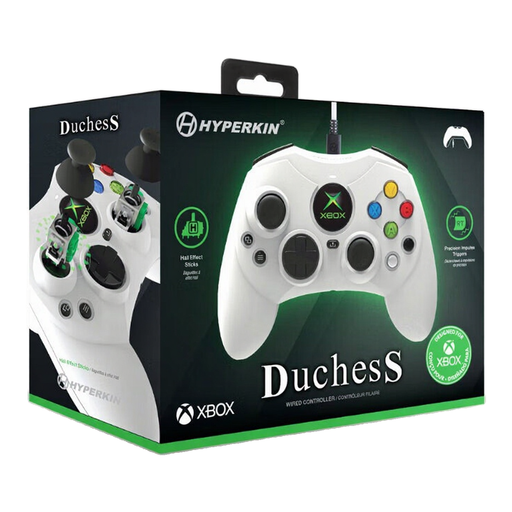
Suitable for an Xbox or Windows set-up if the quiz supports gamepad input and a wired controller works for you.
The product name lists Xbox Series X|S, Xbox One and Windows 11/10. This is a wired model.
 No image available
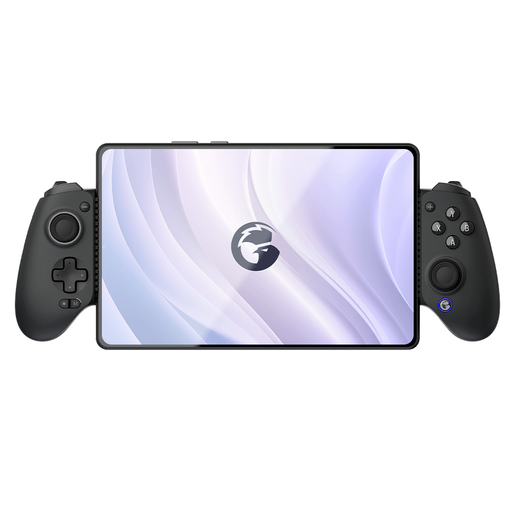
Worth considering for a quiz set-up with a device that supports gamepad input.
The product name lists Bluetooth and mentions Switch, iOS, Android, tablet and PC. Check that your chosen game supports controller input on the specific device.
 No image available
A possible choice for an Xbox or PC quiz set-up if the game supports controller input.
The product name lists Xbox, PC and cloud gaming. Check which connection is supported by your device and chosen game.
 No image available
Worth considering for a PC or Switch set-up if the quiz supports gamepad input on the device in question.
The product name lists PC/NS/NS2/iOS/Android, an adjustable joystick and six programmable buttons.
No. According to Jackbox Games, players join in via jackbox.tv using their phone and the room code; one person needs a Jackbox product to host the game.
Yes, according to Nintendo Netherlands, if you play in Joy-Con style. Phone style requires an active internet connection; also check that the smart devices you’re using meet Nintendo’s requirements.
Yes. Nintendo Netherlands says original Joy-Con can be synced wirelessly with Switch 2, but can’t be attached to the console. You’ll need a Switch or a suitable licensed charging accessory to charge them.
Not for every group. On 14 December 2023, Sony reported download restrictions for certain PlayLink companion apps on newer Android versions. Check that the app you need is already available and works on your group’s phones.
The Dutch government says you’re entitled to a product that works properly, and the seller must provide a solution if it doesn’t. Online consumer purchases also come with a 14-day cooling-off period, which is separate from your rights if a product is faulty.