
Vandaag of morgen in huis

Kwaliteit gegarandeerd

Welkomstaanbiedingen ontgrendelen: GRATIS bezorging | Tot 80% korting | Gratis 30 dagen JoyPlus-proefperiode
Download de app
A quiet wireless mouse is useful in a shared office, during lectures or when working from home alongside others. However, many models look very similar. A low price says little about click noise, while a high DPI value does not automatically mean that the mouse is comfortable to use.
That is why you should watch out for these three common pitfalls before buying a wireless mouse:
A mouse with a USB receiver usually works straight away after you plug the receiver into a USB-A port. This is practical for an office PC or laptop with a spare port. However, check whether your laptop still has USB-A. Many recent laptops mainly use USB-C.
A Bluetooth mouse connects directly to a compatible device. You do not need a separate receiver, but the pairing process can vary between operating systems. Do you work with a laptop, tablet and desktop computer? A multi-device mouse with multiple connection channels is more useful. According to Trust’s product information, the Trust Yvi+ can keep up to three devices paired at the same time: one via 2.4 GHz and two via Bluetooth.
Do not just pay attention to the left and right buttons. The scroll wheel and any other sounds also determine how quiet a silent mouse feels in practice. Manufacturers often describe this as “silent click”, “quiet buttons” or “noise reduction”. These terms are not identical, so they are difficult to compare directly.
For a library, meeting room or shared home-working space, dampened buttons are a logical choice. Also check whether the mouse retains a mechanical click. Some quiet models feel softer than standard mice.
DPI stands for dots per inch and indicates how far the cursor moves in response to a particular hand movement. A 1600 DPI mouse is suitable for general office work and can respond more quickly when you are working with a larger screen. An adjustable DPI button is useful if you want to switch between precise selection and faster navigation.
Also consider the dimensions. A mouse measuring approximately 95 to 105 millimetres in length is often portable, but may not be equally comfortable for every hand. An ergonomic mouse can provide more support, although ergonomic does not automatically mean that the shape will suit everyone. For example, a vertical mouse is a different choice from a flat, symmetrical mouse.
For models with an AA battery, treat the stated battery life as an indication. According to the manufacturer’s product information, actual battery life depends on usage, sleep mode and the connection method. An on/off switch helps to prevent unnecessary power consumption.
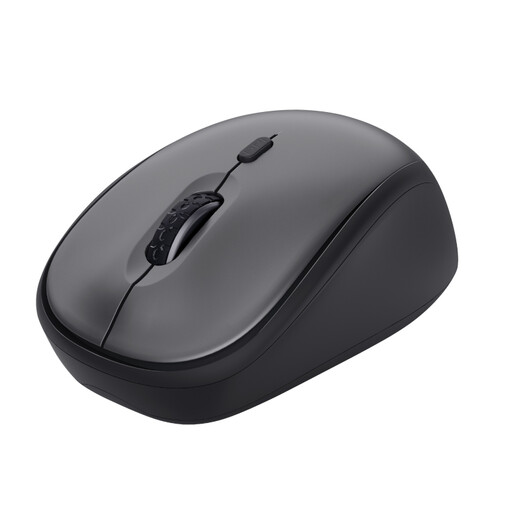
Why it suits this profile: This compact wireless mouse is designed for everyday use with a USB micro receiver. According to Trust, it works with Windows, macOS and ChromeOS, and the cursor setting can be switched between 800 and 1600 DPI.
The specifications mention both quiet buttons and 800 and 1600 DPI resolutions. The receiver can be stored inside the mouse when you take it with you.
Ambidextrous design, optical sensor, product weight of 55 grams and up to 12 months’ battery life according to Trust.
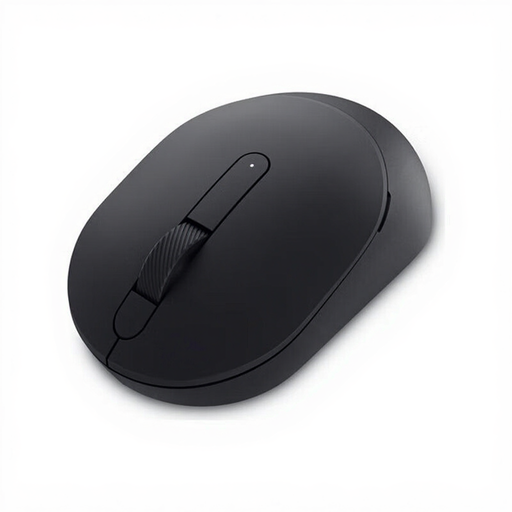
Why it suits this profile: The MS355 combines RF and Bluetooth, making it suitable for anyone who switches between devices. According to Dell, the model supports an adjustable resolution of up to 4020 DPI.
The dual connection option means you are not solely dependent on a USB-A port. The design is suitable for both left- and right-handed use.
Quiet operation according to the product description, Bluetooth and RF, ambidextrous design and stated battery life of up to 36 months.
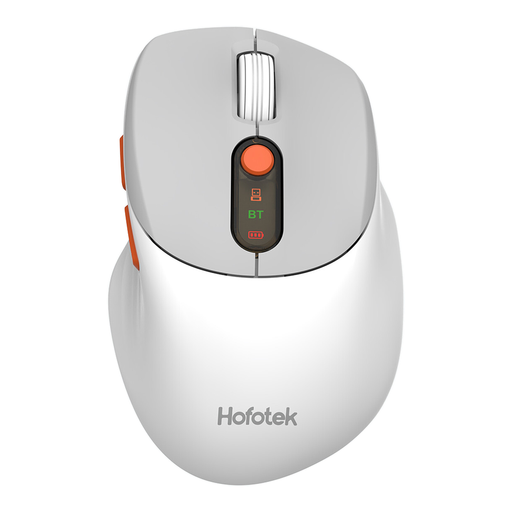
Why it suits this profile: This model is designed for users who want to connect multiple devices and have more DPI settings available. According to the product information, the mouse supports 2.4 GHz and Bluetooth 5.1, with settings from 800 to 4000 DPI.
The adjustable resolution makes the difference between a low office setting and a faster cursor setting clear. According to the specifications, the mouse weighs approximately 62 grams.
Multi-device use for up to three devices, quiet click technology, optical tracking and compatibility with Windows, macOS and Android according to the product information.
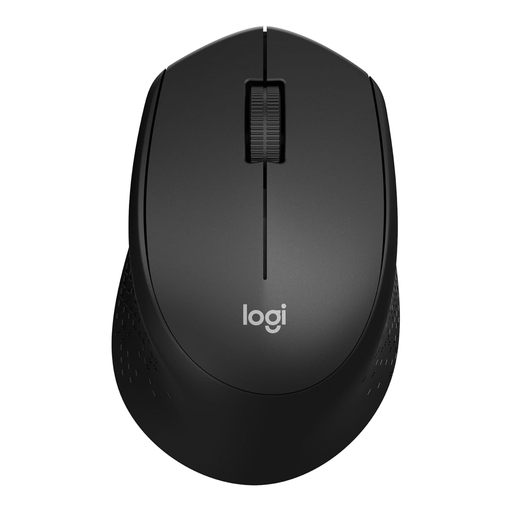
Why it suits this profile: The mouse uses a nano receiver and is designed for simple everyday use. According to Logitech, the model offers a range of up to 10 metres and battery life of up to 24 months.
The manufacturer states a specific noise-reduction figure and an optical sensor. This makes the key features clearer than simply describing the mouse as “quiet”.
Simple USB installation, three buttons, right-handed shape and up to 24 months’ battery life according to Logitech.
We have put together a complete, up-to-date list of products that fully meet these strict selection criteria and the applicable European safety regulations.
Yes. Models with a 2.4GHz USB receiver work without Bluetooth, as long as your device has a suitable USB port. Check whether the receiver uses USB-A. If your laptop only has USB-C, you may need an adapter.
This varies depending on the model and how it is used. In the product specifications provided, manufacturers’ estimates range from approximately 12 to 36 months. Sleep mode, connection method and frequency of use all have an impact. An on/off switch and automatic sleep mode can help to reduce power consumption.
This mainly depends on the fit. A compact mouse is convenient for use on the go, but may provide less support for larger hands. Therefore, check the dimensions and consider choosing a larger model or an ergonomic mouse. If discomfort persists, it is worth reviewing your posture and breaks; a mouse cannot replace a suitable workstation.
