What should you look for when choosing?
First compare how audible the keyboard is and how its layout works for you. Then consider whether its size, ergonomics and connection suit the way you write and revise.
| What to consider |
What should you check? |
Who should pay particular attention? |
| Typing noise |
Check which sound the claim refers to, which version it applies to and whether it includes mouse clicks. Don’t compare manufacturers’ claims as if they were measured in the same way. |
If I write in a quiet room, I want keystrokes to distract others as little as possible. Around 36% of consumers say minimising typing noise is their top priority. |
| Layout and navigation |
Compare the keyboard layout and available navigation keys with the shortcuts you use when revising. |
If I often move between text and dialogue branches, I want my most-used keys within easy reach. Around 29% of consumers prioritise a layout that suits them. |
| Typing comfort and desk space |
Consider the shape of the keys and the space for your keyboard and mouse together. During longer sessions, pay attention to your posture and vary your activities too. |
If I want to keep my mouse and notes close to my keyboard, I also pay attention to my posture and how the keys feel. Around 21% of consumers put desk space and typing comfort first. |
| Connection and controls |
Check whether the model is wired, Bluetooth or receiver-based, and whether your device has the right port and supports the software and features you need. |
If I switch between devices or want to set up my own key actions, I want to know which connections and features my setup supports. Around 14% of consumers prioritise connectivity and customisable controls. |
Joybuy products
These products are selected for typing in a quiet workspace, with layout, size and connectivity in mind. Check the noise description and version for each product.
 No image available
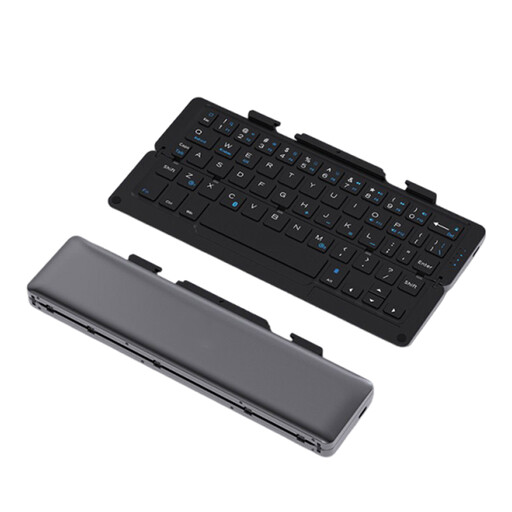
NAXSIR foldable Bluetooth keyboard, Quiet Keys, grey
Suited to anyone looking for a foldable keyboard for a compact workspace or mobile device. The product name mentions Quiet Keys, but not a comparative noise measurement.
Rechargeable; the product name mentions a magnetic stand for a phone or tablet and an aluminium case.
Shop at Joybuy
 No image available
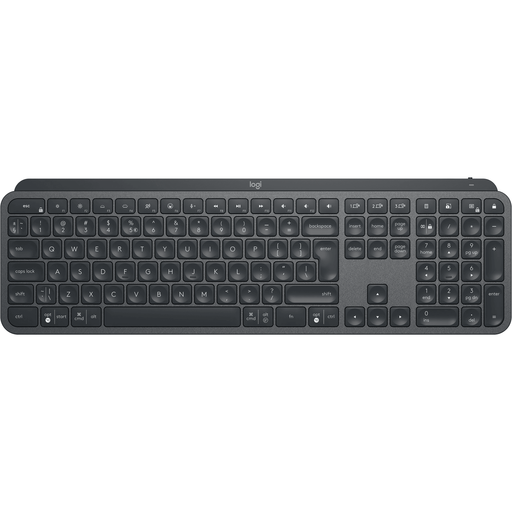
Logitech MX Keys for Business (QWERTY US)
An option if you specifically want the QWERTY US version; check that the layout suits the keys and shortcuts you usually use.
Shop at Joybuy
 No image available
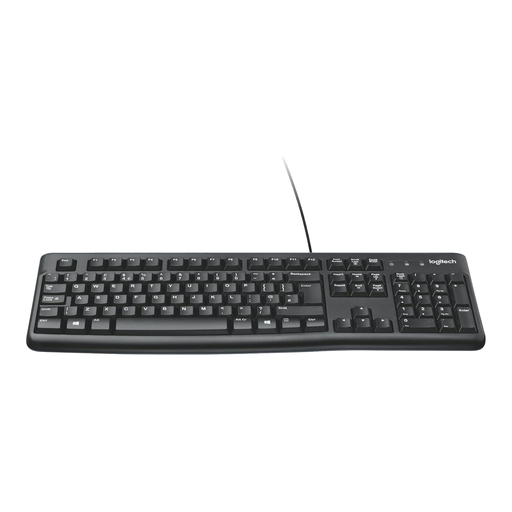
Logitech K120 wired keyboard, black
Suited to anyone looking for a wired model who doesn’t need a wireless connection.
Shop at Joybuy
 No image available
Trust Vaiya wireless keyboard, full-size, QWERTY US
An option if you want to keep a full-size layout and number pad; check that the QWERTY US layout suits you.
The product name mentions wireless use and scissor keys. Check that each version has the connection type you need.
Shop at Joybuy
 No image available
Ajazz AK820 Pro 75% mechanical keyboard, QWERTY US, grey
Suited to anyone looking for a compact 75% layout with important keys within easy reach; check that the layout works with your navigation habits.
The product name lists wired, Bluetooth and 2.4 GHz connectivity, hot-swapping and sound-dampening foam. This QWERTY US version has a specific layout.
Shop at Joybuy
Frequently asked questions
Do you need a full-size keyboard for a dialogue tree?
Not just for that task. Choose a full-size keyboard if you use the navigation or number keys regularly; a compact model can free up desk space if its layout suits the way you work.
How do you connect a wireless keyboard?
It depends on the model. Logitech says the MK295 uses a USB receiver, while CHERRY says the STREAM KEYBOARD WIRELESS connects via 2.4 GHz. Check the required port and the instructions for the model you choose.
Can an ergonomic keyboard replace taking breaks?
No. Arboportaal recommends a relaxed working posture and varying your activities. Consider your keyboard alongside your workspace setup and working habits.
What rights do you have when buying a keyboard online in the Netherlands?
According to ACM ConsuWijzer, for an ordinary online consumer purchase you generally have a statutory 14-day cooling-off period from delivery. If a product doesn’t meet what you’re entitled to expect, the seller is responsible under the statutory guarantee; a commercial warranty period doesn’t replace those rights.
Is a separate keyboard required for extended screen work?
Arboportaal states that for employees who work at a screen for more than 2 hours a day, the screen and keyboard must not be attached to each other. This is a workplace requirement that applies in certain circumstances, not a general buying requirement for every user.


