
Building a website in a quiet study space
You work on pages while others are concentrating and want to reduce distracting clicking sounds without paying for features you don’t need.


For a quiet study space, start with a mouse that has silent buttons and a shape that suits your hand. Then consider whether extra controls would help you build your club website. A standard mouse has a familiar shape, while a vertical mouse calls for a different hand position and may take some getting used to. ‘Silent’ doesn’t automatically mean that the scroll wheel and all the extra buttons are quiet too.
You work on pages while others are concentrating and want to reduce distracting clicking sounds without paying for features you don’t need.
You often spend long periods working on text and page layouts, and want a mouse that suits your hand. A different mouse shape isn’t a substitute for changing position or setting up your workspace well.
You often switch between pages or documents. Extra buttons and scrolling options are most useful when they suit the way you work.
Start with the clicking sound and how the mouse fits your hand. Then consider whether you need a wireless connection, extra navigation options or a wired mouse.
| What to consider | What to check before buying | Who is this most relevant to? |
|---|---|---|
| Clicking noise | Check whether silent operation applies to the main buttons, side buttons and scroll wheel. | When I work in a quiet study space, I mainly want quiet clicks and also pay attention to scroll noise. Around 33% of consumers put clicking noise first. |
| Fit for your hand | Check your hand size and whether the model is designed for left- or right-handed use. Bear in mind that a different shape may take some getting used to. | For longer sessions, I want a shape that feels comfortable in my hand and suits my preferences. Around 27% of consumers put hand fit first. |
| Website navigation | See whether extra scrolling options or customisable buttons suit the way you work, and check whether any software is compatible. | When I often edit long pages, I want to navigate faster without paying for features I won’t use. Around 20% of consumers put navigation first. |
| Multiple devices | Check whether your computer supports Bluetooth or the required USB receiver, and whether the mouse can switch between devices. | When I work on the club website using more than one computer, I want to switch easily between devices. Around 13% of consumers put switching between devices first. |
| Wired use | Check that the cable suits your usual workspace and that your computer has the right port. | For a permanent workspace, I don’t want to manage a mouse battery and don’t mind using a cable. Around 7% of consumers put wired, battery-free use first. |
A claim about silent main buttons doesn’t automatically cover the scroll wheel or side buttons. Logitech’s noise claim for the MX Master 3S compares only left- and right-clicks with the MX Master 3, measured at 1 metre.
Check which parts are described as silent for each model. Only compare noise reduction percentages when they are based on the same measurements.
Hand size and left- or right-handed versions can vary. A different shape may also take some getting used to.
Check which hand the mouse is designed for and how it fits before choosing. Also consider whether its shape feels comfortable for the way you work.
An optional extended warranty is separate from your statutory rights. ACM ConsuWijzer explains that there is no fixed time limit for the statutory guarantee in the Netherlands.
Before considering extra cover, first check your statutory rights with the retailer.
Among the models mentioned, Logitech offers standard mice with silent-click features, vertical designs and models with extra controls.
The N500 mentioned here is a wired mouse with silent clicks. The M500 Silent is wireless and, according to Rapoo, can switch between paired devices.
The Bayo II is a wireless vertical mouse for anyone considering a different hand position.
According to CHERRY, the MW 4500 has an angled design. There is also a separate MW 4500 LEFT.
This selection includes mice with silent clicks, in both standard and vertical designs, as well as models for extra navigation, compact use or left-handed users.
 No image available
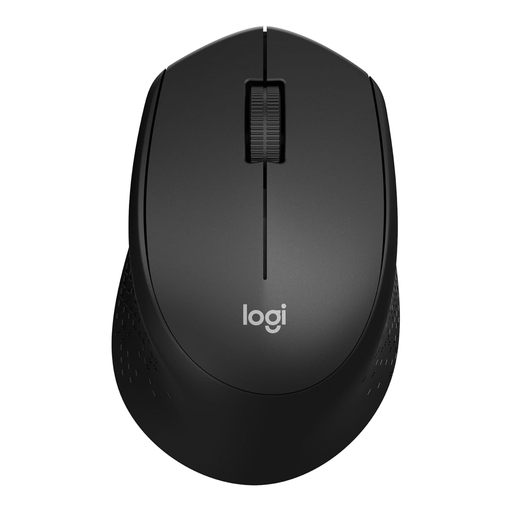
A standard wireless design for anyone who wants quiet clicks while working in a quiet space.
The product information lists silent buttons, optical tracking and a USB nano receiver. This model is designed for right-handed use.
 No image available
An option for anyone who wants quiet clicks and extra navigation when editing pages.
The product information lists a side wheel for horizontal scrolling, connection to up to three devices and a right-handed design.
 No image available
A vertical option for anyone who wants to try a different hand position during longer work sessions.
The product information lists silent clicks, a 57-degree angle and a 2.4 GHz USB receiver. This model is designed for right-handed use.
 No image available
A compact option for anyone looking for silent buttons and wanting to use a USB receiver.
The product information lists rubber sides and a storage compartment for the USB micro receiver. The connection described uses this receiver; Bluetooth and switching between multiple devices aren’t mentioned.
 No image available
A standard mouse shape for left-handed users with larger hands who want quiet clicks and extra navigation.
The product information lists SilentTouch, SmartScroll and customisable side buttons. This model is designed for left-handed users with larger hands.
Not necessarily. Choose a vertical mouse only if its shape and hand orientation suit you. Arboportaal lists repetitive movements and static postures as things to consider when working with screens; for employees, it also recommends varying tasks or taking breaks. This employer guidance doesn’t automatically apply to a volunteer working on a club website at home.
Before buying, check whether your computer supports the Bluetooth connection offered or has a suitable port for the USB receiver. Logitech lists both connection options for the M650; Trust lists a 2.4 GHz USB micro receiver for the Bayo II.
Recycle flat batteries separately. According to Milieu Centraal, a small discarded mouse can be taken to a suitable collection point for small electrical appliances. Remove the battery if possible and recycle it separately.
No, you don’t need extra warranty cover to have statutory rights. ACM ConsuWijzer explains that the retailer is responsible if a product doesn’t meet what you could reasonably expect under normal use. There is no fixed time limit for the statutory guarantee in the Netherlands.
Radio equipment placed on the EU market is covered by the EU Radio Equipment Directive (RED). According to the European Commission, the manufacturer is responsible for meeting the applicable conformity requirements. Your Europe explains that CE marking indicates this responsibility rests with the manufacturer; it is not, in itself, independent approval. Check the product information and associated conformity documents for the specific model.