
Writer in a shared room
Wants to keep audible clicks to a minimum for themselves and their housemate while writing and editing, and is comparing quiet Bluetooth mice with mice that use a receiver.


For writing and editing in a student room, focus on click noise, how the mouse fits your hand and how it connects to your laptop. Bluetooth means you won’t have to occupy a USB port, while a mouse with a receiver needs a suitable free port. Descriptions such as ‘ergonomic’ or ‘quiet’ don’t guarantee that the shape or sound will suit everyone.
Wants to keep audible clicks to a minimum for themselves and their housemate while writing and editing, and is comparing quiet Bluetooth mice with mice that use a receiver.
Spends long periods navigating text and is mainly looking for a shape that suits their hand and working posture, without treating an ergonomic claim as a treatment.
Has little desk space or takes their laptop with them, so they consider the mouse size, available ports and how to store a USB receiver safely.
Start with the connection and click noise, then check that the shape suits your hand and the space available.
| What to consider | What to look for | Who should pay particular attention? |
|---|---|---|
| Click noise | Check whether the ‘quiet’ description applies to the buttons; the scroll wheel may sound different. | When I’m writing in a shared room, I want repeated clicks to disturb my housemate as little as possible. Around 33% of consumers say quiet clicks are their top priority. |
| Fit in your hand | Check which hand you use, your hand size and how the mouse feels in your hand. | During long editing sessions, I want a mouse that feels comfortable in my hand and suits my preferred hand. Around 25% of consumers put hand fit first. |
| Connection and space | Check whether your laptop supports Bluetooth or has a free USB port, and whether the mouse will fit on your desk. | In a small or portable workspace, I don’t want to be short of a connection or waste space unnecessarily. For around 25% of consumers, laptop connectivity and workspace are the main considerations. |
| Power and replacements | Check which type of battery the version you’ve chosen uses and whether replacing it will suit how you use the mouse. | I want to know in advance what power source the mouse needs and whether I’ll have to replace the batteries later. Around 17% of consumers give power and consumables top priority. |
A claim about quieter buttons doesn’t automatically tell you anything about the scroll wheel or how the mouse will sound in your room.
Check which parts the product information describes as quiet, and consider whether the clicking and scrolling feel comfortable to you.
A USB receiver takes up a port. According to HP, the HP 280 Silent needs a free USB-A port; the Logitech M330 also uses a receiver.
Check your laptop’s connections and choose Bluetooth if that’s a better fit and your laptop supports it.
If you don’t have a suitable port, you may need an appropriate adapter.
The Logitech M330 is shaped for the right hand. The Logitech Lift is available in a separate left-handed version and, according to Logitech, is designed for small to medium-sized hands.
Check which hand you use and your hand size. An ergonomic product description is no guarantee against discomfort.
The Dutch Government states that the Netherlands has no fixed statutory warranty period. Your legal rights if a product is faulty and any manufacturer’s warranty are not the same thing.
Keep your proof of purchase and contact the seller if there’s a problem.
The models discussed range from the Bluetooth M240 and right-handed M330 to the vertical Lift.
The compact Yvi+ Silent uses a USB receiver; according to Trust, the Ozaa+ also offers Bluetooth and multi-device control.
The HP 280 Silent is a mouse with a USB receiver, designed for those with a free USB-A port.
This selection includes quiet mice with Bluetooth or a USB receiver, as well as compact and vertical models. Check the connection, handedness and fit for each model.
 No image available
A wireless option for anyone looking for quiet operation and with a free USB port.
The wireless dongle needs an available USB port.
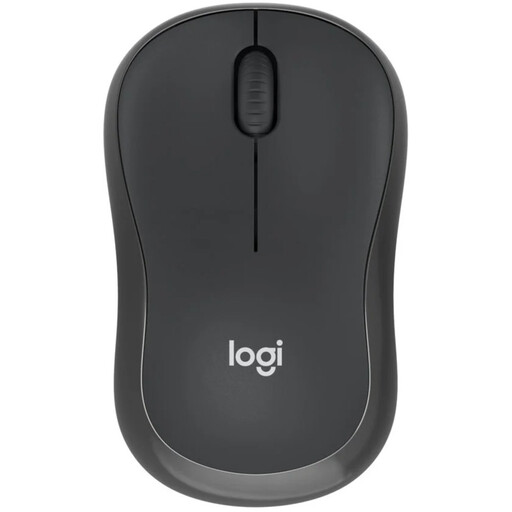 No image available
Suitable for a shared room and a laptop that supports Bluetooth, without the need for a USB receiver.
Logitech describes the clicks as quiet; that doesn’t mean the scroll wheel is silent.
 No image available
A compact, quiet model for anyone short on workspace.
The product information lists Bluetooth and RF; check which connection suits your laptop and the version you’re considering.
 No image available
For anyone who wants to try a vertical mouse and uses their right hand.
This RF version uses a USB receiver. An ergonomic description is no guarantee against discomfort.
 No image available
A vertical option to compare if you’re looking for a different hand position while editing.
This version is right-handed and, according to the product information, designed for small to medium-sized hands. You can connect via Bluetooth or a USB receiver; its shape is no guarantee against discomfort.
Choose a mouse that connects directly to your laptop via Bluetooth, such as the Logitech M240, provided your laptop supports Bluetooth. The Logitech M330 and HP 280 Silent need a USB receiver, so check your connections first.
No. An ergonomic mouse is no guarantee against discomfort. Check that the shape and size suit your hand, and vary prolonged screen work and working positions. Arboportaal describes the strain that can result from repetitive tasks and static postures; Logitech’s comfort claims about the Lift are the manufacturer’s own claims.
Take a small electrical mouse to a suitable collection point or recycling centre. Milieu Centraal recommends removing the battery if possible and recycling it separately in a collection bin for used batteries.
For online consumer purchases, you generally have a statutory cooling-off period of up to 14 days after delivery; ACM ConsuWijzer explains this period. If a product is faulty, you can ask the seller to provide an appropriate solution. The Dutch Government states that the Netherlands does not have a fixed statutory two-year warranty period for all products.
No. The screen-work requirements described by Arboportaal are aimed at employers and employees; they don’t automatically apply to you if you’re writing independently at home. Advice on posture and varying your activities can still be useful.