
Building late at night
You’re building while someone else is resting in the same room, and your main aim is to reduce the noise from clicking and scrolling.


If your main concern is keeping clicks from disturbing your roommate, choose a mouse whose manufacturer explicitly describes its clicks as quiet, and assess the scroll wheel separately. If you want to control building actions quickly with your thumb, look for programmable buttons, but don’t assume that they or the switches are quiet. In either case, compare the shape, connection and customisation options of the exact model.
You’re building while someone else is resting in the same room, and your main aim is to reduce the noise from clicking and scrolling.
You often switch between building actions and want to assign suitable commands to easy-to-reach mouse buttons.
Your main considerations are a comfortable grip and the space, ports and connection options available on your computer.
First decide whether quieter clicks or extra controls matter most to you. Then compare the shape and connection to make sure the mouse suits your hand and workspace.
| What to consider | What to check before buying | Most important for |
|---|---|---|
| Click and scroll noise | For the exact model, check the descriptions of both the main buttons and the scroll wheel, as well as the mode being used. | If someone is resting next to you, you’ll want to know whether both clicking and scrolling are audible. Around 36% of consumers prioritise reducing noise above all else. |
| Easy-to-reach, programmable buttons | Decide which commands you want to assign, then check that the buttons, mouse software and game settings support them. | If you often use the same commands while building, easy-to-reach buttons can be useful. Around 29% of consumers prioritise setting up building controls. |
| Fit for your hand | Compare the shape and size with your current mouse, and check whether you can reach the buttons you need with your grip. | For longer building sessions, you’ll want a shape that suits your hand and grip. Around 21% of consumers put fit and control first. |
| Connection and space | Check which ports or wireless connections your computer supports, and whether the mouse you choose needs a receiver or battery. | If you have a cramped desk, you’ll want a connection that suits your computer and available space. Around 14% of consumers prioritise connectivity and workspace. |
Logitech describes the G502 X switches as tactile and hybrid. That doesn’t mean the clicks are quiet.
For the exact model, look for an explicit description of click noise and check the scroll wheel separately.
Extra buttons are only useful if you can reach them with your grip and set the intended command in your game.
Make a note of the commands you want to assign, check the game settings and pay attention to where the buttons are positioned.
Logitech’s M650 series comes in different sizes, including a left-handed version. Bluetooth and USB receiver connections are also separate options.
Check the full model name, hand size, supported connection and what’s included in the box.
The range includes mice described as offering quiet operation, as well as gaming mice with extra programmable controls.
The wired Aerox 5 is an option if you’re looking for extra programmable controls while building.
The Pro Click Mini is a compact productivity mouse with switches that Razer describes as silent. The Pro Click V2 range focuses on programmable controls and ergonomic shapes.
The M500 Silent is a standard wireless mouse for anyone who values quiet clicks.
This selection includes mice described as offering quiet operation and gaming mice with programmable buttons. Check which features matter for your shared bedroom for each model.
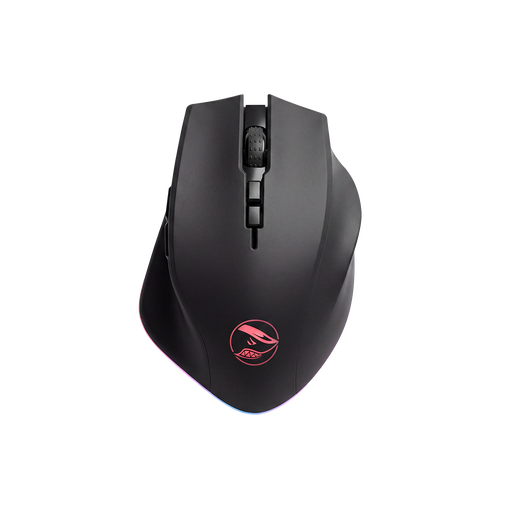 No image available
For anyone looking for programmable controls; the product information lists eight programmable buttons.
2.4GHz wireless and wired USB connection; PAW3335 sensor; 16,000 DPI.
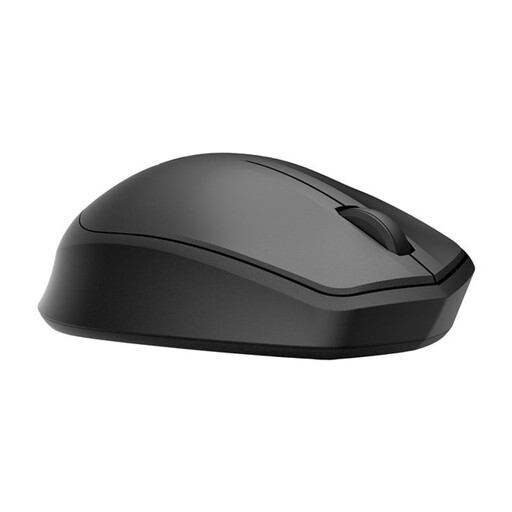 No image available
A wireless mouse for anyone looking for a model with ‘Silent’ in its name; assess the click noise separately for your situation.
2.4GHz receiver; AA battery; 1,200 DPI.
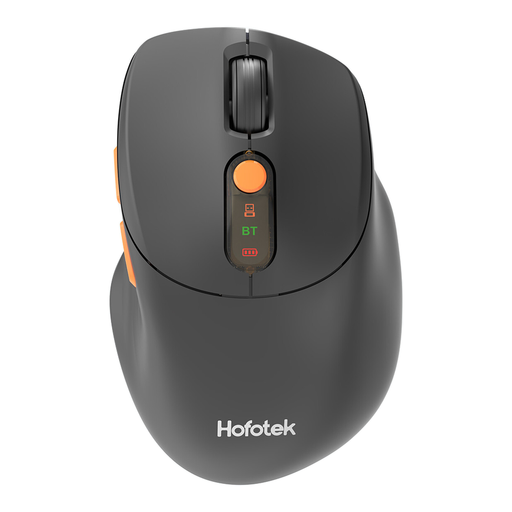 No image available
For anyone looking for quiet operation and a choice of wireless connections; ‘Silent’ appears in the model name, but check that the noise level suits your needs.
2.4 GHz and Bluetooth; adjustable DPI; 1 AA battery.
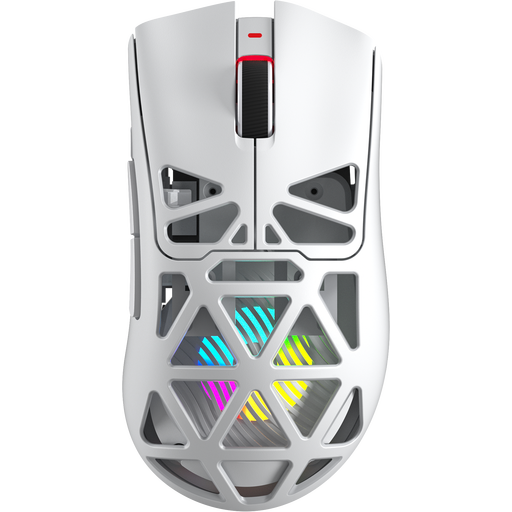 No image available
For anyone looking for a gaming mouse with programmable buttons; the product name lists seven.
Bluetooth 5.0, 2.4G and USB-C; PAW3311 sensor; 12,000 DPI; 67 g.
 No image available
A compact mouse for anyone with limited desk space; the product information describes a symmetrical shape and quiet clicking and scrolling.
RF and Bluetooth connectivity; adjustable DPI up to 4,020.
No, it isn’t essential. Minecraft describes mouse and keyboard controls and lets you customise them through the options menu. First decide which commands you want to assign in your game and edition.
Use a connection supported by both the exact mouse and your computer. Logitech lists Bluetooth Low Energy or a Logi Bolt USB receiver for the M650; check which option suits your computer before buying.
In the Netherlands, most distance purchases come with a 14-day cooling-off period, according to the Dutch government. The same rules don’t apply to online purchases from private sellers, so check who the seller is and which returns information applies.
According to the Dutch government, the seller must provide a solution if there’s a problem; the Netherlands doesn’t have a fixed statutory guarantee period for every product. An additional guarantee is only worthwhile if it gives you more than your existing rights.