
If quiet matters to you
You index recipes in a quiet room and want to keep clicking noise to a minimum. Check both the main buttons and the scroll wheel, as they may sound different.


Start with a mouse whose manufacturer specifies silent main buttons, then choose based on what you do most: work through recipes carefully, navigate quickly or enter data for long periods. Check the fit for your hand size and preferred hand, the connection and the scroll-wheel noise separately; a silent-click claim does not mean the whole mouse is silent.
You index recipes in a quiet room and want to keep clicking noise to a minimum. Check both the main buttons and the scroll wheel, as they may sound different.
You switch between reading carefully and browsing quickly. Scrolling behaviour and easy-to-reach navigation buttons may matter more than extra features you won't use.
You spend longer sessions working on your index and want a design that suits your hand size and preferred hand. The distance to the mouse and varying your tasks also matter.
First assess the clicking and scrolling noise, then compare the controls for your indexing work, and finally check the fit and connection.
| What to consider | What should you check? | Who should prioritise this? |
|---|---|---|
| Noise | Check which buttons are described as silent, whether the scroll wheel is mentioned separately and which model, if any, is used for the noise comparison. | If I work in a quiet study, I don't want the mouse to draw unnecessary attention when I click and scroll. Around 36% of consumers rank low clicking noise as their top priority. |
| Scrolling and navigation | Compare the available scrolling modes and check whether extra buttons suit the way you move through recipes and index fields. | When I work through lots of recipes or wide indexes, I want to switch quickly between long lists and details. Around 29% of consumers prioritise navigation. |
| Fit and posture | Check which hand size and preferred hand the design is intended for. Also consider whether a vertical mouse or trackball would suit the way you work. | During longer data-entry sessions, I want a mouse that fits my hand and that I can use close to my body. Around 21% of consumers rank fit and posture as their top priority. |
| Connection and power | Check that your computer has the required USB port or Bluetooth, and decide whether you prefer a cable, a battery or a rechargeable battery. | For a permanent workstation, I want a connection and power option that suit my computer and how I use it. Around 14% of consumers focus mainly on connection and maintenance. |
A claim about silent main buttons doesn't automatically tell you anything about the scroll wheel or other buttons. Logitech compares noise reduction with specific models; the MX Master 3S claim applies to left and right clicks under a stated test condition.
Check which model and controls the manufacturer uses for comparison. Treat clicking and scrolling as separate questions when you buy.
According to Logitech, the Lift and MX Ergo S are designed for different hand sizes. A different mouse shape also doesn't remove the need to consider your workstation setup and vary your tasks; Arboportaal advises alternating screen-based work with other activities.
Check your hand size, preferred hand and reach before choosing a different mouse shape. Also see whether you can use the mouse close to your body.
The mice reviewed differ in their connections and power options. A similar model name alone doesn't confirm which connection or accessories are included with the version on offer.
Check the full model name, regional version, port requirements and box contents on the product page.
The models reviewed range from conventional mice with different scrolling controls to a vertical mouse and a trackball.
The Ozaa+ reviewed is a wireless option with silent buttons, a side scroll wheel and the ability to switch between devices.
The GENTIX SILENT reviewed is a wired mouse for a permanent workstation.
These mice are suited to a quiet workspace, with options for precise scrolling, wireless use and navigating wide indexes.
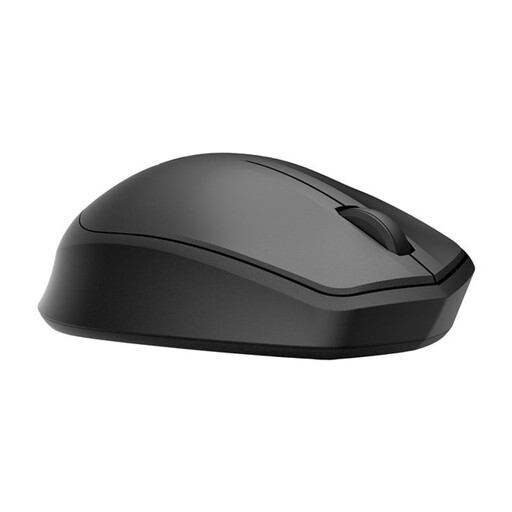 No image available
Silent main buttons and wireless operation make this a good fit for working in a quiet room without a mouse cable.
The wireless connection uses 2.4 GHz and a USB dongle, so you'll need a free USB port. The stated range is up to 10 metres.
 No image available
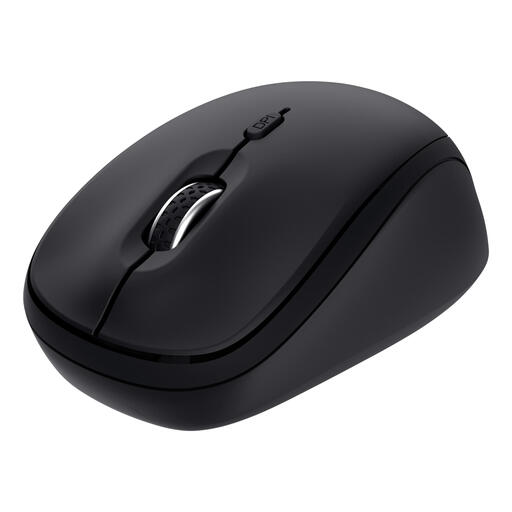
This compact mouse is worth considering if you're looking for quiet operation and a design suitable for both left- and right-handed use.
The description lists RF and Bluetooth connectivity and adjustable DPI up to 4020. Quiet operation is specified for clicking, scrolling and gliding.
 No image available
Silent buttons and multi-device connectivity may suit you if you switch between computers while indexing.
The description lists a vertical scroll wheel, connection to up to three devices via receiver and Bluetooth, and adjustable speeds of 800 or 1600 DPI.
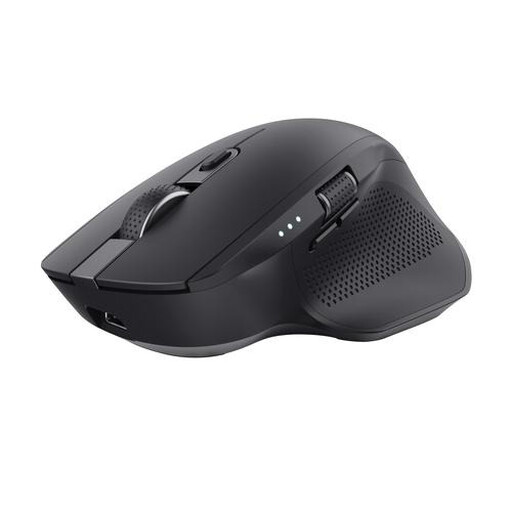 No image available
The side scroll wheel is useful if you also need to move horizontally through wide documents or overviews while indexing.
The description lists RF and Bluetooth connectivity, a rechargeable battery and a sensor up to 3200 DPI. This is a large design for right-handed users.
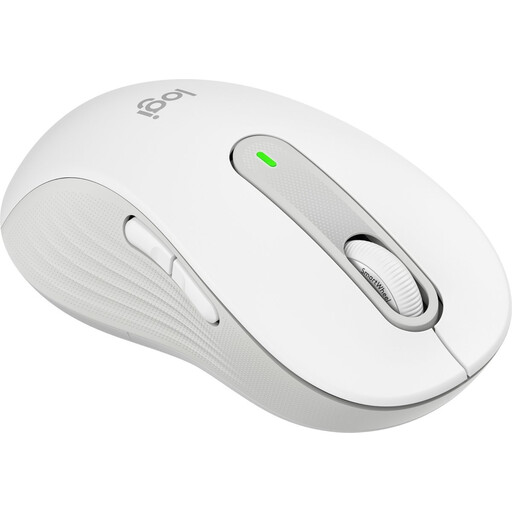 No image available
This version is designed for left-handed users with larger hands. It has silent main buttons and offers both precise and fast scrolling.
The description lists Bluetooth Low Energy or a Logi Bolt receiver. Check which connection suits your computer.
If you mainly read long recipes, start by checking the scrolling controls. If you often switch between index fields or documents, check whether you can configure extra buttons in your operating system. A claim about silent main buttons doesn't, by itself, tell you how noisy the wheel is.
Position the mouse so you can keep your elbow close to your body, let go of the mouse from time to time and alternate screen-based work with other activities. Arboportaal offers this as workplace advice; it is not proof that a particular mouse model prevents discomfort.
Check whether your computer has Bluetooth, a free port for a receiver or USB-A for a wired mouse. Then check the power source: the Trust Ozaa+ reviewed has a rechargeable battery, while the wired CHERRY GENTIX SILENT doesn't need a mouse battery.
When you buy from a business at a distance, you generally have a 14-day cooling-off period, with some exceptions; the Dutch government distinguishes between buying from a business and buying from a private individual. You are also entitled to a legal guarantee if a product, when used normally, does not meet what you could reasonably expect. According to ACM ConsuWijzer, the seller is responsible for this; a manufacturer's warranty does not replace your statutory rights.
Rules on screen-based work apply to employers and workplace setups; they don't prescribe a specific mouse for someone indexing recipes at home. Arboportaal outlines workplace obligations in this employment context, including alternating screen-based work with other activities.