
Late-night puzzle player
Shares a bedroom and values quiet clicks more than competitive mouse specifications.


Start with the click noise and a shape that suits your hand. For puzzle adventures, a quiet standard mouse may be more suitable than a gaming mouse focused mainly on competitive features. If you want extra buttons, check separately whether they’re quiet and whether the game and your system support the controls you want. Also check the connection and CE marking for the version on offer.
Shares a bedroom and values quiet clicks more than competitive mouse specifications.
Wants a mouse that feels comfortable during extended periods of pointing and clicking. Hand size and whether you’re left- or right-handed also matter.
Wants to assign actions to extra buttons, but needs to assess click noise and software compatibility separately.
Choose this option: if you mainly point, select and click repeatedly while someone nearby is sleeping or working.
Bear in mind: quiet everyday operation doesn’t automatically mean you get extra buttons for in-game actions.
Choose this option: if you want extra buttons and their layout suits your hand.
Bear in mind: check how noisy the extra buttons are and whether your game and system support the assignments you want.
Choose this option: if customisable click feel and gaming controls matter more to you.
Bear in mind: replaceable switches don’t prove that the standard configuration is quiet. Check which parts are compatible with the exact model.
| What to consider | What should you check? | Who is this important for? |
|---|---|---|
| Click noise | Check which buttons are quiet and, if possible, assess the scroll wheel too. | I want to click frequently without disturbing my room-mate unnecessarily; around 40% of consumers say click noise is their main concern. |
| Hand comfort | Compare the dimensions, handedness and button reach with your own hand. | For longer sessions, I want a comfortable shape and buttons within easy reach; around 30% of consumers prioritise hand comfort. |
| Connection | Check for Bluetooth support or a suitable USB connection, and see what’s included with the mouse. | I want the mouse to connect to my gaming device without having to guess which connection is available; around 20% of consumers say connectivity is their main concern. |
| Extra gaming controls | Check which buttons are programmable and whether the software and game support the assignments you want. | If I want to assign in-game actions to extra buttons, I need to know whether those controls will actually work with my setup; around 10% of consumers prioritise extra gaming controls. |
Gaming features or replaceable switches alone tell you nothing about the click noise of the standard configuration.
Check the noise from each main and side button separately, and remember to consider the scroll wheel too. Assess extra gaming controls separately afterwards.
Mice can vary in whether they use Bluetooth, a USB receiver or a cable. Some shapes are designed specifically for right-handed use.
Check the available connections, handedness and dimensions of the exact version before you choose.
The M240 Silent is a compact Bluetooth mouse for anyone who values quiet everyday operation.
The GENTIX SILENT offers wired everyday operation, while the STREAM MOUSE COMFORT is designed for right-handed use and offers more buttons.
The MW203 is designed as a quiet mouse with several connection options; some ROG mice have replaceable switches.
According to Razer, the Pro Click Mini combines quiet mechanical main switches with programmable controls and is presented as a productivity mouse.
This selection focuses on mice suited to quiet everyday use in a shared bedroom. For the version on offer, check the CE marking and make sure the connection is compatible with your device.
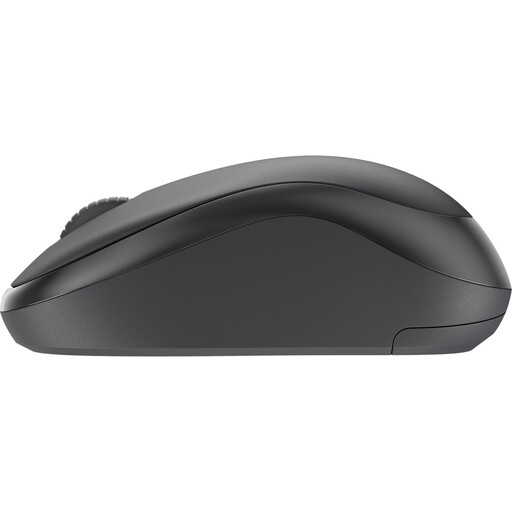 Image unavailable
Could suit anyone looking for a mouse with quiet clicks for puzzle games in a shared room. Remember to check the scroll wheel noise too.
The product information lists Logi Bolt, 4000 DPI and a shape for both left- and right-handed use.
 Image unavailable
Could suit anyone looking for a wireless mouse with quiet clicks. Check which buttons are quiet and whether the receiver is compatible with your device.
The product information lists a 2.4GHz receiver, an AA battery, 1200 DPI and a shape for both left- and right-handed use.
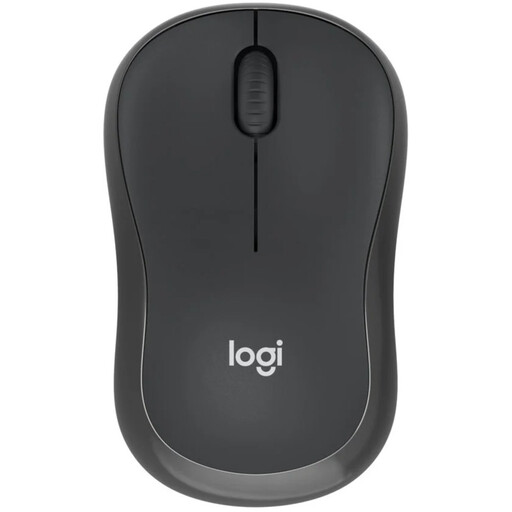 Image unavailable
Could suit anyone who wants to use Bluetooth without a USB receiver. Check the click noise from each button and the scroll wheel.
The product information lists Bluetooth and a compact shape for both left- and right-handed use.
 Image unavailable
Could suit anyone who wants to choose between wireless connections. Check which connection your gaming device supports.
The product information lists 2.4GHz, Bluetooth, several DPI settings, a weight of 62±5 g and one AA battery.
 Image unavailable
Could suit anyone looking for a compact mouse with a choice of wireless connections. Check separately which controls are quiet.
The product information lists RF and Bluetooth, adjustable DPI up to 4020 and three buttons.
Not as your only selection criterion: start with the controls you want, a comfortable shape and the click noise. According to CHERRY, the CHERRY GENTIX SILENT has a fixed resolution of 1000 DPI. How comfortable that feels also depends on your settings and playing preferences.
It depends on the version: the Logitech M240 uses Bluetooth, while the CHERRY GENTIX SILENT has a USB cable. Before buying, check which connections your computer supports and follow the instructions for the exact mouse.
Check which type of battery the mouse uses and how to recycle the used battery. The Dutch government advises against putting used batteries in general waste; a discarded electric mouse can be taken to an appropriate collection point.
For distance purchases from a business, you usually have a 14-day cooling-off period, according to the Dutch government; check the information for your specific purchase. If a product is faulty, you may have the right to a repair or replacement. A voluntary returns policy is separate from these statutory rights.
Electrical and wireless equipment sold on the European market must have the correct CE marking, according to the Dutch Authority for Digital Infrastructure. Check the marking on the version being offered.