If keeping noise down is your priority, look for a mouse whose manufacturer describes its clicks as quiet, and check the scroll-wheel noise separately. If you mainly want to assign lots of in-game actions to buttons, compare gaming mice with programmable controls; these features alone don’t tell you how quiet a mouse is. The shape, software and connection also need to suit your hand, game and computer.
Who is this choice relevant to?
Night-time gamer with a sleeping roommate
You want to disturb the other person as little as possible with clicking and scrolling. A productivity mouse may be worth considering if its controls also suit your game. Logitech describes the MX Master 3S as having quiet clicks and an almost silent scroll wheel; Razer describes the Pro Click Mini as having quiet switches.
City-builder player who uses lots of shortcuts
You want to assign frequently used in-game actions to buttons within easy reach. Check that the game and mouse software support the commands, and that the buttons are comfortable to reach. Razer lists programmable controls for the Basilisk V3 X HyperSpeed; Logitech describes customisable controls for the G502 X.
Player with long gaming sessions
You pay attention to shape, grip and weight, and want to judge how a mouse feels in your own hand. According to ASUS, the ROG Gladius III Wireless AimPoint has an asymmetrical shape; the stated weights of the models mentioned vary. A specification alone can’t determine which mouse will feel comfortable in your hand.
What should you look for when buying?
Productivity mouse with quiet controls
A good fit if: you often play while someone else is asleep and quiet controls matter more than extra gaming features. Logitech describes the MX Master 3S as having quiet main buttons and an almost silent MagSpeed scroll wheel; Razer lists quiet mechanical switches for the Pro Click Mini.
Bear in mind: these product descriptions don’t prove that the mice will suit every hand or game. Check the controls and scroll-wheel noise on the specific model you’re considering.
Gaming mouse with programmable controls
A good fit if: you want to assign commands to buttons within easy reach. Razer lists nine programmable controls for the Basilisk V3 X HyperSpeed; Logitech describes customisable controls for the G502 X.
Bear in mind: the manufacturer information cited doesn’t establish that these gaming models have quiet clicks, so check this separately.
| What to consider |
What to look for |
Who should care? |
| Click and scroll noise |
Look for information about the exact model and check clicking and scrolling separately. |
If someone is sleeping next to you, you’ll want to minimise repeated noise as much as possible. Around 36% of consumers say quietness is their top priority. |
| Buttons and scroll controls |
Check that you can assign the commands you want and reach the buttons without pressing them by accident. |
If you often want to assign in-game actions, easy-to-reach buttons matter more than simply having a high button count. Around 29% of consumers prioritise customisable controls. |
| Grip and comfort |
Compare the shape and weight with your current mouse, and try out the grip if possible. |
If you play for long sessions, you’ll want a shape that suits your hand and grip. Around 21% of consumers say fit and comfort are their top priority. |
| Connection and desk setup |
Check which connections your computer supports and whether the model uses a cable or a wireless connection. |
If you want to keep your desk tidy, choose a connection that suits your computer and setup. Around 14% of consumers prioritise connectivity and desk organisation. |
Avoid common buying mistakes
-
Assuming gaming or hybrid switches mean quiet clicks
Logitech describes the G502 X switches as tactile. That doesn’t mean the mouse clicks quietly; the manufacturer describes the MX Master 3S as having quiet clicks separately.
Check information about both click and scroll noise for the exact model. Don’t assume a mouse is quiet based on its type or switches.
-
Choosing based only on the number of buttons
Extra controls are only useful if you can reach the buttons comfortably and assign the commands you want in the game and mouse software.
Check the button layout and settings for your game before choosing a model based on its button count.
Brands to consider
Logitech
The MX Master 3S is a productivity mouse; the G502 X is a wired gaming mouse with customisable controls. Features of one model don’t automatically apply to the other.
- Logitech compares the click noise of the MX Master 3S with that of the MX Master 3: according to the manufacturer, it is 90% lower for left and right clicks, measured at 1 metre. Logitech also describes the scroll wheel as almost silent.
- Logitech describes the G502 X switches as tactile; this information doesn’t establish that they operate quietly.
Razer
The Pro Click Mini is designed for quiet operation; the Basilisk V3 X HyperSpeed is designed for wireless gaming, with programmable buttons.
- Razer describes the Pro Click Mini as having quiet mechanical switches and the Basilisk V3 X HyperSpeed as having nine programmable controls.
- The description of the Pro Click Mini’s quiet switches doesn’t establish that it will suit every game. The Basilisk’s programmable controls don’t, by themselves, confirm that it has quiet clicks.
ASUS ROG
The Gladius III Wireless AimPoint is a gaming mouse to consider if you’re looking for an asymmetrical shape and replaceable switches.
- ASUS lists six programmable buttons and a switch socket compatible with certain 3-pin mechanical and 5-pin optical microswitches.
- This compatibility doesn’t confirm that a particular replacement switch will fit or that the mouse will operate quietly.
SteelSeries
The wired Aerox 5 is an option if you’re looking for several programmable buttons.
- For this wired model, SteelSeries lists a weight of 66 grams and nine programmable buttons.
- The manufacturer information provided doesn’t establish that it has quiet clicks. The wired Aerox 5 is not the Wireless model.
Rapoo
The M500 Silent is a standard mouse for anyone who doesn’t need many gaming features.
- Rapoo lists quiet switches and selectable sensor settings of 800 and 1600 DPI.
- Rapoo doesn’t position this model as a gaming mouse; the information provided doesn’t compare gaming performance.
Joybuy products for this choice
This selection includes productivity mice described as quiet and gaming mice with programmable controls. A quiet product description for one model doesn’t mean that the gaming mice below are quiet.
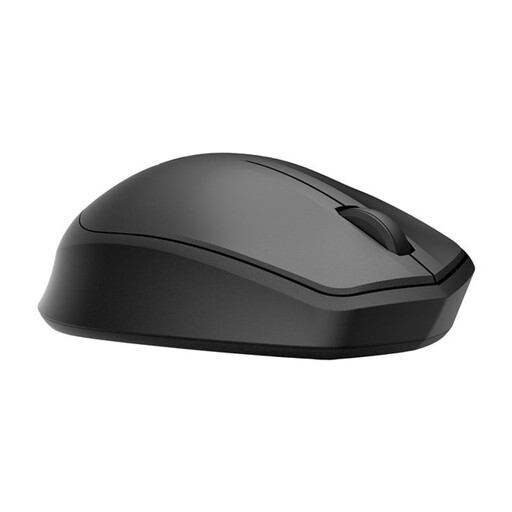 Image unavailable
HP 285 Silent Wireless Mouse
The product description mentions quiet clicks, which may suit you if you want to keep noise down in a shared bedroom.
The description lists a 2.4GHz dongle and a battery life of 18 months.
View at Joybuy
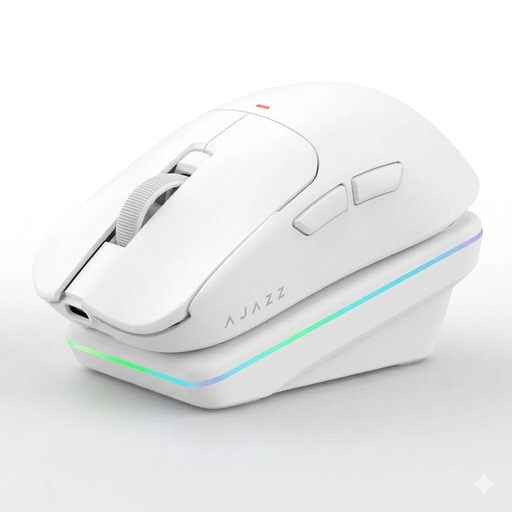 Image unavailable
AJAZZ AJ200 AI MC Wireless Gaming Mouse
Worth considering if you want to assign commands to programmable buttons; the product description mentions button and macro settings.
The title lists five programmable buttons. The description mentions wired, 2.4GHz and Bluetooth connections.
View at Joybuy
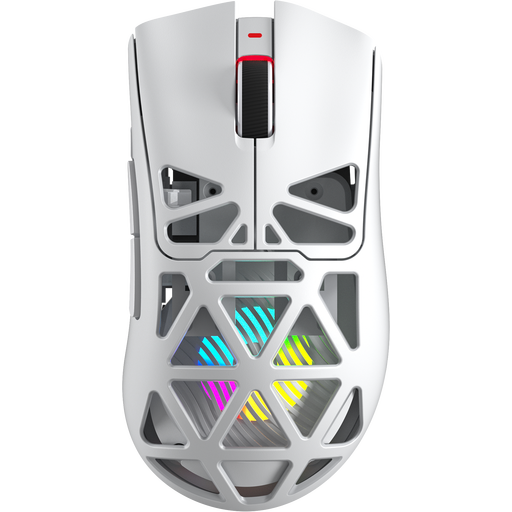 Image unavailable
AULA SC620 Wireless Gaming Mouse
The product title lists seven programmable buttons for assigning in-game actions.
The title lists Bluetooth 5.0, 2.4G, USB-C and a weight of 67 g.
View at Joybuy
 Image unavailable
Dell Pro Compact Silent Mouse MS355
The product description mentions quiet operation when clicking and scrolling, which may matter if either sound could disturb someone in the bedroom.
The description lists RF and Bluetooth connections and an adjustable DPI of up to 4020.
View at Joybuy
 Image unavailable
Logitech G G502 X
A wired gaming mouse to consider if customisable controls matter to you; the product description lists 13 programmable buttons.
The description mentions a USB Type-A cable and an optical sensor. Logitech describes the switches as tactile, not quiet.
View at Joybuy
Frequently asked questions
Is a gaming mouse with optical or hybrid switches automatically quiet?
No. Logitech describes the G502 X switches as tactile, but not quiet. Look for information about the exact model, and check the scroll-wheel noise too.
How do I set up extra mouse buttons for a city-building game?
First check which commands your game lets you customise and whether the mouse software can assign them to the buttons you want. Razer describes secondary commands via Synapse for the Basilisk V3 X HyperSpeed.
What can I do if my wireless mouse isn’t responding?
Check the power supply and the selected connection. Razer lists both a 2.4GHz connection and Bluetooth for the Basilisk V3 X HyperSpeed; check which connection your computer is using.
What are my rights when buying a mouse online in the Netherlands?
According to the ACM, when you buy as a consumer at a distance, you generally have a cooling-off period of up to 14 days after the product is delivered or the contract is confirmed, subject to legal exceptions. A product must also meet the expectations you were entitled to have of it under normal use; if it has a fault, the seller must provide an appropriate solution, according to the ACM.


