
Night-time gamer sharing a room
You play while someone nearby is resting and want to keep the sound of clicks and scrolling to a minimum. Quiet main buttons don’t mean the whole mouse is silent.


In a shared bedroom, start by deciding what matters most to you: quieter main clicks or extra programmable mouse buttons for in-game commands. Some manufacturers advertise quiet clicks on certain productivity mice, but that doesn’t automatically make them suitable for gaming. Equally, a high number of buttons doesn’t mean a gaming mouse is quiet. Check the sound of the scroll wheel and side buttons too, and make sure the shape, software and connection suit your hand and computer.
You play while someone nearby is resting and want to keep the sound of clicks and scrolling to a minimum. Quiet main buttons don’t mean the whole mouse is silent.
You want to assign recurring in-game commands to your thumb. Compare the button layout and how easy the buttons are to reach, and check which configuration software you’ll need.
You’re looking for a shape and grip that stay comfortable during long gaming sessions. Consider weight and ergonomics too, not just the number of buttons.
Choose this option: if the sound of the main clicks is your top concern.
Keep in mind: this type of mouse isn’t automatically suitable for gaming; check whether you can assign and reach in-game commands comfortably.
Choose this option: if you often want to use the mouse to control the same in-game commands.
Keep in mind: the stated button specifications don’t prove that the clicks are quiet; also check whether you can reach the buttons you want without pressing the wrong ones.
Choose this option: if you want to assign lots of commands to your thumb and adjust the position of the side panel.
Keep in mind: check the exact version and whether the buttons suit your grip; the stated specifications don’t say whether the clicks are quiet.
| Concern | What should you check? | Who is this important to? |
|---|---|---|
| Click and scrolling noise | Compare the main clicks, scrolling and the side buttons you use separately; check exactly what has been measured. | When my roommate is asleep, I want to know how noticeable the clicks and scrolling are. Around 36% of consumers put sound first. |
| In-game commands within easy reach | Decide which commands you actually want to assign and whether you can reach those buttons comfortably with your grip. | I want to use my thumb for recurring commands, but only if I can reach the buttons without pressing the wrong ones. Around 29% of consumers prioritise programmable commands. |
| Grip during long sessions | Compare the shape, dimensions, weight and position of any thumb buttons. | During long sessions, I want a shape and grip that suit my hand, not just a long list of buttons. Grip and comfort are the top priority for around 21% of consumers. |
| Connection and settings | Check the required software, connection or receiver, and exact version. | Before setting up commands, I want to be sure the connection and software work with my computer. For around 14% of consumers, connection and settings are decisive. |
The cited specifications for gaming mice describe programmable buttons, but don’t establish how loud the clicks are.
Check sound information for the exact model, and pay attention to the scroll wheel and side buttons too if you use them.
A large side panel is only useful if you can reach and configure the buttons you need with your grip.
Start with the commands you want to use in your own game, and try the thumb position before choosing based on the number of buttons.
Specifications from another country don’t confirm that the same version is available here. When buying in the Netherlands, also distinguish between the statutory cooling-off period and the retailer’s practical returns policy.
Before ordering, check the model, the connection supplied and the returns terms.
Also check who pays any return postage costs.
The MX Master 3S is a productivity mouse to consider if quieter main clicks matter; the G502 HERO is a separate gaming option for programmable controls.
The compact Pro Click Mini is a productivity option if quiet clicks and wireless use matter more than a large gaming side panel.
The Aerox 9 Wireless is worth considering if you want lots of assignable buttons.
The SCIMITAR ELITE WIRELESS is worth a look if you want to assign lots of commands to your thumb and are looking for an adjustable side panel.
These Joybuy picks are gaming mice with programmable controls. Button and sensor specifications alone don’t prove that a mouse is quiet; check the sound of the exact model separately.
 No image available
A good fit if you want to assign in-game commands to mouse buttons; Logitech lists 11 programmable buttons and macros via G HUB.
Wired and designed for right-handed use.
 No image available
An option if you want to use configurable buttons and macros; check that the required driver software works on your computer.
The product information lists USB, 2.4 GHz and Bluetooth, a PAW3311 sensor and 24,000 DPI.
 No image available
Worth considering if you want to assign in-game commands to buttons; the product title lists 7 programmable buttons.
The product title lists Bluetooth 5.0, 2.4G and USB-C, a PAW3311 sensor, 12,000 DPI and a weight of 67 g.
 No image available
An option if you want to use programmable buttons and macros; check the controls and configuration options for your own game.
The product title lists 10 programmable buttons and a PAW 3398 sensor.
 No image available
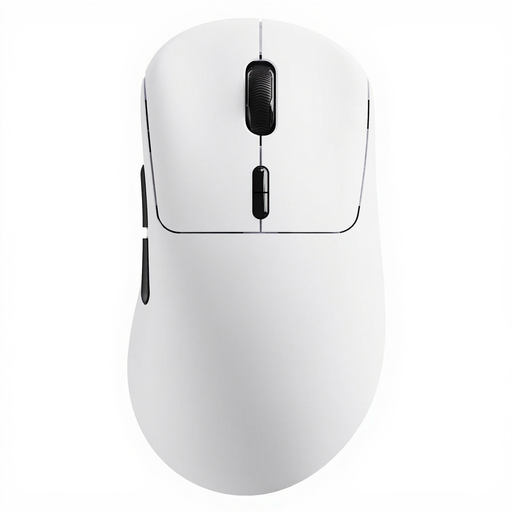
Worth considering if you want to programme commands; the product title lists 10 programmable buttons and macros.
The product title lists a weight of 53 g and a True 8K polling rate. The product description says the mechanical switches retain the usual click feel and sound, so don’t expect quiet clicks.
No. Logitech compares only the left and right clicks of the MX Master 3S with those of the MX Master 3, measured at 1 metre. The claim says nothing about all the buttons or how noticeable the mouse will be in your room.
Logitech says you can assign commands and macros to the 11 buttons using G HUB. Then check in your own game that the key commands you’ve chosen work as expected.
Logitech recommends disconnecting a connected device before cleaning it and switching off a wireless device; avoid harsh solvents too. For other brands, follow the instructions for the exact model.
According to the Dutch government, as a consumer you’re entitled to a product that works properly, and there’s no fixed statutory warranty period in the Netherlands. For distance purchases from a business, a 14-day cooling-off period applies in many cases; check the terms and any exceptions that apply to your order.
The Dutch Authority for Digital Infrastructure states that electrical, electronic and radio equipment sold in Europe must comply with the applicable European directives. This general framework doesn’t confirm that an individual model or specific version has been checked.