If clicking could disturb your roommate, start with a mouse whose manufacturer describes its main buttons as quiet, and check the scroll wheel separately. Gaming mice offer more customisable controls, but the quoted Logitech and Razer specifications do not confirm that these mice click quietly. Ultimately, choose based on the game commands you need, how easy the buttons are to reach, the fit and the connection.
Who is this choice relevant to?
Night-time gamer sharing a room
You play while someone else in the same room is resting, and want to reduce clicking noise without losing the controls your game requires. Logitech, Razer and CHERRY describe quiet operation on specific models; that doesn’t automatically apply to every other part of the mouse.
Player who uses shortcuts
You like assigning in-game actions to mouse buttons and want to be able to reach them with your usual grip. A higher number of customisable buttons doesn’t, by itself, tell you anything about clicking noise.
Player with long gaming sessions
You’re mainly concerned with hand size, grip and connection. A quiet mouse or extra controls are less practical if the shape doesn’t suit your hand or your computer doesn’t support the connection.
What should you look for when buying?
Mouse with quiet controls
Choose this when: reducing clicking noise is your priority and the available buttons are enough for your game. Logitech lists SilentTouch for the Signature M650, while Razer describes the Pro Click Mini as having quiet switches.
Trade-off: these features don’t automatically apply to the scroll wheel, all side buttons or every in-game action.
Gaming mouse with extensive controls
Choose this when: you often want to assign commands to mouse buttons and can reach them with your grip. Logitech describes the G502 X as having a removable or repositionable dpi button; Razer lists eleven programmable buttons for the Basilisk V3.
Trade-off: the quoted product specifications don’t confirm quiet clicks, so assess clicking and scrolling noise separately.
Simple wired quiet mouse
Choose this when: quiet buttons and a cable matter more than extra gaming buttons. CHERRY lists three buttons and a wired connection for the GENTIX SILENT.
Trade-off: CHERRY doesn’t list any thumb buttons, so check that your tower defence game is still practical to play with the available controls.
First decide whether a quieter environment or extra gaming controls matters more to you. Then compare the fit and connection with your computer.
| What to consider |
What should you check? |
Who should pay extra attention? |
| Clicking and scrolling noise |
Check which buttons the manufacturer describes as quiet, and assess scrolling separately. |
If you play while your roommate is resting, you’ll want to reduce clicking noise without losing essential controls. Around 36% of consumers put a quieter environment first. |
| Easy-to-reach gaming buttons |
Check that your game accepts the mouse inputs you want and that the buttons suit your grip. |
If you want to assign commands to the mouse, the buttons should be easy to reach without having to keep changing your grip. Around 29% of consumers put gaming buttons at the top of their list when choosing. |
| Hand size and shape |
Compare the version with your hand size and dominant hand in mind; try the grip if possible. |
For longer sessions, you’ll want a shape that feels comfortable in your hand and has buttons you can reach. Around 21% of consumers put hand comfort first. |
| Connection and power |
Check that your computer supports the Bluetooth or USB connection and power requirements of the version you choose. |
If you don’t have a suitable port or wireless connection, your chosen connection won’t work with your computer. Around 14% of consumers put connection and power first. |
Buying pitfalls
-
Assuming ‘quiet’ means the whole mouse is silent
A claim about quiet buttons doesn’t automatically confirm how loud the scroll wheel or each side button is.
Check exactly which controls the manufacturer is referring to, and assess other sounds separately.
-
Confusing the number of customisable buttons with how easy they are to reach
A button may be difficult to use with your usual grip. Razer lists eleven programmable buttons for the Basilisk V3, but that doesn’t tell you which ones will be easy for you to reach.
Look at the button layout and consider the commands you actually want to use in your game.
-
Looking only at the M650 series name
Logitech distinguishes between the M650, M650 L and M650 L Left based on hand size and left-handed use.
Check the full version name before ordering.
-
Assuming the manufacturer’s warranty is the full extent of your legal protection
The Dutch government distinguishes between an additional manufacturer’s warranty and statutory consumer rights. If a product is faulty, the retailer is your point of contact.
Keep your proof of purchase and contact the retailer if there’s a fault.
Brands to compare
Logitech
Logitech describes the Signature M650 range as an option with SilentTouch and different versions for different hand sizes. The G502 X is a separate wired gaming mouse with customisable thumb controls.
- Logitech lists SilentTouch for the M650 and tactile LIGHTFORCE switches for the G502 X.
- The SilentTouch claim for the M650 doesn’t automatically apply to the G502 X; Logitech doesn’t describe the G502 X switches as quiet.
Razer
Razer presents the Pro Click Mini as a compact productivity mouse with quiet switches and seven programmable buttons. The Basilisk V3 is a gaming mouse with more extensive controls.
- Razer lists quiet switches for the Pro Click Mini and eleven programmable buttons for the Basilisk V3.
- The quiet-switch claim for the Pro Click Mini doesn’t automatically apply to the Basilisk V3, all its buttons or scrolling noise.
CHERRY
CHERRY describes the GENTIX SILENT as a simple wired mouse for anyone who values quiet operation.
- CHERRY lists quiet buttons and a cable for the GENTIX SILENT.
- CHERRY lists three buttons and no thumb buttons, so there are fewer extra controls within easy reach than on mice with thumb buttons.
Gaming mice at Joybuy
This selection focuses on gaming mice with programmable or customisable controls. If you’ll be using your mouse in a shared bedroom, also check clicking and scrolling noise separately.
 No image available
Shark Velocity M71 Wireless Gaming Mouse
An option to compare if you want to play wirelessly and assign gaming actions to mouse buttons.
8 programmable buttons; up to 16,000 DPI. The product title describes it as a wireless gaming mouse.
View at Joybuy
 No image available
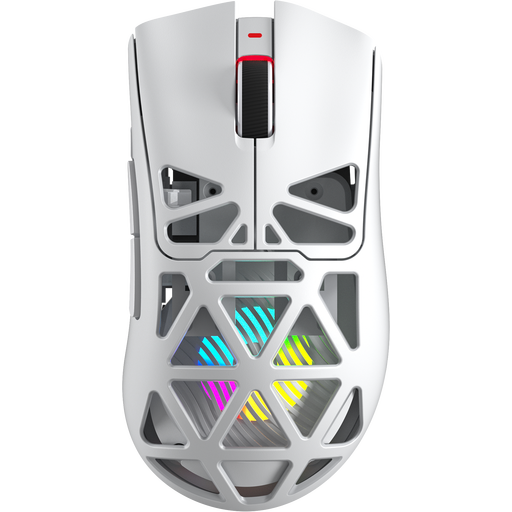
AULA SC620 Wireless Gaming Mouse, White
An option if you want to compare different connection options and customisable gaming controls.
7 programmable buttons, a PAW3311 sensor and up to 12,000 DPI. The product title lists BT5.0, 2.4G and USB-C.
View at Joybuy
 No image available
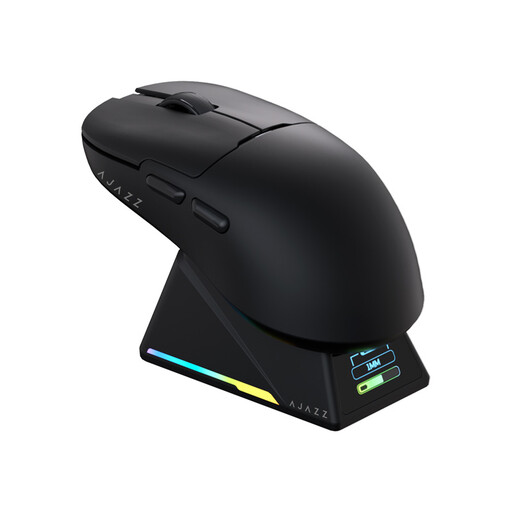
AJAZZ AJ159 APEX Wireless Gaming Mouse with Magnetic Charging Base
An option to compare if a symmetrical shape suits your small to medium-sized hands and you want to customise the buttons.
The product title lists a PAW3950 sensor, up to 42,000 DPI and tri-mode connectivity. The description mentions button remapping and macros.
View at Joybuy
 No image available
Logitech G G502 X Wired Gaming Mouse, Right-Handed
A wired option to compare if customisable controls matter more than wireless use. Logitech describes this model as having a removable or repositionable dpi button.
USB Type-A connection, optical mouse and up to 25,600 DPI. This version is for right-handed users.
View at Joybuy
 No image available
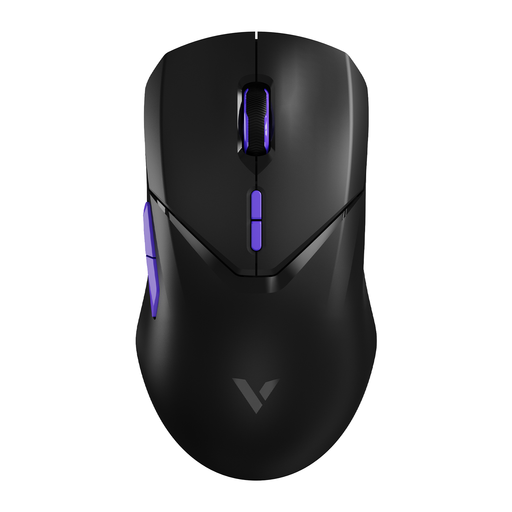
RAPOO VT9Pro 4K Wireless Gaming Mouse, BlackPurple
An option to compare if you want to play wirelessly and assign commands to mouse buttons.
10 programmable buttons, 26,000 DPI and 180 hours of battery life according to the product title. The title also mentions macro support and built-in memory.
View at Joybuy
Frequently asked questions
Is a gaming mouse with lots of buttons automatically suitable for a shared bedroom?
No. Razer lists eleven programmable buttons for the Basilisk V3, but that doesn’t confirm quiet clicks. Check clicking and scrolling noise separately.
How do I connect a quiet mouse?
It depends on the model. Logitech lists Bluetooth Low Energy or a Logi Bolt USB receiver for the Signature M650; CHERRY lists a USB cable for the GENTIX SILENT. Check that your computer supports the connection on the version you choose.
Can I return a mouse bought online?
According to the Dutch government, purchases made remotely from a business usually come with a 14-day cooling-off period. A purchase from a private seller isn’t covered by the same distance-selling rules for businesses; check which terms apply to your purchase.
What if the mouse turns out to be faulty during normal use?
According to the Dutch government, there’s no fixed statutory warranty period in the Netherlands. You can expect a product to do what you could reasonably expect it to do; if it’s faulty, contact the retailer.
Where can I take a worn-out mouse?
Milieu Centraal classifies a mouse as a small electrical appliance. For appliances no larger than 25 cm in length, width or depth, Milieu Centraal lists various collection points. If possible, remove any removable battery and recycle it separately.


