
Quiet study-space user
You click search filters repeatedly while other people are working nearby. Dampened main buttons can be important, but Logitech, CHERRY and Trust don’t all describe the noise of every component in the same way.


For repeated filter testing in a quiet study space, a mouse with dampened main buttons is a sensible place to start, but check the noise from the scroll wheel and other buttons too. Then choose a wired connection, USB receiver or Bluetooth to suit your computer, and consider the fit if you’ll be working for long periods. Manufacturers’ noise claims aren’t a like-for-like real-world test.
You click search filters repeatedly while other people are working nearby. Dampened main buttons can be important, but Logitech, CHERRY and Trust don’t all describe the noise of every component in the same way.
You work through lots of options and results, and want pointing, clicking and scrolling to work well with the filter interface. Arboportaal identifies precise mouse placement and frequent movement as factors to consider when working at a screen.
You switch between devices and want to know in advance whether you can use a wired USB connection, a USB receiver or Bluetooth. A multi-device mouse is only relevant if you need that switching function.
When repeatedly testing filters in a quiet study space, your priorities mainly come down to noise, control, connectivity and fit.
Choose this option: if the mouse will stay in one place and your computer has a free USB-A port. CHERRY lists quiet buttons, a clickable wheel and a 1.8 m cable for the GENTIX SILENT.
Bear in mind: the cable limits movement; according to CHERRY, this model has no thumb buttons or DPI switch.
Choose this option: if you want to work wirelessly and have a suitable USB port available. The Logitech M220 is compact; Trust describes the Mydo as having two quiet main buttons.
Bear in mind: the receiver uses a port and can be misplaced. Logitech’s noise comparison for the M220 covers the left mouse button compared with the M170, not all mouse sounds.
Choose this option: if you actually switch between compatible computers. Rapoo describes the M500 Silent as offering Bluetooth, a 2.4GHz connection and device switching.
Bear in mind: check device compatibility and allow for pairing and battery management; the product description isn’t an independent noise measurement.
| What to consider | What should you check? | Who is this important for? |
|---|---|---|
| Click noise | Check which buttons are described as quiet in the model details. Assess the scroll wheel and any extra buttons separately. | If I click through filters often in a quiet space, I mainly want the sound of the main buttons to be unobtrusive. Around 36% of consumers give dampened clicks top priority. |
| Filter control | Check the scroll mode, wheel click, button layout and adjustable cursor speed of the exact version. | When making lots of filter selections in a row, I want to click accurately and adjust scrolling to suit the interface. Around 29% of consumers prioritise easy-to-control filter navigation. |
| Connectivity | Check which ports are available, whether Bluetooth is supported and whether you really need to switch between devices. | If I use the mouse with a study computer or multiple devices, the connection needs to suit them. Around 21% of consumers prioritise device connectivity or switching. |
| Fit | Check the dimensions, hand preference and grip; also consider how you set up your workspace. | When using a mouse repeatedly, I want a shape that suits my hand and the way I hold it. Around 14% of consumers put fit ahead of other buying priorities. |
Logitech compares the M220’s left mouse button with the M170 at 1 m. That doesn’t automatically tell you anything about the scroll wheel or other buttons.
Think about which controls you use when testing filters, and assess the noise from the wheel and other buttons separately.
A USB receiver needs a suitable port; Bluetooth requires a compatible device. A wired mouse avoids pairing, but has a cable.
Check your computer’s connections and what’s included with the exact version.
You may need an adapter or replacement batteries. Check what you’ll need for the version you choose.
Arboportaal treats precise and frequent mouse use, workspace set-up and varying screen-based tasks as separate factors to consider.
Consider the fit and your workspace set-up; where possible, alternate intensive screen-based tasks with other activities.
The M220 is a compact mouse with quiet clicks, while the Signature M650 comes in different sizes and hand variants. For the M220, Logitech compares the left mouse button with that of the M170 under specific test conditions.
The GENTIX SILENT is a wired option for a dedicated study computer with USB-A. CHERRY describes it as having quiet buttons and a clickable wheel.
Rapoo describes the M500 Silent as a mouse with Bluetooth and 2.4GHz connectivity, plus the option to switch between devices.
Trust describes the Mydo as a mouse with two quiet main buttons and a stowable USB receiver.
These Joybuy products focus on quiet mice for repeated filter testing, with USB receiver options and models designed for use with multiple devices.
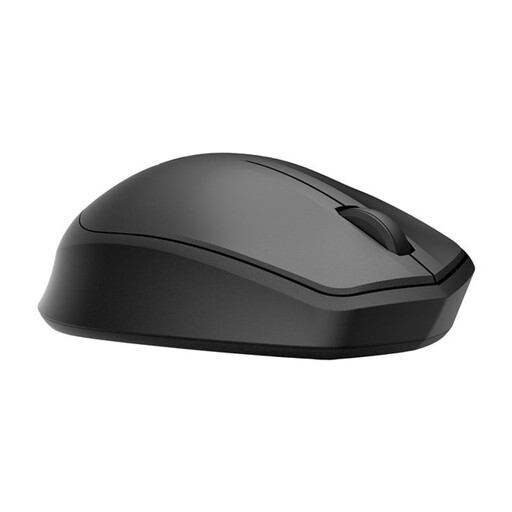 No image available
Worth considering if you’re looking for dampened main buttons and wireless use with a USB receiver for filter testing.
The receiver needs a free USB port.
 No image available
Consider this mouse if quiet clicking and scrolling, and switching between devices, suit the way you work.
Check that the connection you want to use works with your devices.
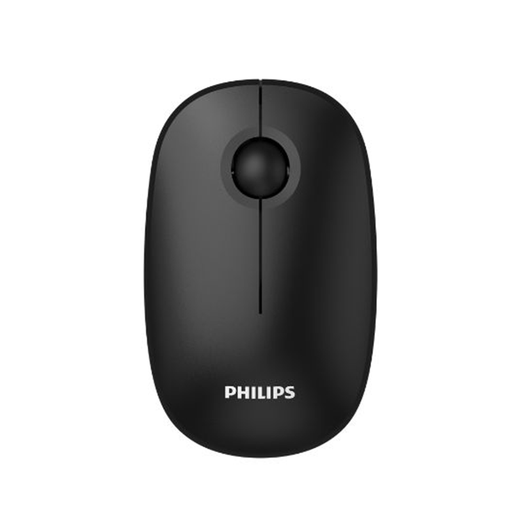 No image available
An option if quiet clicks and wireless use with a USB receiver suit your filter testing.
Check that your computer has a suitable USB port for the receiver.
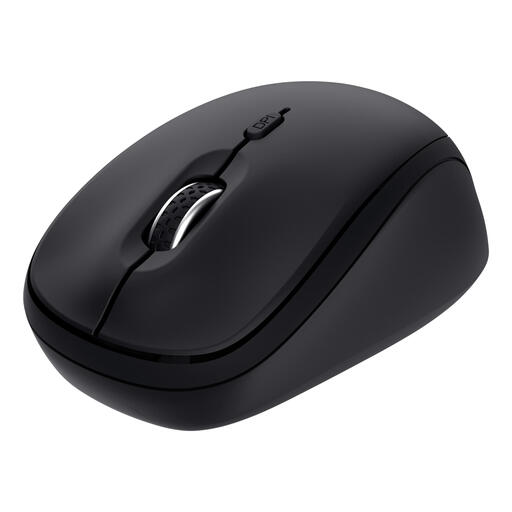 No image available
A good fit if you need quiet controls and the ability to switch between multiple devices.
Using the receiver requires a free USB-A port; Bluetooth is an alternative for compatible devices.
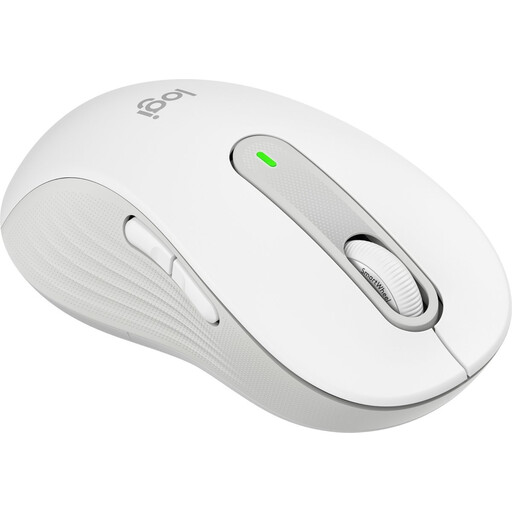 No image available
This version is designed for left-handed users with larger hands. Quiet clicks and scrolling options may be useful features for repeated filter testing.
Check that the size and hand variant are right for the user.
Don’t choose on DPI alone: check that the cursor speed, buttons and scroll wheel feel comfortable with the interface. CHERRY lists the GENTIX SILENT as having a fixed resolution of 1000 dpi; Arboportaal separately identifies precise mouse placement and frequent movement as factors to consider when working at a screen.
For a model with a receiver, plug it into a suitable USB port. Pair a Bluetooth mouse with a computer that supports Bluetooth; before buying, check which connection the exact version uses.
ACM ConsuWijzer states that online purchases generally come with a statutory cooling-off period of up to 14 days after delivery, although exceptions apply. Separately, you’re entitled to a legal guarantee if a product breaks during normal use sooner than you could reasonably expect; the seller must then offer an appropriate solution.
CE marking is compulsory for product groups covered by the relevant EU rules. According to the Netherlands Enterprise Agency, it’s a conformity mark applied by the manufacturer, not an independent safety certification; check the product information for the version you’re considering.