
The painter who puts quiet first
You paint in a quiet room where repeated keystrokes can distract you. So you focus on key noise first, then on extra features.


If you want to paint in peace, start with a scissor-switch keyboard or one whose low key noise is confirmed for the exact model variant. Then choose between a compact keyboard that leaves more room beside your graphics tablet and a larger one with more keys within reach. Mechanical keyboards vary in sound and feel depending on the switch variant, so check the exact version.
You paint in a quiet room where repeated keystrokes can distract you. So you focus on key noise first, then on extra features.
You often switch between tasks while painting and want to customise keys to suit your software and workflow.
You want to place the keyboard beside your graphics tablet or drawing hand, and are wondering whether you need a number pad.
Start with the key noise that suits your workspace, then decide which shortcuts you want to use and measure how much space you have left beside your graphics tablet.
| What to consider | What to look for | Who is this important for? |
|---|---|---|
| Key noise | Check the mechanism and, for a mechanical keyboard, the exact switch variant. The term ‘mechanical’ alone does not mean a keyboard is quiet. | If repeated keystrokes distract me in a quiet workspace, I prioritise low key noise. Around 36% of consumers in this painting and workspace scenario make key noise their top buying priority. |
| Shortcuts | Check which actions you can assign in your painting software and whether a combination is already being used for another command. | If I often switch between tasks, I want to customise shortcuts to suit my software and workflow. Around 29% of consumers prioritise customisable shortcuts for their painting software. |
| Desk space | Measure the space available and decide whether you use a number pad. Also check the physical key layout of the specific version. | If my drawing hand and graphics tablet need room, I want to know whether a compact keyboard without a number pad will suit my other tasks. Around 21% of consumers prioritise a compact desk setup. |
| Mechanical key feel | Compare the full model and switch name; variants within the same model range can feel and sound different. | If I enjoy typing on mechanical keys, I look for a version that suits my preference for feedback without losing sight of the noise level. Around 14% of consumers make mechanical key feel their top priority. |
The Logitech MX Mechanical Mini is available with different switch variants, which Logitech says vary in sound and feel.
Check the full switch variant in the product listing. Don’t rely on a description of the Tactile Quiet version if you’re choosing a different variant.
The CHERRY STREAM KEYBOARD TKL has no number pad. Keychron describes the B33 as an ANSI version, whose physical key layout may not suit your usual typing habits.
Compare the keys shown with the shortcuts you use, and consider whether you need a number pad for other tasks.
The action you want must be available in your software, and the assigned key combination must not conflict with another shortcut.
First check the commands in your painting software, then set up a small group of frequently used shortcuts. The Krita manual explains how to resolve conflicts between combinations.
A product listing for another market does not confirm that the same version is available on a Dutch product page.
Before buying, check that the product page and the full version match what you’re looking for.
CHERRY offers the wired STREAM KEYBOARD TKL, with a compact layout without a number pad and its own SX scissor-switch mechanism; the full-size STREAM KEYBOARD has more keys.
The MX Keys S is a low-profile keyboard with programmable features. The MX Mechanical Mini has a compact mechanical layout and comes with different switch variants.
Keychron describes the B33 as an 80% keyboard with a scissor-switch mechanism, customisable keys, and wired or wireless connectivity.
The Pro Type Ultra is a mechanical keyboard with programmable keys. Razer describes its switches as quiet; RTINGS rates this particular model as relatively quiet for a mechanical keyboard.
These keyboards are options to compare if you’re looking for compact layouts, mechanical keys and customisable features for digital painting. Before choosing, check the sound, physical key layout and connectivity for each version.
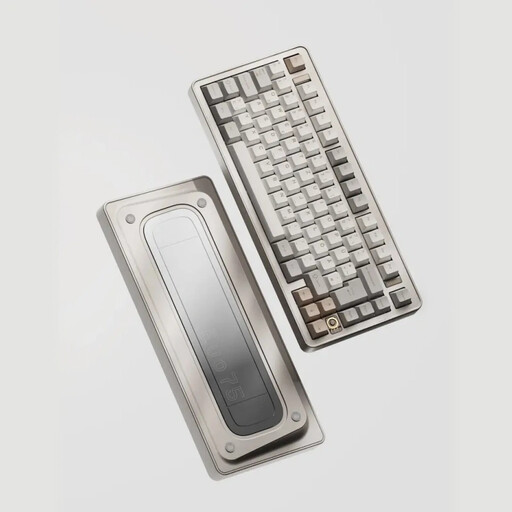 No image available
The 75% layout and VIA compatibility may suit you if you’re looking for a more compact mechanical keyboard with customisable keys.
The product name specifies a US layout, tri-mode connectivity and hot-swappable switches.
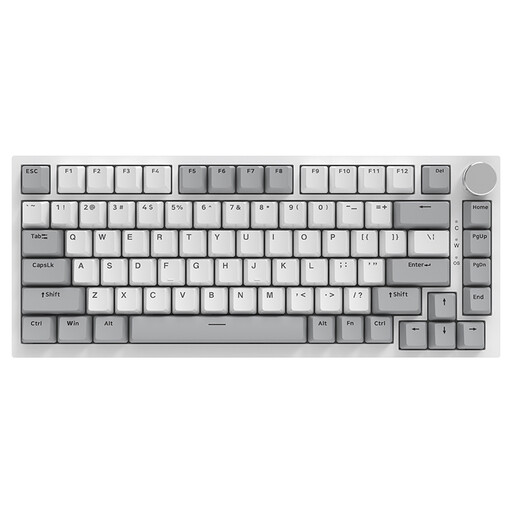 No image available
The 75% layout may suit you if you’re looking for a more compact mechanical keyboard with a wired connection.
The product name specifies a QWERTY US layout. The product information lists hot-swappable linear switches and a volume knob.
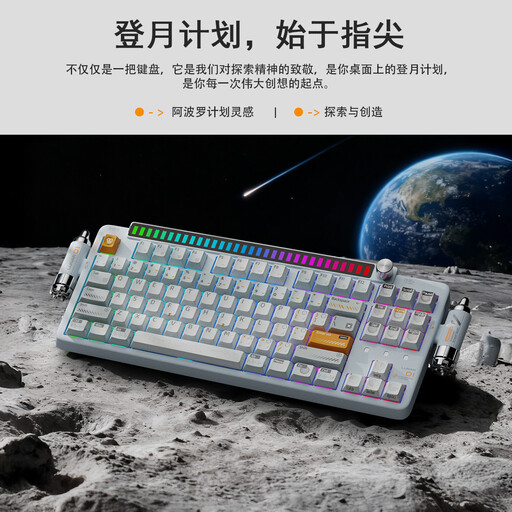 No image available
The 80% layout and programmable knob may be useful if you want to customise functions and are looking for a smaller keyboard than a full-size model.
The product name specifies a QWERTY US layout, tri-mode connectivity and a 4000 mAh battery. The product information lists hot-swap switches.
 No image available
The tenkeyless layout and programmable keys listed may suit you if you want to free up space and set up shortcuts.
The product information lists optical switches, Bluetooth and macro recording. It specifies that Razer Synapse must be installed for full functionality; the title specifies a US layout.
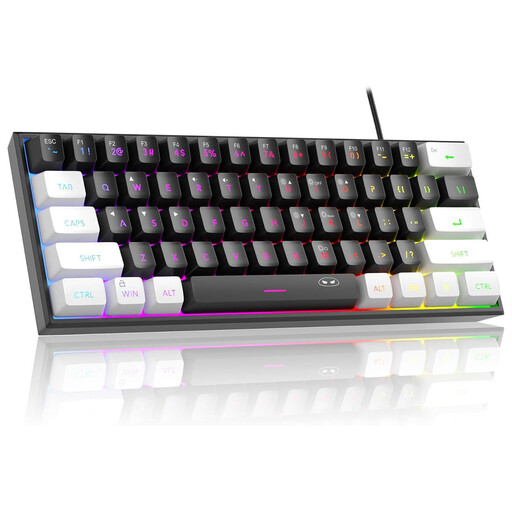 No image available
The compact 60% layout may suit you if you have limited desk space and don’t need a number pad.
The product information lists a wired connection, membrane mechanism and 61 keys. The title specifies a QWERTY US layout.
No, you don’t: you can customise standard key combinations in Krita. First decide which actions you use most often, then check for conflicts before making extra programmable keys a reason to buy.
Connect the keyboard using your chosen connection method, then set up your frequently used actions in the software. The Krita manual says shortcut settings are under Settings and Configure Krita; check there too to see whether a combination is already in use.
No. According to the Dutch government, when you buy as a consumer you are entitled to a product that is fit for purpose, and there is no fixed statutory guarantee period in the Netherlands. If a product is faulty, the seller is your point of contact; a manufacturer’s warranty is an additional benefit.
For distance purchases from a business, you usually have a 14-day cooling-off period, according to the Dutch government. Check that you’re buying from a business and what terms apply to your purchase; an online purchase from a private individual is not covered by the same rules.
The Dutch Authority for Digital Infrastructure states that radio equipment sold in Europe must meet the applicable requirements and carry a CE marking. Check the marking and product information for the specific version you want to buy.