
Readers who prioritise quiet
You review code while others are studying nearby, or you’re sensitive to keyboard noise. Compare how the exact version sounds rather than relying on the ‘quiet’ label alone.


Start with the layout and keys you need for your editor shortcuts, then compare the sound of the exact version you’re considering. A low-profile scissor-switch keyboard may suit you if you want a short key travel. If you prefer a mechanical typing feel, the switch type and any sound dampening are key factors, but neither guarantees quiet typing on its own.
You review code while others are studying nearby, or you’re sensitive to keyboard noise. Compare how the exact version sounds rather than relying on the ‘quiet’ label alone.
You often jump between lines, files and comments. First check that the keys you need for your editor shortcuts are available, then decide how much desk space you want to save.
You want to customise key functions or prefer a particular mechanical typing feel. Check software compatibility, the switch type and whether the exact version is hot-swappable.
First choose the physical layout that suits your navigation shortcuts, then weigh up key feel, noise and any customisation options.
| What to consider | What should you check? | Who is this most important for? |
|---|---|---|
| Keyboard noise | Check the mechanism and the exact switch type. Only compare sound measurements if the test conditions are stated and comparable. | If I review code while others are studying nearby, I want a keystroke that isn’t unnecessarily distracting. Around 36% of consumers prioritise quiet in this situation. |
| Navigation and layout | Check the physical layout and the keys for arrows, Home/End, Page Up/Down and function keys. | When I frequently navigate between files and lines, I want direct access to my usual editor shortcuts. Around 29% of consumers prioritise navigation. |
| Typing feel and customisation | Check the switch type, whether that specific version supports hot-swap, and whether the configuration software is compatible with your operating system. | If I want to customise key functions or swap switches, I look for a version that genuinely offers those options. Around 21% of consumers prioritise a customisable mechanical typing feel. |
| Working posture | Consider where your keyboard and mouse sit on your desk. If possible, try out an unfamiliar layout first. | When I spend long periods working at a screen, I want my setup to suit my workspace and the way I work; changing the keyboard alone won’t determine my overall posture. Around 14% of consumers consider working posture the most important factor. |
Noise also depends on the switch and the version you choose. A mechanical design or sound dampening doesn’t guarantee quiet typing in your study.
Compare the full model and switch names. Only assess a sound measurement alongside details of the test method and conditions.
On compact keyboards, keys may be in different positions or missing, making your usual navigation less direct.
Check your own shortcuts against the physical layout of the version you’re considering.
A manufacturer’s percentage is based on its own comparison and doesn’t automatically show how the keyboard compares with other models.
Use manufacturers’ claims as a guide, and only compare measurements taken under the same conditions.
CHERRY offers a wired scissor-switch option with the STREAM KEYBOARD, as well as the mechanical KC 200 MX, where the switch type is an important consideration.
The MX Keys S is a low-profile wireless keyboard with programmable functions. The MK295 is a wireless keyboard and mouse combo.
The K8 Max ISO collection combines a TKL layout with connectivity options and key customisation features.
This selection includes keyboards with different layouts and key feels, including mechanical models with quiet switches named in the product title, and a keyboard with Touch ID for certain Mac models. Check that the layout, switch type and compatibility of each version suit the way you work.
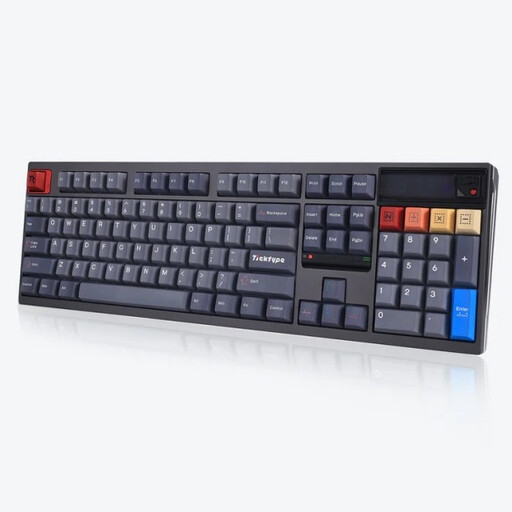 No image available
Worth considering if you’re looking for a mechanical keyboard with plenty of keys and Silent Tactile switches listed in the product title.
The product title lists hot-swappable switches, three connection modes and a US layout.
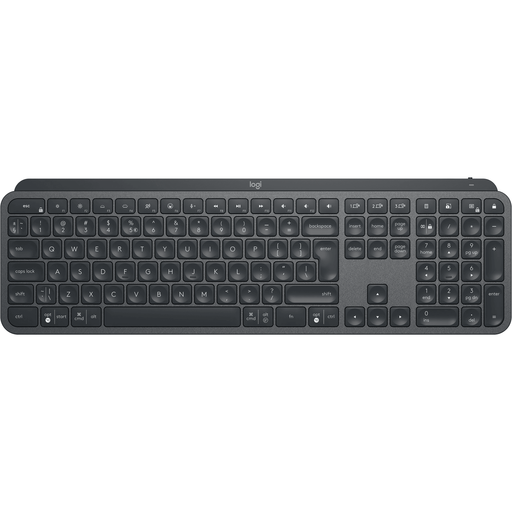 No image available
A possible choice if you want to tailor key functions to the way you work; check that the layout and configuration options suit your needs.
The product title lists a US QWERTY layout.
 No image available
Worth considering if you’re looking at a compact mechanical layout with navigation keys; check that it includes the keys you use in your editor.
The product title lists a US QWERTY layout, sound-dampening foam, and wired, Bluetooth and 2.4G connections.
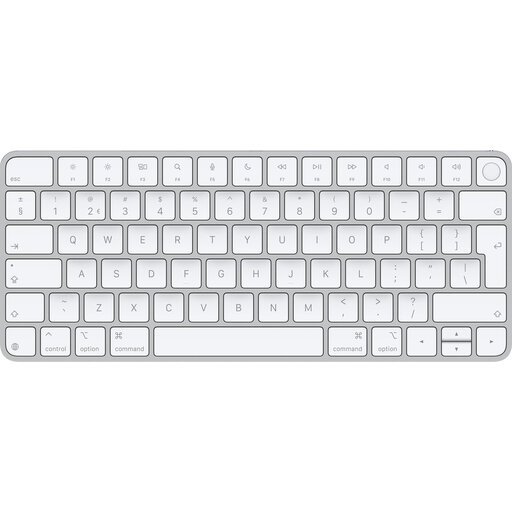 No image available
An option if you’re looking for Touch ID and a Dutch layout for a Mac model with Apple silicon.
Before buying, check that your Mac model is included in the stated compatibility.
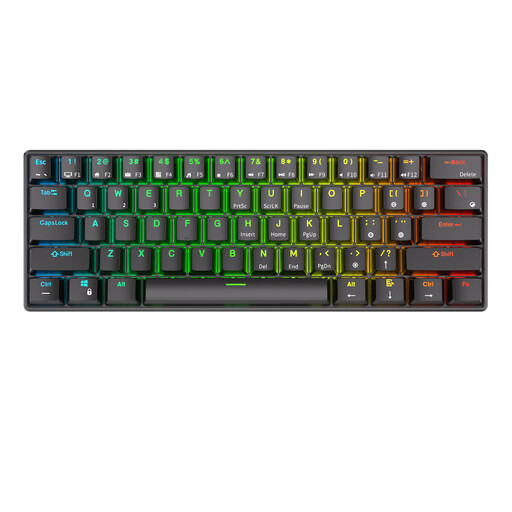 No image available
A compact mechanical option if you want to save space; check that the smaller layout supports your usual navigation shortcuts.
The product title lists 61 keys, hot-swap and three connection modes.
No, it doesn’t. If you want short key travel or less keyboard noise, you could also consider a scissor-switch or rubber-dome keyboard. If you prefer a mechanical typing feel, check the exact switch and version; a clicky switch isn’t the same as a quiet one.
Compare the physical layout of the exact version with the key combinations you use in your own editor. For example, Keychron lists the K8 Max as having a TKL layout and says it can be remapped using Keychron Launcher; check that the software is compatible with your operating system.
Follow the cleaning instructions for the specific model. Logitech recommends unplugging a wired device before cleaning and switching off a wireless one. Avoid harsh solvents and abrasive cleaners.
For a standard online consumer purchase in the Netherlands, there is generally a statutory cooling-off period ending 14 days after delivery, with some exceptions; ACM ConsuWijzer explains how this period works. If a product doesn’t meet what you can reasonably expect with normal use, the seller is responsible for the statutory guarantee, according to the Netherlands Authority for Consumers and Markets. A commercial guarantee doesn’t replace these statutory rights.
The European Commission’s Radio Equipment Directive sets out the framework for radio equipment placed on the EU market. According to the European Commission, CE marking is the manufacturer’s declaration that the relevant EU requirements have been met; it isn’t an independent quality mark. Check the documentation for the specific wireless version.