If you play while someone else is resting in the bedroom, start by looking for mice whose manufacturer specifically mentions quiet main clicks; a gaming label alone tells you nothing about click noise. If your main priority is assigning game commands to mouse buttons, compare how easy those buttons are to reach and customise, and assess the noise separately. Check the scroll wheel, fit and connection too: a claim about quiet main buttons doesn’t automatically apply to other parts.
Which mouse is right for you?
Player with a sleeping room-mate
If you play while someone else is resting, consider repeated clicking noise and check the scroll wheel separately from the main buttons. A manufacturer’s claim about one part doesn’t automatically tell you anything about the rest.
Player who uses lots of commands
If you want to assign frequently used game actions to mouse buttons, check whether they’re easy to reach and whether your game and software support the layout you want.
Player with long sessions
Shape and handling matter when you play for long periods. A high maximum DPI doesn’t automatically mean a mouse will suit your hand or playing style.
What should you look for when choosing?
Quiet productivity mouse
Choose this option: if quieter main clicks matter more than an extensive gaming layout, and the available buttons are enough for your game.
Bear in mind: quiet main buttons don’t automatically mean a quiet scroll wheel or side buttons; check these separately.
Gaming mouse with extra buttons
Choose this option: if you regularly want to assign game actions to mouse buttons and the chosen layout works in your game.
Bear in mind: the extra-button models mentioned don’t have a substantiated claim about quiet clicks; more buttons won’t help if they’re difficult to reach.
Gaming mouse with swappable switches
Choose this option: if you want a gaming layout and are willing to check whether a specific replacement switch is compatible.
Bear in mind: a swappable design doesn’t prove that the included or replacement switches are quiet; replacing them also takes an extra step.
| What to consider |
What to look for |
Who is this most important to? |
| Click and scroll noise |
Look for a noise claim for the exact model, and assess the main buttons and scroll wheel separately. |
If I play while someone next to me is asleep, I mainly want to reduce repeated noise. Around 36% of consumers put quiet clicks first. |
| Game commands |
Check the position and customisation of the buttons, and whether the command you want works with your game and software. |
If I want frequently used actions within easy reach, accessible buttons matter more than a high button count alone. Around 29% of consumers prioritise gaming controls. |
| Shape and handling |
Compare the dimensions and grip with your current mouse, and check whether the main and side buttons are easy to reach. |
For longer gaming sessions, I want a shape and handling that suit my hand; a high DPI doesn’t tell me that. Around 21% of consumers put fit first. |
| Connection and desk setup |
Check the connection for the exact version, the ports available and what’s included. |
If my desk has limited space or my computer has few ports, I want a connection that suits my setup. Around 14% of consumers put connectivity first. |
Avoid common buying mistakes
-
Assuming a gaming label or high DPI means better control
DPI describes cursor sensitivity, not click noise or fit. A higher maximum setting won’t necessarily feel better on your screen or in your game.
Look for a noise claim for the exact model and adjust the sensitivity to suit your screen and game.
-
Judging only the main buttons
You may also use the scroll wheel and side buttons while playing. A claim about quiet main buttons doesn’t automatically apply to these parts.
Check how noisy each part you use regularly is, especially if someone is sleeping nearby.
-
Choosing a version based on a very similar model name
A very similar name doesn’t necessarily mean it’s the same version or has the same specifications.
Compare the full model name, version, key specifications and box contents before choosing.
Brands and product ranges to consider
Logitech
The MX Master 3S is a productivity mouse; the G305 LIGHTSPEED is a wireless gaming mouse powered by an AA battery.
- Logitech says the MX Master 3S produces 90% less click noise than the MX Master 3 when clicking the left and right buttons, measured at 1 metre.
- This manufacturer comparison covers two specific models. It doesn’t show how the MX Master 3S compares with gaming mice or how quiet the G305 is.
Razer
According to Razer, the Pro Click Mini is a compact productivity mouse with quiet switches and seven programmable buttons; the Basilisk V3 Pro is a separate gaming range.
- According to Razer, the Pro Click Mini combines quiet switches with customisable buttons.
- The quiet-switch claim doesn’t automatically apply to the Basilisk V3 Pro. For that range, check the full model version too.
Trust
The Mydo is designed for quiet computer use; the GXT 110 Felox is a separate wireless gaming mouse with six buttons.
- Trust lists two quiet main buttons and adjustable sensitivity of 1000–1800 DPI for the Mydo.
- The information about the GXT 110 Felox supports its gaming controls, but doesn’t substantiate a claim about quiet clicks for that model.
SteelSeries
According to SteelSeries, the wired Rival 5 has nine programmable buttons; the wired Aerox 3 Onyx is designed to be lightweight.
- The Rival 5 could suit players who want to assign multiple commands.
- SteelSeries lists the Aerox 3 Onyx at 59 g; the manufacturer information cited doesn’t substantiate claims about quiet clicks for these models.
ASUS ROG
The ROG Gladius III Wireless AimPoint has six programmable buttons and a swappable switch socket.
- ASUS says the socket is compatible with certain 3-pin mechanical and 5-pin optical micro switches.
- This doesn’t prove that the included switches are quiet or that every third-party quiet switch will fit.
Joybuy products for this situation
This selection of Joybuy products includes mice designed for quiet operation and gaming mice with extra customisable buttons. Compare each model’s click-noise claims, controls and connection with your own gaming setup.
 No image available
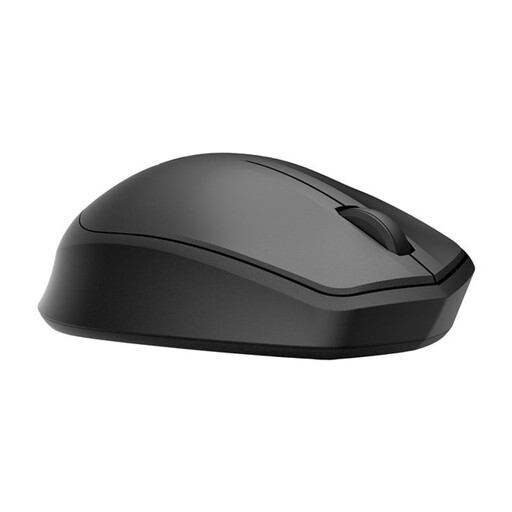
HP 285 Silent Wireless Mouse
Worth comparing if quiet main clicks and wireless use are important to you.
The product information lists a 2.4GHz dongle and noise reduction for the left and right buttons.
View at Joybuy
 No image available
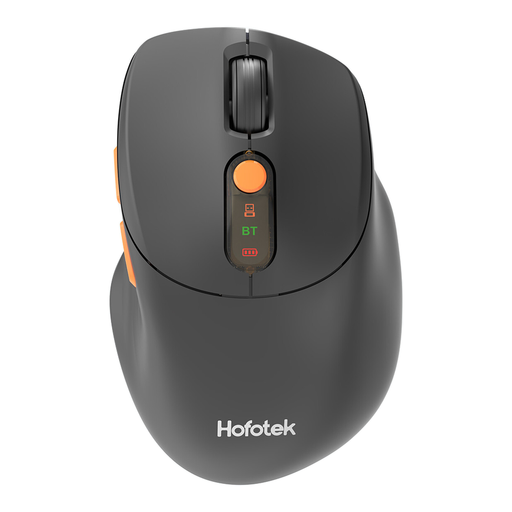
HOFOTEK M311 2.4G+BT Silent Office Mouse
An option to compare if you’re looking for a quiet mouse with more than one listed wireless connection method.
The product information lists 2.4GHz and Bluetooth 5.1, DPI settings from 800 to 4000, and one AA battery.
View at Joybuy
 No image available
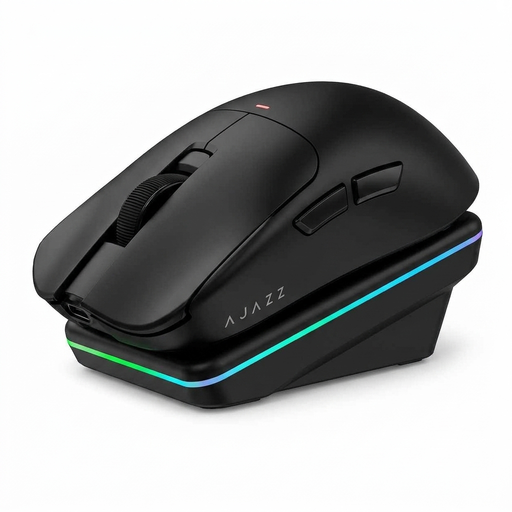
AJAZZ AJ200 AI MC Wireless Gaming Mouse
A gaming option to compare if you want to assign game commands to buttons.
The product information lists customisable button functions and macro recording, as well as USB, 2.4GHz and Bluetooth connections.
View at Joybuy
 No image available
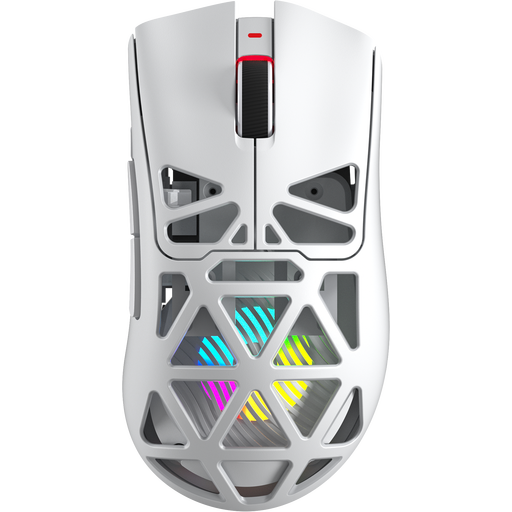
AULA SC620 Wireless Gaming Mouse, White
A gaming option if you’re looking for several programmable buttons; check that their position suits your hand.
The title lists seven programmable buttons, a fire button and a weight of 67 g. The product information lists 2.4GHz, Bluetooth 5.0 and USB-C.
View at Joybuy
 No image available
DELL Pro Compact Silent Mouse MS355
A compact option to compare if you’re looking for quiet operation and an ambidextrous shape.
The product information lists quiet operation when clicking, scrolling and gliding, as well as RF and Bluetooth connections.
View at Joybuy
Frequently asked questions
Do you need a gaming mouse for turn-based strategy games?
No, not just because it has a gaming label. If reducing click noise is your priority and you can control the game with the available buttons, a mouse that explicitly lists quiet clicks is also an option. If you want to assign lots of commands, compare how easy gaming buttons are to reach and customise.
How can you avoid connection problems with a wireless mouse?
Before buying, check that your computer supports the connection used by the version you’ve chosen, and whether any required receiver is included. According to Logitech, the MX Anywhere 3S works via Bluetooth or a compatible Logi Bolt receiver; that receiver isn’t included with the consumer version mentioned.
What power source does a wireless mouse use?
It varies by model. According to Logitech, the G305 uses one AA battery; the Pro Click Mini works with one or two AA batteries, according to Razer; and the MX Anywhere 3S charges via USB-C. Check the power source for the exact version, and remember that battery-powered models will need replacement batteries.
What are your rights when you buy a mouse online in the Netherlands?
For a standard online consumer purchase, ACM ConsuWijzer says you generally have up to 14 days after delivery to change your mind; check which exceptions and returns conditions apply. If a product is faulty, the seller must offer a solution. The Dutch government says there is no fixed statutory guarantee period in the Netherlands that applies to all products.


