What should you look for when choosing?
First weigh up your roommate’s peace and quiet against the extra controls you need for your game. Then check the fit for your hand and the connection type.
| What to consider |
What should you check? |
Who is this most important for? |
| Button and scroll wheel noise |
Check the switch type and ask separately about the noise from the side buttons and scroll wheel. For the M6, Keychron distinguishes between quiet main buttons and a version where all buttons are quiet. |
If I play while my roommate is asleep, I want to know which controls might be audible. Around 36% of consumers rank noise as their top priority. |
| Shortcuts and map navigation |
Compare the number and position of buttons you can reach, and check how to configure them. Extra buttons are only useful if you use them. |
If I often want to use game commands without moving my hand, I look at how easy the buttons are to reach and assign. Around 29% of consumers prioritise shortcuts. |
| Fit for your hand |
Compare the size and the position of the thumb buttons with your hand and grip. An ergonomic description is no guarantee of personal comfort. |
For long gaming sessions, I want a shape that suits my hand, not just an ergonomic label. Around 21% of consumers put hand fit first. |
| Connection and power |
Check whether the exact model uses Bluetooth, a USB receiver or a cable, and what it needs for power. Logitech lists Bluetooth or a Logi Bolt receiver for the M650. |
If I have limited USB ports or prefer a particular power option, I check in advance what my computer and use case require. Around 14% of consumers choose connection or power as their main consideration. |
Joybuy mice for this use case
This selection includes gaming mice with extra controls and mice described as quiet. Compare the noise level of the exact model with the buttons you want to use in your game.
 No image available
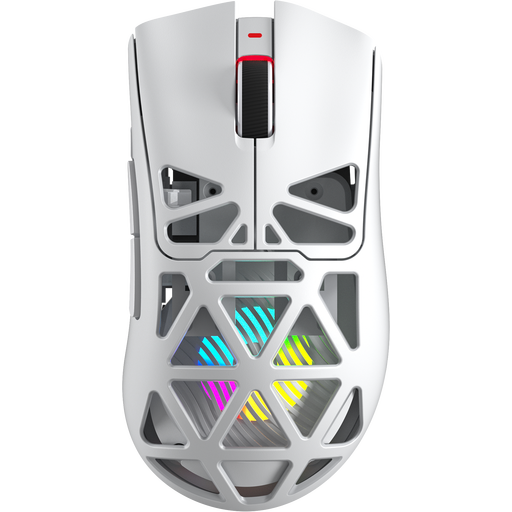
AULA SC620 Wireless Gaming Mouse, White
Suited to anyone who wants to use programmable mouse buttons for game commands.
The product name lists 7 programmable buttons, Bluetooth, 2.4 GHz, USB-C, 67 g and 12,000 DPI.
View at Joybuy
 No image available
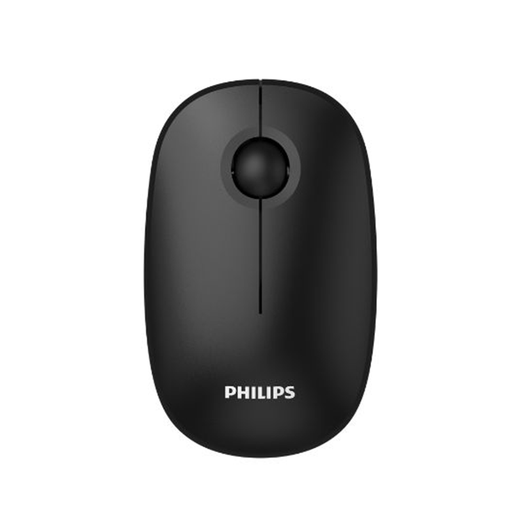
Philips 3000 Series, SPK7378B/00
An option to compare if quiet clicks matter more to you than extra programmable controls.
The product name lists quiet clicks, 2.4 GHz, a USB receiver and 1600 DPI. Check which buttons and whether the scroll wheel are covered by the quiet operation.
View at Joybuy
 No image available
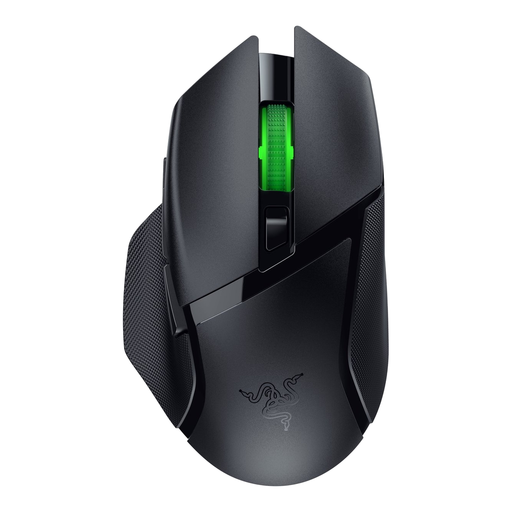
Razer Basilisk V3 X HyperSpeed
Suited to anyone looking for a gaming mouse with extra controls for game commands.
Check which buttons and customisation options are available on the exact model, and whether the controls suit your hand.
View at Joybuy
 No image available
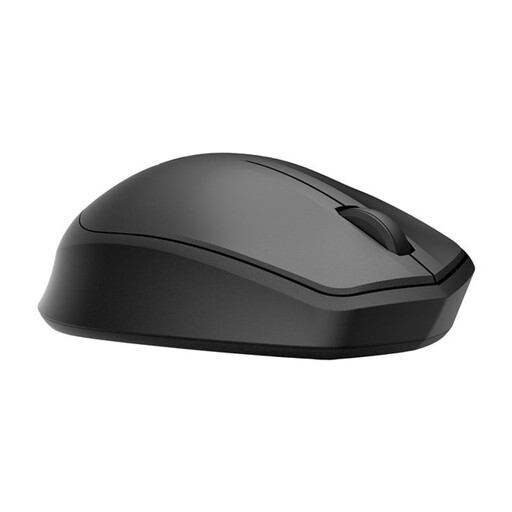
HP 285 Silent Wireless Mouse
An option to compare if quiet operation and a simple mouse layout matter more to you than lots of extra gaming buttons.
The product name describes a quiet wireless mouse. Check which buttons are quiet on the model you’re considering and what type of connection it uses.
View at Joybuy
 No image available
Dell Pro Compact Silent Mouse MS355
A compact mouse to consider if extra gaming buttons aren’t your main priority.
The model name describes it as compact and silent. Check that the button layout and connection suit your computer and how you use it.
View at Joybuy
Frequently asked questions
Do all the buttons need to be quiet if I play next to a sleeping roommate?
Not necessarily; check which buttons you use often and which of them are designed to be quiet. For the M6, Keychron describes one version with quiet left and right buttons and another where all buttons are quiet. Also ask separately about the scroll wheel: a manufacturer’s description doesn’t measure how much noise the mouse will make in your room.
How do I set up mouse buttons for game commands?
First choose the commands you use often, then check the configuration options for the exact model. For the Scimitar RGB Elite, Corsair describes how to assign keys and macros in iCUE. Check your game’s manual to see whether the commands you want to use are available.
What should I check for connectivity and everyday use?
Check which connection and power options come with the version you’ve chosen, and whether they’re compatible with your computer. Keychron lists Bluetooth, 2.4 GHz and a cable for the M6; Logitech lists Bluetooth or a Logi Bolt receiver for the M650. Follow the manual for your chosen model when installing the batteries and looking after the mouse.
What consumer rights apply when buying a mouse online?
According to the Government of the Netherlands, distance purchases often come with a 14-day cooling-off period; the applicable terms depend on the purchase. If a product is faulty, you also have statutory rights to an appropriate solution. Before ordering, check who the seller is and what information they provide about the cooling-off period and the product. A voluntary guarantee doesn’t replace your statutory rights.


