If someone you share a room with is trying to rest, start with a mouse whose manufacturer specifically describes the exact model as having quiet clicks. A gaming label or a high button count tells you nothing about how noisy it is. If you want to use your mouse for lots of abilities in an RPG, compare how easy the extra buttons are to reach and customise, but assess the main buttons, side buttons and scroll wheel separately. Also check that the shape, software and connection suit your game and computer.
Who are these mice suitable for?
Night-time gamer sharing a room
You play while someone else in the same room is resting and want to reduce repetitive clicking sounds, even if that means choosing fewer extra gaming buttons. Razer and Logitech describe quiet clicks on specific mouse models.
RPG player with lots of abilities
You want to use your thumb to activate frequently used abilities, so you compare button layouts and customisation options. Razer, Corsair and SteelSeries describe various MMO mice with extra side buttons; assess their noise separately.
Player who enjoys long sessions
You’re looking for a shape and layout that stays comfortable to use. RTINGS lists shape and button layout among the factors worth considering; specifications alone can’t tell you how a mouse will feel in your hand.
Which buying priorities should you consider?
First, decide what matters most in your bedroom: quieter clicks, quick access to abilities, fit or connectivity.
| What to consider |
What to look for |
Who is this most important for? |
| Click and scroll noise |
Check the claim for the exact model, and assess the main buttons, side buttons and scroll wheel separately. |
If I play while the person I share a room with is resting, I mainly want to reduce repetitive clicking sounds and may be willing to have fewer extra buttons. Around 36% of consumers put quietness first. |
| Buttons for abilities |
Check that the buttons are easy to reach and that the software and game support the assignments you want. |
If I want to use my mouse hand for lots of abilities, easy-to-reach, customisable controls matter more than a high button count alone. Around 29% of consumers give these ability buttons top priority. |
| Shape and handling |
Compare the shape and thumb position with your current mouse, and try the grip if possible. |
For long gaming sessions, I want a mouse that feels comfortable to hold and use with my hand and grip. Around 21% of consumers put fit first. |
| Connection and desk setup |
Check your computer’s ports and whether your chosen model needs a cable, receiver or power supply. |
If my desk is set up in a particular way, I want to know in advance which connection will work best. Around 14% of consumers put connectivity and desk setup first. |
Things to consider when choosing
-
Assuming a gaming mouse is automatically quiet
Extra gaming buttons and tactile switches don’t tell you how noisy the clicks are. And a quiet-click claim for the main buttons doesn’t automatically apply to the side buttons or scroll wheel.
Look for a noise claim for the exact model, and assess each control separately.
-
Comparing only the number of programmable buttons
A button is only useful if you can reach it easily and assign the action you want.
Compare the position of the thumb panel and check that the software and your game support the assignments you want.
-
Confusing a manufacturer’s warranty with your statutory rights
According to ACM ConsuWijzer, your statutory guarantee applies alongside any commercial warranty. What you can reasonably expect from a product is also relevant if something goes wrong.
Keep your proof of purchase and contact the seller if the product is faulty.
Relevant brands to compare
Razer
The Pro Click Mini and Naga V3 Pro belong to different product ranges: the former is designed for quiet clicks, while the latter has interchangeable MMO button panels.
- According to Razer, the Pro Click Mini has quiet switches and seven programmable buttons. The Naga V3 Pro has interchangeable panels with 2, 6 or 12 side buttons.
- The Naga V3 Pro’s button panels don’t prove that the model clicks quietly. Check that the software and layout suit your RPG.
Logitech
The MX Master 3S is a productivity mouse with a specific claim about click noise; the wired G502 X is a gaming mouse with tactile feedback.
- Logitech says the MX Master 3S produces 90% less click noise than the MX Master 3, measured at 1 metre.
- A comparison with one other model isn’t a claim of absolute silence. Logitech describes the G502 X as offering tactile feedback, not quiet clicks.
Corsair
The wired Scimitar RGB Elite is designed for MMO and MOBA gaming, with a sliding thumb panel.
- Corsair lists 17 programmable buttons, including 12 on the sliding panel, and support for iCUE.
- These specifications don’t tell you how noisy the clicks are. Also check that the buttons are easy for you to reach.
SteelSeries
The Aerox 9 Wireless is a wireless MMO/MOBA mouse with a 12-button side panel.
- SteelSeries lists 18 programmable buttons and a stated weight of 89 g.
- The stated weight and button layout don’t prove that the mouse will suit every hand or click quietly.
Gaming mice at Joybuy
This selection focuses on gaming mice with extra controls or different connection options for RPG use. A gaming label doesn’t mean a mouse clicks quietly; check the exact model separately.
 No image available
Turtle Beach Kone II Wired Gaming Mouse – Black
For anyone who wants to control extra gaming actions with their mouse: the product name lists 23 buttons.
Wired connection; 26.000 DPI.
Joybuy
 No image available
NAXSIR 3-in-1 Gaming Mouse – Black
For anyone comparing different connection options: the product name lists wired, 2.4G wireless and Bluetooth connectivity.
7 programmable macro buttons; 12.800 DPI.
Joybuy
 No image available
Logitech G G502 X – Wired
A wired gaming mouse for anyone who doesn’t need a full MMO thumb panel. Logitech describes this model as offering tactile feedback, not quiet clicks.
USB Type-A connection; optical mouse; 25.600 DPI.
Joybuy
 No image available
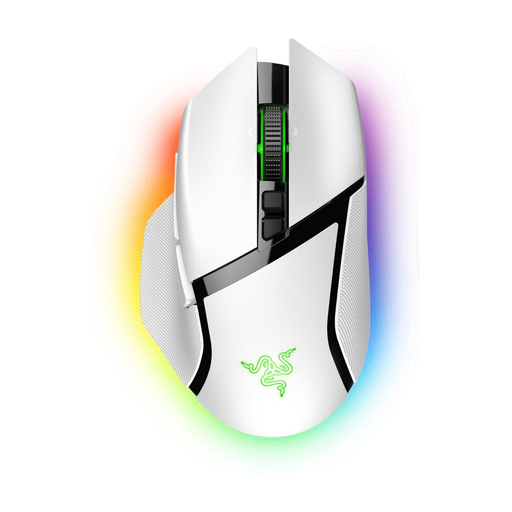
Razer Basilisk V3 Pro – White
An option to consider if you want extra mouse controls and a wireless setup. Check that the connection options and button layout suit your computer and game.
Joybuy
 No image available
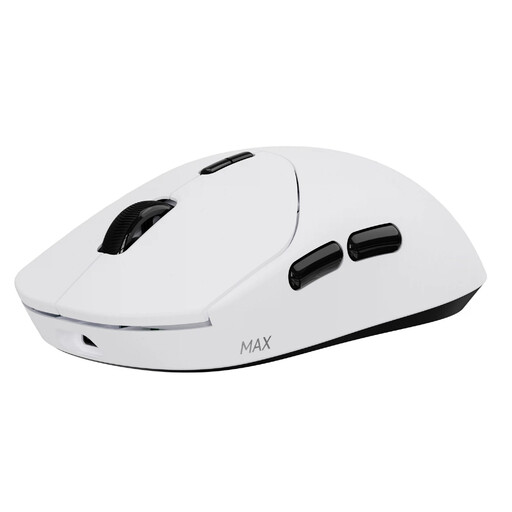
RAPOO VT2 MAX Wireless Gaming Mouse – White
For anyone who wants to play wirelessly and assign several actions to their mouse buttons.
10 programmable buttons; stated weight of 53 g; stated battery life of up to 750 hours.
Joybuy
Frequently asked questions
Are quiet main buttons enough to avoid disturbing anyone?
Not necessarily. Razer specifies quiet switches for the Pro Click Mini, while Logitech compares the click noise of the MX Master 3S with that of the MX Master 3. These claims don’t establish a set noise level for your room, or for every scroll wheel and side button.
How do I set up extra mouse buttons for my RPG?
First, check which keys and actions your game accepts. Corsair describes button assignments and macros via iCUE for the Scimitar RGB Elite; available features depend on the exact model, software and game.
Can I return a mouse if I don’t like it or it breaks early?
For online consumer purchases in the Netherlands, you generally have a statutory cooling-off period of up to 14 days after delivery, although exceptions may apply; ACM ConsuWijzer explains this period. A product that fails to meet reasonable expectations under normal use is also covered by the statutory guarantee, for which the seller is responsible.


