
New to quarter-circle inputs
You want to choose an input method and practise the same movement repeatedly. The hand movement you want to learn matters more than an unproven promise of better performance.


Start with the movement you want to practise: choose a fightstick for a joystick, a fightpad for a D-pad or a controller with separate directional buttons. Then check that the exact version works with your platform and game, and count spare USB ports and plug sockets separately. Wireless play may still require a receiver or time to recharge.
You want to choose an input method and practise the same movement repeatedly. The hand movement you want to learn matters more than an unproven promise of better performance.
You want to distinguish between a used plug socket, a USB port in use or both, and factor in cables, receivers and charging.
You want to check in advance that your chosen version works with your system and game, rather than relying on the brand name or product category alone.
Choose this option: if you want to practise quarter-circles as a physical joystick movement. Compatibility varies by version and system; for example, HORI lists the Fighting Stick Mini for PS5, PS4 and Windows.
Bear in mind: a wired stick uses a USB port while you play; wireless models may still require a receiver or time to recharge.
Choose this option: if you would rather practise quarter-circles with your thumb on a D-pad while holding the controller. According to HORI, the wired HORI Fighting Commander OCTA has an adjustable D-pad.
Bear in mind: you won't be practising a joystick movement. The wireless OCTA Pro uses a USB-C receiver on PS5 and PC, and according to HORI, only works wired on PS4.
Choose this option: if you want to press separate buttons rather than move a joystick or D-pad. According to Razer, the Kitsune has four movement buttons and is designed for PS5 and PC.
Bear in mind: the Kitsune has a detachable USB-C cable. Razer claims it can reduce input errors, but that is not a proven outcome for every beginner.
Choose this option: if you want to use a joystick without a cable connecting the stick to your gaming system while you play. Sony lists a rechargeable battery and PlayStation Link adapter for the FlexStrike.
Bear in mind: the adapter and recharging still require access to a connection at different times.
| What to consider | What should you check? | Who is this important to? |
|---|---|---|
| Input method | Compare a joystick, D-pad and separate directional buttons; if possible, practise the same movement to the left and right. | If I want to learn a quarter-circle, I’ll choose the hand movement I want to practise, rather than relying on a promise of speed or error-free inputs. Around 36% of consumers prioritise the input method. |
| Available connections | Count USB ports and plug sockets separately; check whether wireless use requires Bluetooth or a USB receiver. | If I have few spare connections, I want to know whether playing, using the receiver and charging will each require extra space at different times. Around 29% of consumers make available connections their top priority. |
| Platform and game | Check the full model version and its compatibility with your system and, where necessary, the specific game. | If I want to play on my own console, I want to avoid buying a different version from the one I need. Compatibility is the top priority for around 21% of consumers. |
| Size and handling | Check the dimensions, where you’ll store it and whether you want to set the controller down or hold it. | If storage or a comfortable grip is my main concern, I want to choose a size that suits my space and the way I play. Around 14% of consumers give this the highest priority. |
The connection required varies by model and connection mode: a USB receiver may use a port, and a battery needs charging.
Check how the exact version connects and count spare USB ports and plug sockets separately.
Also make room for the receiver, and allow time and access to a connection to recharge the battery.
The standard Arcade Stick and the separately named Xbox version differ in platform compatibility and connection options. According to 8BitDo, the standard version does not work with PS5 or Xbox.
Compare the full model name with the compatibility information for your system.
A joystick, D-pad and separate directional buttons each require different hand movements. A manufacturer’s claim about input errors does not prove that every beginner will perform better as a result.
Choose the movement you want to practise, and don’t treat performance claims as a guarantee of a particular result.
Offers a standard Arcade Stick and a separate Arcade Stick for Xbox; compare connection options and platform versions for each model.
Its range includes a compact fightstick, a wired fightpad and a wireless OCTA Pro, so you can compare the design and connection type of each model.
The Kitsune is a wired option with separate directional buttons for PS5 and PC.
The FlexStrike is a wireless fightstick for anyone who wants to use a joystick on PS5 or PC.
The PlayStation version of the Daija is a wired joystick option for PS5, PS4 and PC.
These Joybuy gamepads may suit practising with a game controller. For each version, check the input layout, platform and connection required by your game.
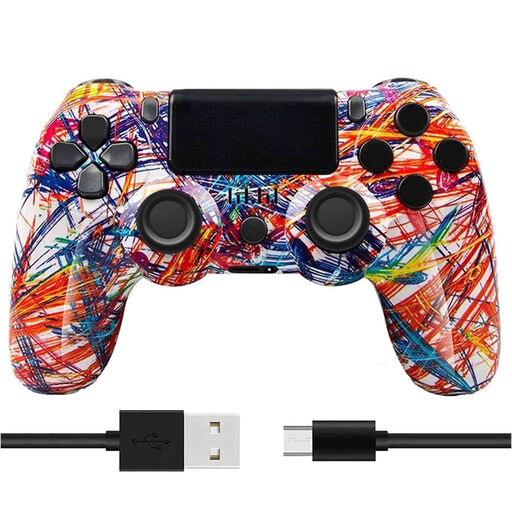 No image available
Bluetooth and a rechargeable battery are listed for wireless use; bear charging in mind and check that this version suits your game.
The product name mentions dual vibration.
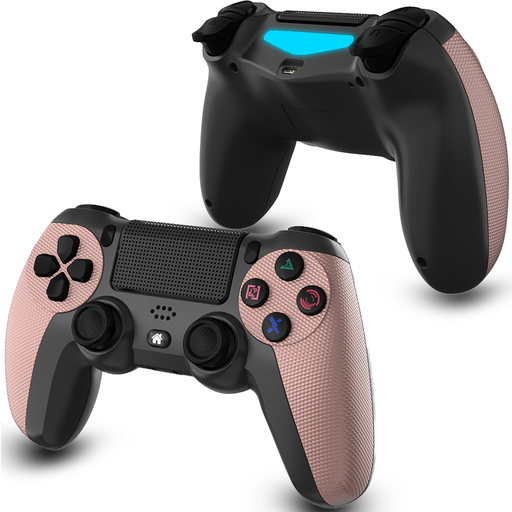 No image available
The listed D-pad may be useful if you want to practise quarter-circles with your thumb; check that the layout suits the way you play.
The product name lists a 600 mAh battery, a stated play time of 8 hours and dual vibration.
 No image available
The product name mentions wireless use and USB-C; check compatibility for the exact version, as a PS5 layout in the name does not by itself confirm PS5 compatibility.
The listed specifications include 1000 mAh and a PC and PS5 layout.
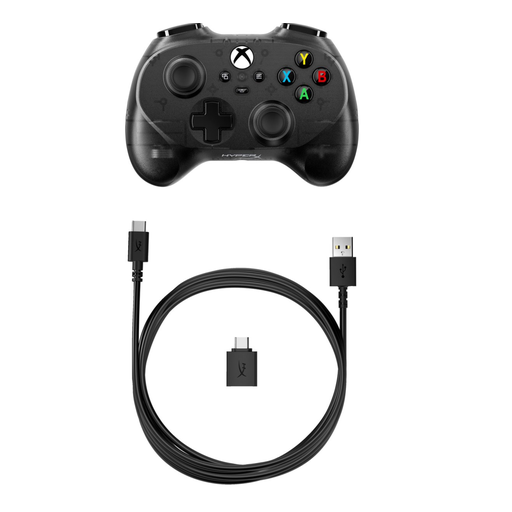 No image available
This version is listed as wired; keep a USB port free while you play and check that the stated platform is compatible with your system.
 No image available
The product name lists several connection options and compatibility with the platforms named; check which connection and input layout your system and game support.
The stated battery capacity is 1500 mAh.
Not always. According to 8BitDo, the Bluetooth mode on the standard Arcade Stick does not use a 2.4GHz receiver supplied with the product on a supported system, while its 2.4GHz mode does use that receiver. Remember to allow for charging too, and check separately how many USB ports and plug sockets are free.
Practise the input using the movement method you want to learn, and repeat it in both directions. Capcom stresses that practice is needed to perform commands in both directions; a different controller cannot replace that practice.
No, don’t assume it will. PlayStation warns that not every peripheral works on PS5 and recommends checking with the manufacturer whether the device is supported by the specific game. Also make sure you choose the right model version.
For many online purchases from a business, you have a 14-day cooling-off period, according to the Dutch government. This is separate from your rights if a product is faulty: the Dutch government states that the Netherlands has no fixed statutory guarantee period and that you should contact the seller about a faulty product.