
Map and menu reader
You want to see and read railway lines, data windows and controls clearly. In Transport Fever 2, you can adjust the interface scale; this doesn’t automatically tell you anything about the interface in other games.


A 27-inch QHD monitor is a sensible choice if you want to keep maps and menus clear and use the same monitor for working from home. Choose ultrawide if extra horizontal space matters more and your desk, computer and games can accommodate it. Also check the stand’s adjustability, reflections and connections: a high refresh rate alone won’t tell you which monitor is right for you.
You want to see and read railway lines, data windows and controls clearly. In Transport Fever 2, you can adjust the interface scale; this doesn’t automatically tell you anything about the interface in other games.
You use the same desk for work and gaming for long periods, so you pay attention to screen height, reflections and how your setup sits in relation to the light. The guidance from Arboportaal applies to employees under certain conditions and isn’t automatically a legal requirement for personal use.
You want more room beside your game map or for windows, and are considering an ultrawide monitor, provided it fits on your desk and your games’ interfaces display properly.
A good fit if: you want one screen for game maps, menus and everyday work from home, without the extra width of an ultrawide.
The trade-off: you get less horizontal screen space than with 3440 × 1440. A high stated refresh rate doesn’t prove that your computer can achieve it in a game.
A good fit if: extra width for your game or windows matters and your desk has room for it.
The trade-off: you’ll need to consider the desk space required and the demands on your graphics hardware. Check how each game’s interface is displayed at this aspect ratio.
| What to consider | What to look for when buying | Who this matters to |
|---|---|---|
| Map and interface readability | Check the screen resolution and your game’s scaling options. Transport Fever 2 documents an adjustable interface scale of 75% to 200%. | If I want to read railway lines and menus clearly, I look beyond resolution and check my game’s interface settings too. Consumers who prioritise readability make up around 36% of consumers in this buying breakdown. |
| Adjustability and reflections | Check whether the stand is height-adjustable or only tilts, and consider how light falls on your desk. You may need to buy a suitable monitor arm separately. | If I use the same desk for work and gaming for long periods, I pay attention to screen height and reflections. Consumers who prioritise their workspace and adjustability make up around 29% of consumers in this buying breakdown. |
| Aspect ratio and desk space | Compare 16:9 at 2560 × 1440 with 3440 × 1440, and measure the space available. Check the interface in your own games. | If I want more room beside my game map or for windows, I weigh up the extra width against the space on my desk. Consumers who prioritise extra width make up around 21% of consumers in this buying breakdown. |
| Computer and connection | Check your computer’s outputs and what the specific monitor port supports at your preferred resolution. | If I want to make sure my computer can handle the screen and the refresh rate I want, I check the combination of output, port and game settings. Consumers who prioritise system compatibility make up around 14% of consumers in this buying breakdown. |
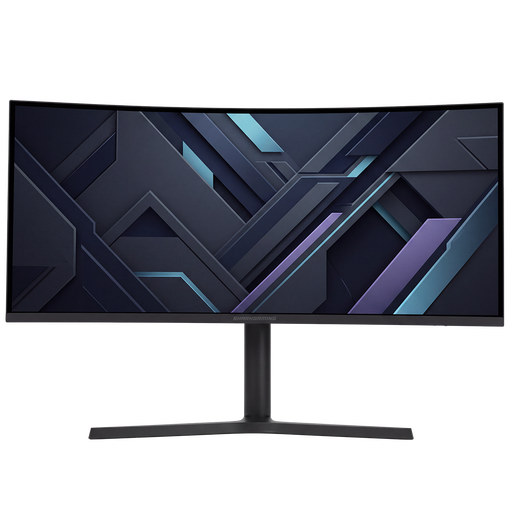
The Samsung Odyssey G5 LC34G55TWWPXEN reviewed here is a 34-inch ultrawide. A different model listing may refer to a 27-inch screen, so it isn’t automatically the same product.
Compare the full model code, dimensions and key specifications before matching product information to a model.
Dell specifies a maximum of 180 Hz at QHD via DisplayPort and 144 Hz via the listed HDMI connections for the G2725D.
Check the resolution and refresh rate specifications for the port you’ll use on the exact model, and check your computer’s output.
A tilting stand doesn’t necessarily let you change the screen’s height. Xiaomi lists tilt adjustment and VESA 75 × 75 mm for the G27Qi; AOC lists a height-adjustable stand for the Q27G4XF.
Decide what adjustments your desk setup requires and check what comes with the model you choose.
You may need to buy a monitor arm separately; also check that your desk is suitable for mounting it.
The Dutch government states that the Netherlands has no fixed statutory warranty period. If a product is faulty, the retailer is your point of contact for a solution.
Distinguish between your statutory rights and any separately stated manufacturer’s or retailer’s warranty.
The Q27G4XF reviewed here is a 27-inch QHD model for anyone combining gaming with desk work.
The Odyssey G5 LC34G55TWWPXEN reviewed here is an ultrawide option for anyone considering extra width.
The G27Qi EU reviewed here is a 27-inch QHD model for anyone considering tilt adjustment or mounting it on a suitable arm.
The G2725D reviewed here shows why port-specific specifications matter when choosing a QHD gaming monitor.
The TUF Gaming VG27AQ3A is another 27-inch QHD monitor with an IPS panel reviewed here.
These products include both 27-inch QHD monitors in 16:9 and 34-inch ultrawide models for anyone looking for extra horizontal space. Compare the size with your desk and check that the connection and game interface work with your computer and games.
 No image available
A 27-inch QHD option in 16:9 for anyone who wants to view game maps and menus on a standard widescreen monitor.
27 inches; 2K WQHD; 200 Hz; Rapid IPS.
 No image available
A 27-inch QHD monitor in 16:9 for anyone looking for a standard widescreen format for maps and menus.
27 inches; 2560 × 1440; 180 Hz; 1 ms; FreeSync Premium; HDR10; 2 × HDMI 2.0 and 1 × DisplayPort 1.4.
 No image available
An ultrawide option for anyone looking for extra horizontal space for a game or windows; check how your own games’ interfaces are displayed.
34 inches; UWQHD 3440 × 1440; 21:9; 144 Hz; 1500R; Fast VA panel; no speakers.
 No image available
A 34-inch ultrawide model for anyone looking for extra width for a game or windows.
34 inches; UWQHD.
 No image available
A 27-inch QHD option for anyone looking for a standard widescreen monitor that could also suit everyday productivity.
27 inches; 2560 × 1440; 16:9; IPS; 144 Hz; DisplayPort 1.4 and HDMI 2.0; tilt adjustment.
No, ultrawide isn’t a requirement. The Transport Fever 2 Wiki describes an adjustable interface scale of 75% to 200%, but that doesn’t prove ultrawide works better for every player or every other railway game.
Not as a general rule. 180 Hz is the stated maximum for certain models; check whether your computer and the connection you’re using can support it at your chosen resolution. Dell, for example, lists different maximum refresh rates for DisplayPort and HDMI on the G2725D.
First, check that you’ve selected the correct input and resolution, then adjust the screen position and lighting to suit your workspace. For screen-based work by employees, Arboportaal lists height adjustment and avoiding reflections among its recommendations, subject to the relevant conditions.
According to the Dutch government, you’ll often have a 14-day cooling-off period when buying remotely from a business. You’re also entitled to a product that works as it should; if it’s faulty, the retailer is your point of contact for a solution. The Netherlands has no fixed statutory warranty period of two years.
The workplace rules described by Arboportaal apply to employers and employees under the relevant conditions. Don’t take them to mean that there’s a separate legal requirement for a monitor used only for personal gaming; however, their advice on screen positioning may be useful if you use the same space for work.