What should you look for when buying?
Start with the software and a complete basic workspace, then consider extra capacity and size.
| Buying concern |
What to look for |
Who is this important for? |
| A complete basic setup |
Check which operating system is supported and whether a monitor, keyboard and mouse are included. |
I want to learn Python without paying for hardware I don’t need yet. Consumers mainly looking for an affordable basic setup are expected to make up around 50%. |
| Room for extra tools |
Decide whether you want to use containers and, if so, check the system requirements for your version of Windows and your PC configuration. |
If I want to use several project environments or containers, I’ll check the software requirements first. Consumers who prioritise extra development tools are expected to make up around 30%. |
| A suitable size |
Compare the dimensions and the monitor and USB ports required for the exact model. |
I want to save space on a small desk without overlooking the ports I need for my existing monitors and devices. Consumers who prioritise desk space are expected to make up around 20%. |
Joybuy products for a Python workspace
This selection includes compact mini PCs and a desktop PC for a home workspace. Compare the operating system, memory, storage and ports you need for each model.
 No image available
Lenovo Yoga Mini 01IPH11 Copilot+ PC, Intel Core Ultra 5 325, 16 GB LPDDR5X, 512 GB PCIe 4.0 SSD
A compact Windows mini PC for learning Python at home.
The product title lists Windows 11 Home, Intel Core Ultra 5 325, 16 GB LPDDR5X and a 512 GB SSD.
View at Joybuy
 No image available
SOYO M5 Mini PC, AMD Ryzen 4300U, 16 GB LPDDR4, 512 GB SSD
A compact Windows mini PC for a small home workspace.
The product title lists Windows 11 Pro, 16 GB LPDDR4 and a 512 GB SSD. It also mentions HDMI 2.0, Type-C and DP 1.4 for display output; check that these ports suit your monitors.
View at Joybuy
 No image available
FIREBAT R3 Mini PC, AMD Ryzen 5 7430U, 16 GB RAM, 512 GB SSD
A mini PC for anyone looking for a compact home workspace.
The product title lists 16 GB RAM and a 512 GB SSD. It also mentions Wi-Fi 6, Bluetooth 5.2 and support for three displays.
View at Joybuy
 No image available
FIREBAT F1 Mini PC, AMD Ryzen 5 7640HS, 24 GB LPDDR5, 512 GB PCIe 4.0 SSD
A compact mini PC to compare if you want to run several programmes at once.
The product title lists 24 GB LPDDR5 and a 512 GB SSD. It also mentions USB 4.0, HDMI 2.1 and Wi-Fi 6E; check that the ports suit your peripherals.
View at Joybuy
 No image available
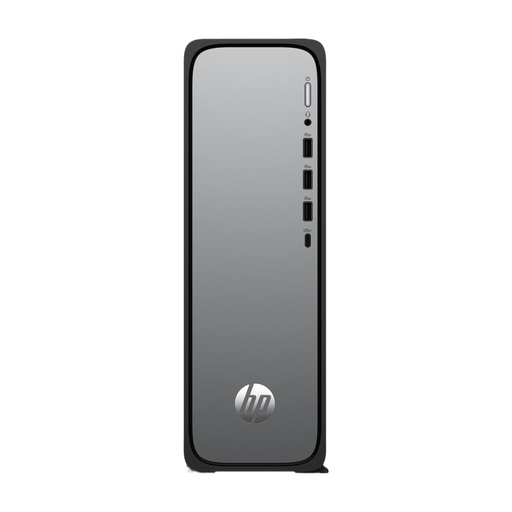
HP OmniDesk Slim S03-0006nd D49HREA#ABH
A Slim desktop PC to consider if you’re not looking for a mini PC.
Check the operating system and memory configuration for the exact model, especially if you want to use several programmes or development tools.
View at Joybuy
Frequently asked questions
Does Python need to be installed on the desktop already?
No, it doesn’t. Microsoft Visual Studio Code’s tutorial lists Python 3, VS Code and the Python extension as parts of the learning environment. Check which operating system the desktop has, then install the relevant components.
How can I keep different Python projects separate?
Use a suitable Python environment for each project, and check in your editor which environment is active. Microsoft Visual Studio Code explains how to create and switch between environments; you don’t automatically need to buy a different computer to do this.
Is a cheap desktop running Windows 10 still a sensible new purchase?
First, check whether the desktop can run a supported version of Windows. Microsoft ended standard support for Windows 10 on 14 October 2025; any ESU programme is a separate option for eligible devices.
What are my rights when buying online in the Netherlands?
For eligible consumer purchases made at a distance, ACM ConsuWijzer says you generally have a 14-day cooling-off period after delivery, although exceptions apply. You’re also covered by the legal guarantee: if a product doesn’t perform as you could reasonably expect under normal use, the seller must resolve the issue free of charge, according to ACM ConsuWijzer.


