
Creator of fixed overhead shots
Films the same puzzle table repeatedly and wants the pieces and actions to stay within a predictable frame.


For repeatedly filming the same puzzle table, a stable, well-framed overhead setup is a practical choice; a document camera or webcam may be suitable. If you also want close-ups, different framing or moving shots, consider a mirrorless camera with a suitable lens or a compact gimbal camera. Before buying, check that the puzzle and your hands stay in sharp focus, and find out what computer, lens, mount and storage your setup will need.
Films the same puzzle table repeatedly and wants the pieces and actions to stay within a predictable frame.
Wants to show small features or steps up close as well as the whole puzzle, so pays attention to focus and framing.
Combines tabletop demonstrations with other angles or moving shots, and weighs that flexibility against a fixed setup.
Suitable if: you mainly show a fixed puzzle table from above and want to record via a computer. IPEVO specifies a capture area of 440 × 330 mm and autofocus from 10 cm for the V4K PRO 120.
Bear in mind: compare the capture area with the size of your puzzle, and check that your computer and recording software support the recording you want.
Suitable if: you already demonstrate things at a computer and want to be able to show your desk. Logitech describes a Show Mode for the MX Brio, where you tilt the webcam down towards the desk.
Bear in mind: tilting it does not guarantee a full overhead view; check the mount, distance, focus and framing at your own workstation.
Suitable if: you want to shoot close-ups or use different framing as well as capturing the whole puzzle. The Canon EOS R50 V uses RF lenses, while the Sony ZV-E10 II takes interchangeable E-mount lenses.
Bear in mind: your choice of lens and camera height determine the framing; also check that the lens and mount will work with your setup.
Suitable if: you want to shoot moving footage around the puzzle as well as fixed demonstrations. DJI specifies a three-axis gimbal for the Osmo Pocket 3.
Bear in mind: a gimbal is no substitute for a fixed overhead mount; check that the viewing angle and distance suit the puzzle and the details you want to show.
| What to consider | What should you check? | Who is this important for? |
|---|---|---|
| Full overhead view | Measure the puzzle and allow room for your hands; compare these with the capture area, angle of view and achievable camera height. The 440 × 330 mm measurement applies to the IPEVO V4K PRO 120. | I want to keep the whole puzzle and my actions in one fixed frame, so viewers can follow each step. Around 36% of consumers prioritise a full overhead view. |
| Showing details in sharp focus | Check the focusing range and framing at the planned distance; also see how the focus responds when hands move through the frame. | If I want to show small pieces or individual steps, the details need to stay sharp without the rest of the demonstration disappearing from view. Around 29% of consumers prioritise detail sharpness. |
| Recording workflow | Check the connection, compatible recording software and mount; make a test recording in the lighting you usually use. | I want to record product videos consistently without having to build a new setup each time. Around 21% of consumers mainly prioritise a straightforward computer-based workflow. |
| Other angles | Decide whether you need moving footage; weigh stabilisation and portability against a fixed overhead mount. | I want to create moving product shots or use different framing as well as tabletop demonstrations. Around 14% of consumers mainly prioritise a variety of camera angles. |
A resolution figure on its own does not tell you whether the whole puzzle will fit in the frame at your chosen distance, or whether the pieces will appear sharp.
Check the framing, recording distance and focus using the size of puzzle you plan to film.
The Sony ZV-E10 II version listed in the Netherlands that we reviewed is described as ‘Body Only’, so it does not include a lens.
Check exactly what is included in the bundle and work out which lens and mount you need for your setup.
You may need to buy a suitable lens and, possibly, a compatible mount separately.
Logitech says you can tilt the MX Brio towards your desk, but that does not prove that your puzzle will fit fully in the frame.
Test the mounting height, viewing angle and space for your hands at your own workstation.
Document cameras for showing work on a table via a computer; the V4K PRO 120 is one model to consider for an overhead view.
Webcams for use with a computer; the MX Brio is worth considering if you record demonstrations at a desk.
Mirrorless cameras with a choice of lenses; the EOS R50 V may suit creators who want to shoot different types of product video.
Mirrorless cameras with E-mount lenses; the ZV-E10 II is worth considering if you want to switch between wide and close-up shots.
Compact gimbal cameras; the Osmo Pocket 3 is worth considering if you also want to shoot moving footage around the product.
This selection includes webcams for recording via a computer, plus cameras for moving shots or product footage with different framing.
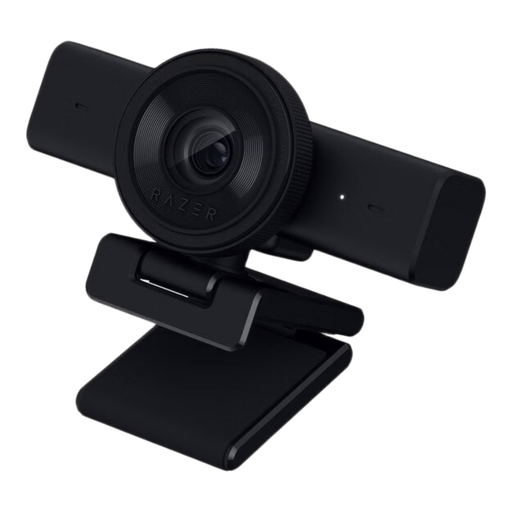 No image available
May suit a computer setup for showing puzzle pieces up close; check that the angle of view covers the whole puzzle.
The product information lists autofocus, an adjustable 80° field of view and a 1/4-inch tripod mount.
Recording: 1440p at 30 fps or 1080p at 60 fps. Connection: USB.
 No image available
May suit a fixed tabletop setup for product or document shots; test whether the puzzle fits within the field of view.
The product information lists PDAF autofocus, a 75° field of view and a tabletop tripod.
Recording: 4K or 1080p at 60 fps. Connections: USB-A and USB-C.
 No image available
Suitable for extra moving shots around a product; check separately whether the camera can also be mounted for your fixed overhead view.
The product name lists a 1-inch CMOS sensor and 4K video at 120 fps; the product information lists three-axis stabilisation.
 No image available
May suit you if you want to switch between demonstrations and different product framing; check the framing from your planned camera height.
This version includes a 16–50mm zoom lens and, according to the product information, supports 4K video at 30 fps.
An adapter/charger is not included.
 No image available
May suit computer-based recordings of a work surface; make a test recording to check that the puzzle and your hands stay within the frame.
The product information lists DeskView, PDAF autofocus and 4K video.
Measure the puzzle and leave room for your hands; compare the full area with the capture area or framing at your planned camera height. For example, IPEVO specifies 440 × 330 mm for the V4K PRO 120; this measurement applies to this model, not to all document cameras.
That depends on the version. The Dutch Sony ZV-E10 II offer we reviewed is listed as ‘Body Only’, so you’ll need to buy a suitable lens separately. Check what is included with other versions.
Check the camera manual for the type of card and write speed required for the recording mode you choose. The Consumentenbond notes that video uses a lot of storage and file sizes vary; a webcam or USB document camera recording to a computer uses a different storage workflow.
No. It also depends on how the contract is used. According to ACM ConsuWijzer, business owners do not have consumer protection for a contract used mainly or exclusively for business purposes. Different rules may apply if it is used mainly for private purposes or in certain situations involving small businesses; check the contract and warranty terms for your circumstances.
You need a lawful basis under the GDPR to use identifiable footage. The Dutch Data Protection Authority states that, in most cases, consent is the lawful basis for footage of employees and that certain conditions apply. If you film only the puzzle and no one is identifiable, the same rule does not apply in the same way.