What should you look for when choosing?
First, check the exact game and device. Then compare the controls and decide which power option suits your playing setup.
| What to consider |
What should you check? |
Who is this important for? |
| Device and game |
Check the exact controller model and whether the puzzle game supports it; connecting to your device alone isn’t enough. |
If I want to be sure that both my device and the specific game support the controller, I check each separately. Around 29% of consumers prioritise device and game compatibility. |
| Grip and buttons |
Compare the position of the D-pad and action buttons; check whether you can reach them without gripping the controller too tightly. |
For long sessions, I want to reach the buttons easily and choose a grip that suits my hand, without treating extra features as the deciding factor. Around 29% of consumers give controls and grip top priority. |
| Power |
Check whether batteries or a charging cable are included, and whether a cable is long enough for where you sit. |
If I don’t want to stop halfway through a puzzle to charge the controller or replace the batteries, I weigh up wireless play against using a cable. Around 24% of consumers start by considering the power supply. |
| Extra features and aftercare |
Compare what’s included in the box and only pay for features you expect to use; also check the warranty and returns terms. |
If I want to avoid unnecessary extras or unexpected additional purchases, I check what I actually need and what applies if something goes wrong. Around 18% of consumers prioritise cost, extra features and aftercare. |
Controllers at Joybuy
This selection at Joybuy includes wireless controllers for Xbox and PC, PS4 and PC, and Switch and PC. For each model, check that both your device and puzzle game support the controls you want to use.
 No image available
Xbox Wireless Controller for Xbox Series/PC, Ice Breaker Special Edition
For anyone looking for a wireless controller for Xbox Series or PC; also check whether the puzzle game supports controller input.
View at Joybuy
 No image available
Wireless Dualshock Controller for PS4 and PC
For anyone looking for a wireless controller for PS4 or PC; check support for the specific game.
View at Joybuy
 No image available
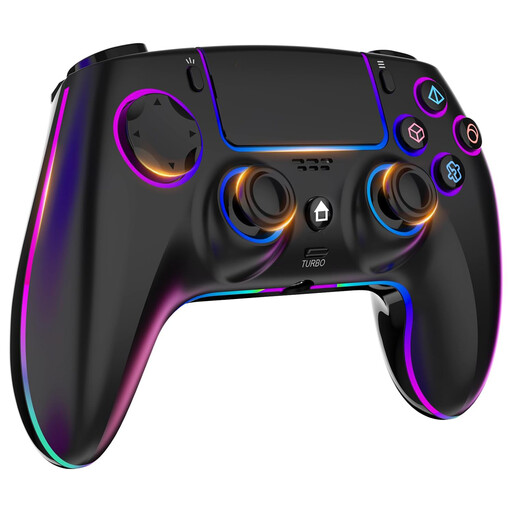
Wireless Controller for PS4/PC with touchpad
For anyone looking for a wireless PS4 or PC controller with extra input features; check which features the puzzle game uses.
The product name lists RGB lighting, dual vibration, turbo, a touchpad, a headphone socket and a 1000 mAh battery.
View at Joybuy
 No image available
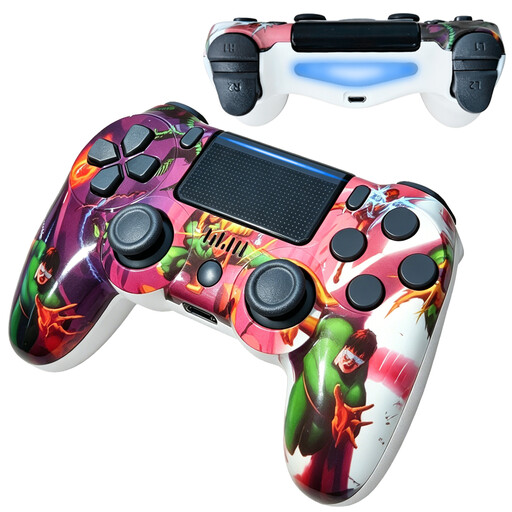
VIELLAN wireless Bluetooth controller for PS4, 600 mAh
For anyone looking for a wireless Bluetooth controller for PS4; check that the puzzle game supports it before choosing.
The product name lists a 600 mAh battery and dual vibration.
View at Joybuy
 No image available
Game controller with dual vibration and gyroscope for Switch and PC
For anyone looking for a controller with a motion sensor for Switch or PC; check that your device and puzzle game support this type of input.
The product name lists dual vibration and a gyroscope.
View at Joybuy
Frequently asked questions
Will every PC controller work with every puzzle game?
No. Simply connecting to a PC doesn’t prove that the game supports the controller. Steam shows support by game and controller type; also check the settings for your specific game.
Can you use the original Switch Pro Controller with a Switch 2?
Yes. Nintendo says that the original Switch Pro Controller can be paired wirelessly with a Switch 2. Also check that your puzzle game supports the controller input you want to use.
What if your Xbox Wireless Controller comes without AA batteries?
First, check what’s included in your package. Microsoft says selected controllers bought in December 2025 or later may be eligible for a rechargeable battery with a USB-C cable; to check, register the serial number and review the service option offered. This doesn’t automatically apply to every controller.
What are your rights in the Netherlands when you buy a controller online?
For online purchases from a business, the Netherlands Authority for Consumers and Markets says you usually have a 14-day cooling-off period from delivery, subject to legal exceptions. If the product is faulty, the seller is responsible for the statutory guarantee; this is separate from any manufacturer’s warranty.
Does a controller described as ergonomic mean you don’t need to take breaks?
No. Arboportaal guidance on repetitive hand movements and static postures relates to screen-based work and doesn’t set a safe playing time for any particular controller or game. So don’t treat a description of comfort as a guarantee that you won’t experience discomfort.


