
PC player who enjoys puzzle games
Wants to check first that both their PC and the specific game support the controller, then looks at which controls suit the game.


First, check which device you play on and whether your puzzle game supports controller input. Connecting a controller to your device doesn’t automatically mean every game will work well with it. Then decide whether you want to play wirelessly or use a cable from a fixed spot, and compare the controls and battery or charging options with what you actually need.
Wants to check first that both their PC and the specific game support the controller, then looks at which controls suit the game.
Weighs up wireless play against using a cable to the Switch dock, depending on where they play and which features the game needs.
Considers AA batteries or charging, and whether extra features add anything to the puzzle games they play.
Start with your device and your game’s controller support, then compare the controls, where you play and the power options.
| What to consider | What should you check? | Who is this important for? |
|---|---|---|
| Device and game | Check the supported platform for the exact version and your game’s controller information. | If I play on my PC or console, I want to know in advance whether my puzzle game also supports controller input. Around 33% of consumers put device and game compatibility first. |
| Controls | Check the button layout and whether your game mainly calls for directional input, sticks or other controls. | If the controls matter more than extra features in my puzzle game, I compare the D-pad and buttons with what the game requires. Around 20% of consumers give a game’s controls top priority. |
| Playing space | Measure the distance to the dock if you’re considering a wired controller, and check whether you also want to play away from that fixed spot. | If my desk or seat isn’t right next to the Switch dock, I want to know where the cable can run or whether I’d rather play wirelessly. Around 20% of consumers consider freedom of movement the most important factor. |
| Power and features | Check how the exact model is powered and which features you need for your games. | If I want to keep ongoing costs down, I compare battery management and charging with the features my puzzle games actually use. Around 27% of consumers put running costs and essential features first. |
8BitDo lists Windows and Android for the Ultimate 2C Wireless, and Switch for the separate Ultimate 2C Bluetooth. So, sharing a product name doesn’t mean the different versions are interchangeable.
Before buying, check the full model name, the device you plan to use it with and the stated connection method.
PowerA states that the wired model reviewed only works when the Switch is in its dock.
Check how you use your Switch in your room and which features you need before choosing a wired version.
The standard Xbox Wireless Controller uses AA batteries or a separate rechargeable battery solution; don’t assume it has a built-in rechargeable battery.
Check the power source and what’s included with the exact version.
The standard Xbox Wireless Controller is an option to look into for Windows PCs and Xbox consoles. Microsoft also lists iOS and Android as compatible devices.
The Nintendo Switch Pro Controller is a wireless option for Switch players looking for a single directional pad. Nintendo also confirms wireless pairing with Switch 2.
The Ultimate 2C range includes separate versions: 8BitDo lists Windows and Android for the Wireless version, and Switch for the Bluetooth version.
The Wired Controller for Nintendo Switch is a wired option for use with a Switch in its dock.
This selection includes controllers for fixed or wireless puzzle sessions on PC, Xbox, Nintendo Switch and Switch 2. Some versions also list Android, iOS or other devices; always check the exact compatibility and whether your game supports controller input.
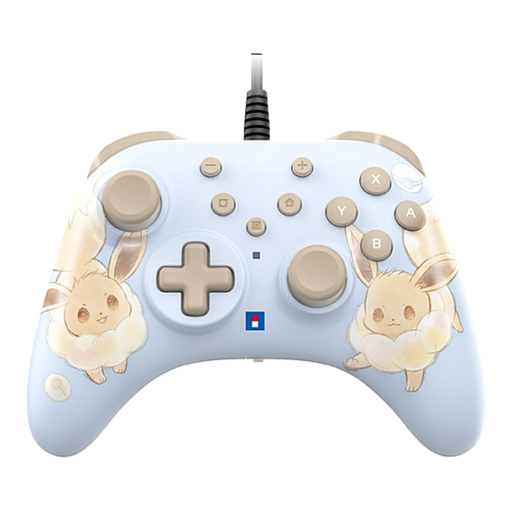 No image available
A wired version for a fixed gaming spot with a Switch or Switch 2.
The product description lists programmable rear buttons and a turbo function.
The USB cable isn’t included; the product description doesn’t list HD Rumble, NFC or motion controls.
 No image available
A wireless option to compare for puzzle games on a Windows PC or Xbox.
The product information lists Bluetooth, a hybrid D-pad and button mapping via the Xbox Accessories app.
AA batteries are listed as a power option; don’t assume it has a built-in rechargeable battery.
 No image available
A multi-platform controller to consider if you play on a listed device and want a choice of connection types.
The product information lists PC, Switch, iOS, Android and Steam, plus connection via cable, 2.4G dongle or Bluetooth.
The description lists a tactile D-pad, gyroscope and two types of triggers.
 No image available
A wireless option for puzzle games on Nintendo Switch; Nintendo also confirms wireless pairing with Switch 2.
The product information lists a built-in rechargeable lithium-polymer battery, motion controls, HD Rumble and amiibo functionality.
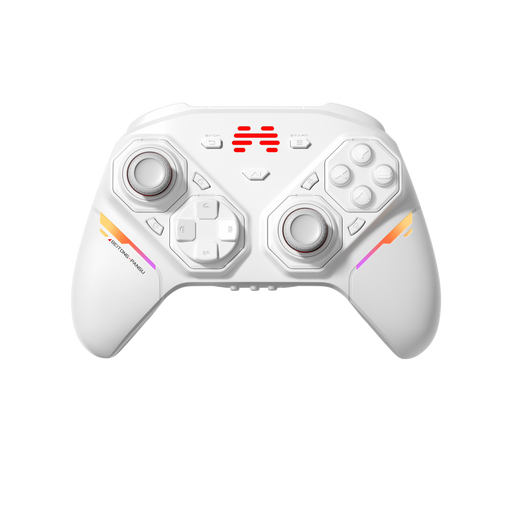 No image available
An option for anyone who wants to adjust the controller layout to suit a puzzle game’s controls.
The product information lists PC, Nintendo Switch, Switch 2, Steam and Android, as well as wireless, Bluetooth and wired connections.
According to the description, the joysticks, buttons and D-pads can be swapped without tools.
No. Check the controller information for the specific game. For example, the Steam page for Portal 2 lists full controller support, but that doesn’t tell you anything about another game. Steam Input can translate or configure input; also check the controls in the game itself.
Nintendo explains that you can sync it using the supplied USB cable with the Switch or Switch 2 dock, or through the controller menu by pressing the SYNC button. The system must be switched on; you can’t sync while it’s switched off or in sleep mode.
No. Xbox Support says rechargeable AA batteries must be charged outside the controller, following the battery manufacturer’s instructions. For charging through the controller, Xbox describes a separate rechargeable battery with a suitable USB-C cable.
For distance purchases from a business, you’re generally entitled to a 14-day cooling-off period. If the product is faulty, the Dutch government describes your rights to a repair or replacement at no extra cost. Check who the seller is and the terms of your specific purchase; a manufacturer’s warranty doesn’t replace your statutory rights.
Check who the seller is and what product and safety information is provided for the controller. The Dutch government states that electronic products placed on the EU market must carry the CE marking, and points out that your rights may differ when you buy from an online shop outside the EU.