Start with your gaming device and whether each puzzle game supports a controller: the genre alone won’t tell you if one will work. Then choose the smallest controller with all the inputs you need. A mini gamepad may suit simple controls, while games that use sticks or extra buttons may need a more comprehensive layout. For example, 8BitDo lists different Windows modes for its Micro and SN30 Pro. For the specific version you’re considering, also check that it meets the applicable product requirements, as set out by the Dutch Authority for Digital Infrastructure.
Who is this buying guide for?
Puzzle fan with limited desk space
You want a controller that takes up little room and offers straightforward controls. Check whether your game works without extra sticks or features; 8BitDo lists the Zero 2 as suitable for 2D games, among other things.
Player of different puzzle games
You play games that use different inputs and would rather have a compact controller with more buttons and sticks than the smallest gamepad possible. The Steam pages for Baba Is You and Patrick’s Parabox list different levels of controller support.
PC player with limited room for connections
You want to work out in advance whether a USB receiver or cable will suit your PC and desk best. Logitech describes the F710 as using a wireless USB receiver and the F310 as using a USB cable.
What should you look for when choosing?
First, check that your device and games support the controls you want. Then compare the buttons you need and how much space the controller takes up. Finally, consider whether a cable or USB receiver will work well on your desk.
| What to consider |
What to look for when buying |
Who is this important for? |
| Compatibility with your device and game |
Check your device, operating system, any firmware requirements and controller support for each game. Valve lists partial controller support for Baba Is You on Steam and full support for Patrick’s Parabox. |
If I want to be sure the controller works with my device and puzzle games, I check support before choosing. Around 31% of consumers prioritise compatibility. |
| Space taken up and storage |
Compare the dimensions of the exact version and think about where you’ll put the controller while playing and when storing it. 8BitDo lists the Zero 2 as measuring 73 × 36,5 × 14,7 mm and the Micro as 72 × 40,7 × 14,1 mm. |
If I have a small desk, I mainly want to know how much room the controller takes up and where I can store it. Around 31% of consumers prioritise space-saving design. |
| Buttons and sticks |
Compare the D-pad, sticks, shoulder buttons and any other features with the controls your games require. According to 8BitDo, the SN30 Pro has analogue sticks; the manufacturer says the Zero 2 has no vibration or motion control. |
If I play different puzzle games, I don’t want to get stuck because an input is missing. Around 23% of consumers mainly look for enough buttons and sticks to support different types of controls. |
| Connection and cable layout |
Check whether you have a spare USB port for a receiver and whether a cable can run across your desk. Logitech describes the F710 as using a 2,4GHz USB nano receiver and the F310 as using a USB cable. |
If the ports on my PC or the cable route across my desk are deciding factors, I choose the connection that will actually work for me. Around 15% of consumers mainly consider the connection and cable layout. |
Avoid common buying mistakes
-
Assuming every puzzle game has full controller support
Support varies from game to game. For example, Steam lists partial controller support for Baba Is You and full support for Patrick’s Parabox.
Before buying, check the input information and control settings for each game you want to play.
-
Focusing only on the smallest size
A mini controller may lack features a game needs. For example, 8BitDo says the Zero 2 has no vibration or motion control; for the Micro, Windows is listed in keyboard mode only.
Compare the buttons, sticks, controller mode and special features you need with your games’ requirements.
-
Assuming wireless means no connection is needed
According to Logitech, the F710 uses a USB nano receiver for its wireless connection, so it takes up a USB port.
Check that your PC has a spare port and whether the version you choose uses a receiver, cable or another type of connection.
Relevant brands to compare
8BitDo
The brand offers both small gamepads and models with more control options. The differences between models matter more than the brand name alone.
- 8BitDo lists the Zero 2 for Windows and 2D games, among other things. According to the manufacturer, the SN30 Pro has analogue sticks and a Windows controller mode.
- According to 8BitDo, the Micro works on Windows in keyboard mode only. The manufacturer says the Zero 2 has no vibration or motion control.
PowerA
According to PowerA, the Nano Enhanced Wireless is a compact, officially licensed controller for Nintendo Switch, Switch OLED and Switch Lite.
- PowerA lists Bluetooth and full-size controls in a compact design.
- According to PowerA, this model does not support HD rumble, IR or amiibo NFC. Check that it’s compatible with the device you want to play on.
Logitech G
According to Logitech, the F710 and F310 offer different connection options for PC use: a wireless USB receiver or a USB cable.
- Logitech lists XInput and DirectInput for both models.
- These are traditional gamepads, not models that Logitech describes as ultra-compact. Check the game’s input mode and controller support.
Joybuy product picks
This selection of Joybuy products includes controllers for puzzle games on PC, consoles and mobile devices. For each model, check that your device and game support the controller inputs you want.
 Image unavailable
Xbox Wireless Controller, Heart Breaker Special Edition
The product name lists Xbox Series and PC; also check whether your specific puzzle games support controller input.
This version is labelled Heart Breaker Special Edition.
View at Joybuy
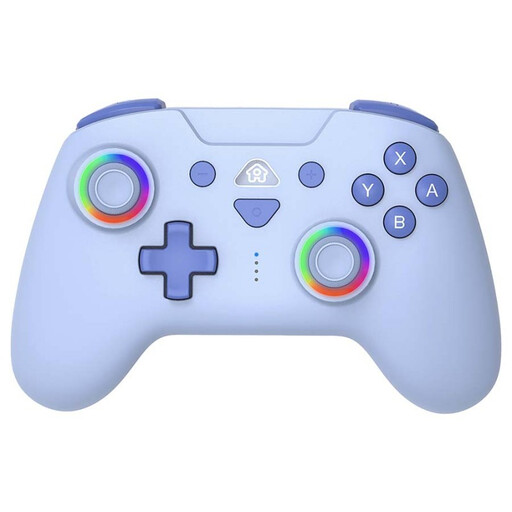 Image unavailable
SUBSONIC wireless controller for Switch and Switch Lite, Blue
The product name lists Switch and Switch Lite as compatible systems; check that your specific puzzle games are supported.
The title describes a wireless version with LED.
View at Joybuy
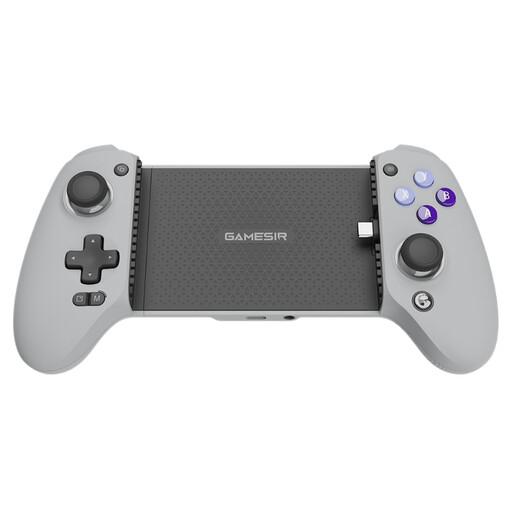 Image unavailable
GameSir G8 Galileo Type-C, wired
This wired mobile controller may suit you if you play on a supported mobile device and have room for a controller cable on your desk.
The product name lists iOS 14 or later and Android 8.0 or later; check the connection and game support.
View at Joybuy
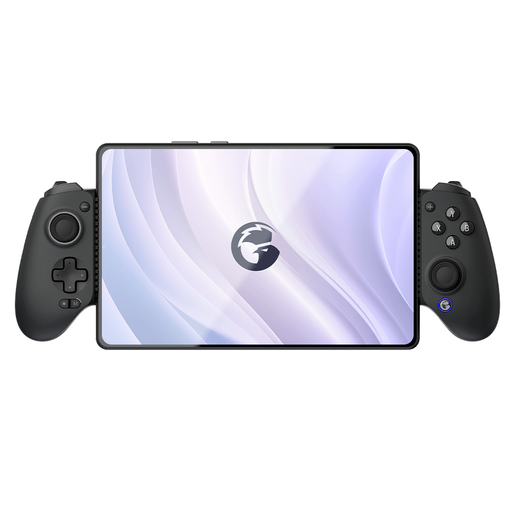 Image unavailable
GameSir G8 Galileo Plus, Bluetooth
This Bluetooth controller may suit you if you play on one of the devices listed in the product name; also check that your puzzle game is supported.
The product name lists Switch, iOS, Android, tablets and PC.
View at Joybuy
 Image unavailable
BEITONG KP70 Haptic Feedback Elite Wireless Controller
The product name lists PC, NS, NS2, iOS and Android; check that your device and puzzle games support the controls you want.
The title lists Dual Auto-Sense Trigger, Adjustable Damping Joystick and 6 Programmable Button.
View at Joybuy
Frequently asked questions
Will every controller work with every puzzle game?
No. Support varies by game and device. For example, Valve lists partial controller support for Baba Is You on Steam and full support for Patrick’s Parabox. Check the input settings for the game you want to play.
Can I use the 8BitDo Zero 2 as a wired controller with a USB cable?
According to 8BitDo’s FAQ, the Zero 2’s USB port is for charging and firmware updates, not for use as a wired controller. Follow the instructions for the correct controller mode when connecting it, too.
What if I’m not happy with a controller bought online, or it’s faulty?
For an online distance purchase from a business, you’ll generally have a 14-day cooling-off period, according to the Government of the Netherlands. This is separate from your rights if a product is faulty or not as it should be. The Netherlands has no fixed statutory warranty period, and the seller is your point of contact if there’s a problem. Check the terms of your specific purchase.
What should I look for when buying a wireless controller sold in the Netherlands?
According to the Dutch Authority for Digital Infrastructure, electrical, electronic and radio equipment sold in the Netherlands must comply with the applicable European directives and carry the required CE marking. Check this for the specific version; a general product listing alone doesn’t confirm that all applicable requirements have been met.


