When you have few spare sockets, an all-in-one is a sensible option if you don’t already have a monitor; if you have a suitable monitor, a mini PC or Mac mini could work. A built-in screen means you don’t need to power a separate monitor, but a printer remains a separate device. Also check that the computer, operating system and connections are compatible with your page layout software and printer.
Who is this choice for?
Creative with few spare sockets
You want to set up a computer, screen and printer in a workspace where the number of available sockets matters. An all-in-one can do away with a separate monitor, but not the printer’s power supply. The Dutch Fire Service advises against using damaged extension leads or connecting them together without due care.
Creator of designed puzzle pages
You work with text and images, and choose your computer based on the page layout software you use. Adobe lists 8 GB RAM as the minimum and 16 GB as the recommended amount for InDesign 21.3 and later on Windows; these requirements don’t automatically apply to every programme.
Creative with an existing monitor
You want to keep using a suitable monitor, so you’re comparing a compact computer with an all-in-one. Apple describes the Mac mini as a computer for use with external displays; ASUS describes certain NUC 15 Pro models as kits that don’t include memory, storage or an operating system.
What should you consider when choosing?
| Consideration |
What to look for |
Who should give this more weight? |
| Sockets needed |
Count the power supplies for the computer, screen and printer. A built-in screen can replace a separate monitor, but the printer still needs power. |
I need to fit a computer and screen into a space with few sockets, but my printer may need its own power supply too. Around 36% of consumers say the number of power sockets is their top purchasing priority. |
| Suitability for page layout |
Check the requirements of your programme and operating system. For InDesign 21.3 and later on Windows, Adobe lists 8 GB RAM as the minimum, recommends 16 GB and gives 1920 × 1080 as the recommended screen resolution. |
If I’m laying out pages with text and images, I want a computer that suits the programme I’ve chosen. Around 29% of consumers prioritise suitability for page layout software. |
| Printer and proof prints |
Check support for your exact printer model and operating system. You can only print double-sided if your printer supports this feature. |
I want to check my pages on paper and need to know whether my printer will work with the computer. Around 21% of consumers prioritise printer compatibility and proof prints. |
| Reusing equipment and extra purchases |
Check what you already own and what’s included in the configuration you’ve chosen. Some mini PC kits require you to source memory, storage and an operating system separately. |
I want to make use of my existing monitor or other equipment and know in advance what else I’ll need. Around 14% of consumers give reusing equipment and limiting extra purchases top priority. |
Common pitfalls
-
Counting only the computer’s plug
A mini PC or Mac mini needs a separate screen. A printer may also need its own power socket, so the complete workspace could use more sockets than the computer alone.
Before buying, make a list of all your devices and their power requirements, including any monitor and printer you already use.
-
Assuming a mini PC kit is a ready-to-use desktop
The ASUS NUC 15 Pro kits NUC15CRK-B and NUC15CRH-B are listed without a pre-installed operating system, memory or storage.
Check what’s included in the exact model and work out which components and software you still need.
-
Assuming a model name means one fixed configuration
Screen, memory and storage can vary between models. A product name alone doesn’t always tell you which configuration you’re buying.
Compare the full model and configuration code with the specifications for the version you’re considering.
Brands to compare
Lenovo
The IdeaCentre range includes all-in-ones and mini desktops, so you can weigh up an integrated screen against using your own monitor.
- The IdeaCentre AIO i model reviewed has 16 GB memory, a 256 GB SSD and an FHD screen, according to Lenovo Netherlands.
- These specifications apply to that model. Check the keyboard layout too.
HP
The OmniStudio range includes all-in-ones with a built-in screen; the model reviewed comes with a wireless keyboard and mouse, according to HP Netherlands.
- The OmniStudio 24cu0612nd has 12 GB RAM and a 23.8-inch FHD screen.
- For InDesign 21.3 and later on Windows, 12 GB is above Adobe’s 8 GB minimum but below its 16 GB recommendation. Compare the exact model with the software you use.
Apple
The Mac mini is a compact desktop designed for use with a separate screen; the iMac is an all-in-one alternative.
- For the Mac mini M6 model mentioned, Apple lists 16 GB memory, a 256 GB SSD and support for external displays.
- You’ll need a monitor for a Mac mini. If you’re considering an iMac, check the generation: the announcement of 27 October 2026 mentions M6, while the specifications page describes M4.
ASUS
The NUC 15 Pro shows how a compact mini PC kit can be used with an existing monitor.
- ASUS describes the NUC15CRK-B and NUC15CRH-B models as kits for a compact computer setup.
- These kits don’t include a pre-installed operating system, memory or storage. Check the exact configuration and power adapter too.
Dell
Dell offers all-in-one configurations with a range of screen and memory options.
- The Dell 27 EC27260 configuration reviewed has a 27-inch FHD screen without touch functionality, 16 GB DDR5 and a 512 GB SSD, according to Dell Netherlands.
- Specifications can vary between models, so check the configuration you’re actually choosing.
Joybuy products
These Joybuy picks are all-in-ones with a built-in screen. The two LG models are thin clients; check that their cloud- or VDI-focused use suits the software and working environment you need.
 No image available
Acer Aspire C24-A WI5418 NL All-in-One
The built-in screen could suit you if you don’t want to connect a separate monitor.
23.8-inch Full HD IPS screen, Intel Core 5 120U, 16 GB DDR5, 1 TB SSD and Windows 11 Home.
Joybuy
 No image available
LG AIO 24CQ651N-6N Thin Client
This model may be suitable for a cloud or VDI working environment; check that it works with your page layout software.
24-inch Full HD screen, 8 GB DDR4 and SSD storage. The operating system listed depends on the IT environment; check in advance that your programme and printer will work with it.
Joybuy
 No image available
MSI Modern AM273QP AI 1UM-061EU
The built-in screen could be a good solution if you don’t want a separate monitor for your workspace.
27-inch screen with 2560 × 1440 pixels, Intel Core Ultra 5 125H, 16 GB DDR5, 1 TB SSD and Windows 11 Pro.
Joybuy
 No image available
MSI Modern AM273Q AI 1UM-058EU
This could suit you if you want to use the computer and monitor as a single device.
27-inch screen with 2560 × 1440 pixels, Intel Core Ultra 7 155H, 32 GB DDR5, 1 TB SSD, Windows 11 Pro and Wi-Fi 6E.
Joybuy
 No image available
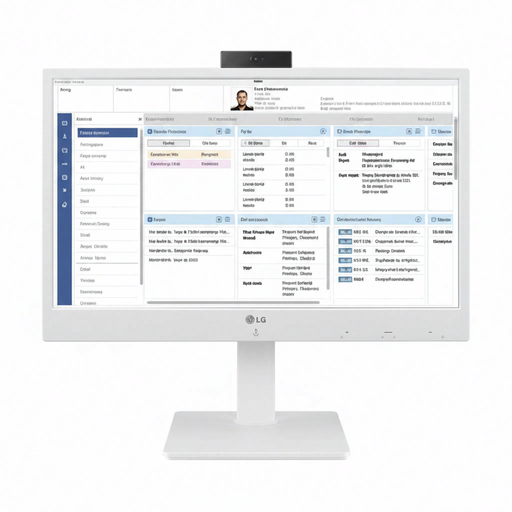
LG All-in-One Thin Client 24CR670N-6P
This thin client is designed for cloud and VDI use; check that it suits your programme and working environment.
24-inch Full HD IPS screen, 8 GB DDR4, SSD storage, and HDMI and DisplayPort connections. The operating system listed depends on the IT environment.
Joybuy
Frequently asked questions
Does an all-in-one also save a socket for my printer?
No. The built-in screen can replace a separate monitor, but it doesn’t change the power requirements of a separate printer. Also check that your exact printer model works with the operating system you choose.
Can you print double-sided proof booklets without checking first?
No, you can only do this if your printer supports double-sided printing. Check the capabilities of the exact model before deciding on your print workflow.
How should you use an extension lead when sockets are scarce?
The Dutch Fire Service advises against using damaged extension leads, connecting them together without due care or overloading them. Milieu Centraal recommends a switched socket for your computer and peripherals to reduce standby power consumption.
What consumer rights apply to online purchases in the Netherlands?
For many online distance purchases from a business, you have a 14-day cooling-off period, according to the Dutch Government; there are exceptions. Before buying, check the seller’s information about the product and returns.
What should you check for the safety of an electrical appliance sold in the EU?
The Dutch Government states that electronic products in the EU must carry a CE mark. Check the product information for the specific model, and don’t assume anything about a product based on its brand name alone.


