
Student with a small desk
You’re looking for a screen that fits your study space. Measure the available width and depth, then compare them with the monitor’s dimensions, including the stand, before choosing a larger size.


Choose a compact screen of around 24 inches with Full HD if desk space is your main priority. Choose 27 inches with QHD if you want more room for detail and study work, and have space for it on your desk. Philips Netherlands lists the 24M2N3200A/01 as a 23.8-inch Full HD monitor, while AOC Netherlands lists the Q27G4ZR as a 27-inch QHD model. A very high refresh rate is not necessarily a deciding factor for puzzle adventures. Also check the dimensions with the stand, the connections and the video output of your device.
You’re looking for a screen that fits your study space. Measure the available width and depth, then compare them with the monitor’s dimensions, including the stand, before choosing a larger size.
You prioritise screen space and resolution for clues, environments and text over the highest possible refresh rate.
You want to use the same monitor for gaming and studying. So check the connections and how easily the exact model will fit into your setup.
Start with the space available and the resolution your gaming device can output. Then compare the connections, settings for each port and power consumption.
| What to consider | What should you check? | Who is this important for? |
|---|---|---|
| Desk space | Measure the available width and depth, then compare them with the dimensions of the exact model, including the stand. | If your desk also needs to accommodate your study and gaming equipment, fit is your first consideration; around 36% of consumers prioritise desk space. |
| Image detail and readability | Compare Full HD with QHD and check that your device can deliver the resolution you want. Philips Netherlands lists 1920 × 1080 for the 23.8-inch 24M2N3200A/01; AOC Netherlands lists 2560 × 1440 for the 27-inch Q27G4ZR. | If you want to make out small clues and text clearly, resolution matters more than a compact size alone; around 29% of consumers prioritise image detail. |
| Gaming and studying | Compare your device’s video outputs with the screen’s inputs, and check the resolution and refresh rate available for each port. If you’re using USB-C, also check your laptop’s required charging power. | If you want one screen for studying and gaming, compatible connections and a practical setup matter; around 21% of consumers prioritise using their screen for both. |
| Power consumption and the features you use | Compare the EU energy labels of similarly sized screens and check whether your device can actually use the stated refresh rate. | If you mainly want to choose features you’ll use while keeping an eye on power consumption, the energy label and connection are relevant; around 14% of consumers prioritise this balance. |
A maximum Hz rating alone tells you little about how well a monitor will suit your puzzle adventures.
Start with fit, resolution and connectivity with your device. Then compare the refresh rate your device can deliver through the connection you’ve chosen.
The dimensions of the Gigabyte MO27Q2A differ depending on whether the stand is included.
Measure the width and depth of the space on your desk and compare them with the dimensions of the complete monitor, including the stand.
According to Gigabyte, the USB-C port on the MO27Q2A provides up to 18 W Power Delivery.
Compare this with your laptop’s charging requirements; you may need to keep using its existing power supply.
The Philips Evnia 24M2N3200A/01 is a compact point of comparison, with a 23.8-inch Full HD Fast IPS screen.
The Q27G4ZR is a model-specific example of a 27-inch QHD Fast IPS monitor.
The MO27Q2A is a 27-inch QHD QD-OLED model for anyone who values this panel technology more than a compact screen.
The TUF Gaming VG27AQ3A offers a model-specific 27-inch QHD IPS point of comparison.
The G2724D is an example of a 27-inch QHD Fast IPS monitor with different stated maximums for each video input.
Below, you’ll find Joybuy monitors for a compact Full HD setup and for 27-inch QHD, so you can weigh up the fit and the amount of screen space you want.
 Image unavailable
Suited to a desk with space for a 27-inch screen, where you want to compare QHD with the compact Full HD option.
27 inches and 2560 × 1440. AOC lists a standard refresh rate of 240 Hz, rising to 260 Hz when overclocked; these maximums aren’t essential for puzzle adventures.
 Image unavailable
A 27-inch QHD option to consider if you have room for a larger screen and detail matters to you.
QHD 2560 × 1440, 120 Hz and an IPS panel. HDMI and DisplayPort are listed.
 Image unavailable
Suited to the compact screen option if you’re looking for a 24-inch Full HD size and don’t need as much screen space.
This product variant lists 200 Hz and 1 ms. Full HD has fewer pixels than QHD for displaying fine details.
 Image unavailable
A compact Full HD option to compare if your desk has less room than a 27-inch screen requires.
24-inch Full HD gaming monitor.
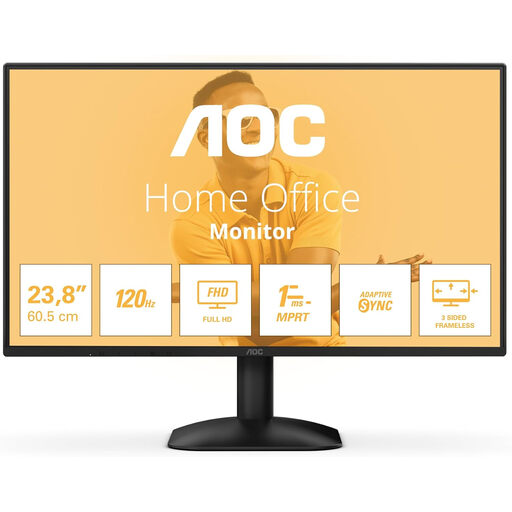 Image unavailable
A 24-inch Full HD option if you want to compare compact screens for your study and gaming setup.
1920 × 1080, 16:9, 300 cd/m² and 1 ms. HDMI and DisplayPort are listed.
No. Don’t choose based on 240 Hz alone. First compare the size and resolution with your desk and your device’s video output. AOC lists a standard refresh rate of 240 Hz for the Q27G4ZR, but this isn’t a set requirement for puzzle adventures.
Compare your device’s video output with an input on the exact monitor model. Also check which resolution and refresh rate are available for each port; Dell lists different maximums via DisplayPort and HDMI for the G2724D.
Check the EU energy label for the exact model and, ideally, compare screens of a similar size. The European Commission says the label for computer monitors shows an efficiency class and information to help you compare them.
According to the Dutch Government, if there’s a problem with a product, the seller must provide a solution; the manufacturer’s warranty does not replace your statutory rights. For an online distance purchase from a business, you generally have a 14-day cooling-off period, subject to legal exceptions.