
Vandaag of morgen in huis

Kwaliteit gegarandeerd

Welkomstaanbiedingen ontgrendelen: GRATIS bezorging | Tot 80% korting | Gratis 30 dagen JoyPlus-proefperiode
Download de app
For many users, the PlayStation 5's internal storage is on the small side. With games taking up tens, sometimes hundreds of gigabytes, a full drive is a common problem. Expanding the storage with a 2TB internal SSD is a logical next step, but the technical specifications can be confusing. The wrong choice can lead to an SSD that doesn't fit, isn't fast enough, or overheats. This guide will help you make an informed decision based on factual specifications.
To choose an SSD that functions correctly in a PlayStation 5 or a modern gaming PC, there are several technical criteria. These specifications aren't just marketing—they are strict requirements for compatibility and performance.
Below is a selection of products that meet the relevant specifications for different users. This selection is based on the product parameters provided by the manufacturer.
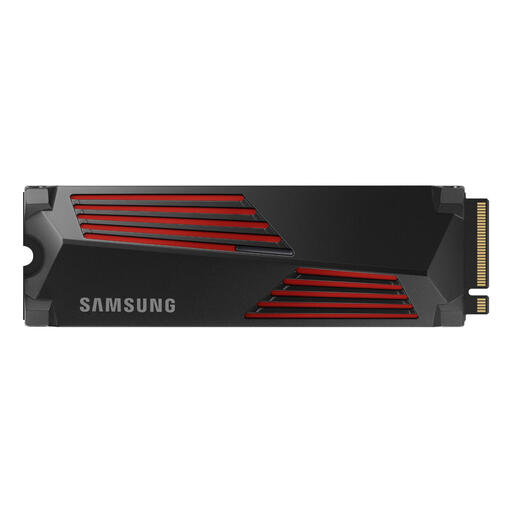
Why This Product The Samsung 990 PRO with heatsink is designed for demanding applications like high-end gaming and 4K video editing. Its stated speeds are among the highest in the PCIe 4.0 segment. The integrated heatsink is not only functional for heat dissipation but also includes RGB lighting for users who value the aesthetics of their PC build.
Advantages
Who Is It For? This SSD is aimed at users seeking maximum performance for a PS5 or a high-end gaming PC. Content creators who work with large files will also benefit from the high read and write speeds.
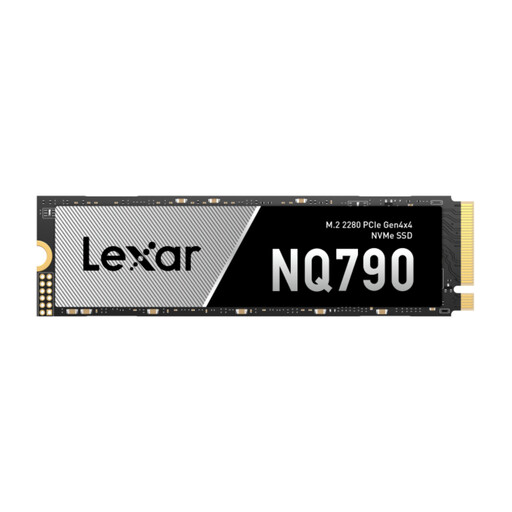
Why This Product The Lexar NQ790 offers a strong combination of speed and capacity. With speeds well above the PS5's minimum requirement, this SSD delivers smooth loading times. It's a practical choice that focuses on performance without extras like RGB lighting. Please note: this model comes without a heatsink. For use in a PS5, you will need to purchase and install a separate, compatible M.2 heatsink.
Advantages
Who Is It For? This is a suitable option for PS5 and PC gamers looking for a fast 2TB internal SSD who want to choose their own heatsink or already have one. It offers a good balance between price and performance.
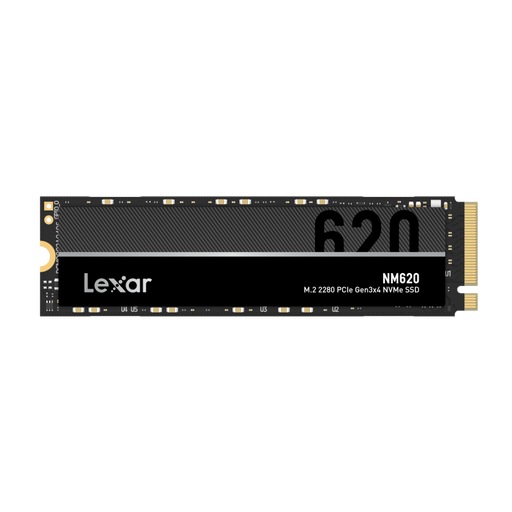
Why This Product The Lexar NM620 is a PCIe 3.0 SSD. This is an important distinction. While this SSD offers a significant speed improvement over older SATA SSDs, it does not meet the minimum speed requirement of 5,500 MB/s for the PlayStation 5. However, it is an excellent and cost-effective upgrade for PC users with a motherboard that does not support PCIe 4.0.
Advantages
Who Is It For? This SSD is specifically intended for PC users and builders who want to speed up their system but do not have a PCIe 4.0 slot available. It is a solid choice for general use, creative tasks, and gaming on a PCIe 3.0 platform.
The market for internal SSDs is vast, covering many different specifications and price points. If the selection above doesn't fully meet your needs, or if you're looking for a different capacity or a specific brand, you can explore more options.
Check out our full range of SSD drives for a broader overview.
1. Can I install any M.2 SSD in my PS5? No. The SSD must be an M.2 NVMe PCIe 4.0 model with a minimum sequential read speed of 5,500 MB/s. Additionally, a heatsink is mandatory. SSDs that do not meet these requirements, such as PCIe 3.0 models, will not work in the PS5.
2. Is a heatsink really necessary for a PS5 SSD? Yes. Sony requires a heatsink. An M.2 NVMe SSD can become very hot under heavy load, such as during game loading. Without adequate cooling, its speed can decrease dramatically to prevent damage. The confined space inside the PS5 makes a heatsink essential for stable performance.
3. What is the difference between a PCIe 3.0 and a PCIe 4.0 SSD? The main difference is the maximum theoretical speed. PCIe 4.0 offers double the bandwidth of PCIe 3.0, which translates to significantly higher read and write speeds. For the PS5, PCIe 4.0 is a requirement. For a PC, the choice depends on what the motherboard supports. A PCIe 4.0 SSD will work in a PCIe 3.0 slot, but it will be limited to the lower speeds of the PCIe 3.0 interface.
Written by the Joybuy Product Recommendation Officer
