
Viewers in a bright shared space
If you can’t always darken the room, you’ll need to balance your preferred screen size against the light falling on the screen.


First, measure the distance to the screen and the available wall width, then check how much light falls on the screen while you’re watching. A fixed projector suits a regular viewing spot with enough distance, an ultra-short-throw model works well in a shallow setup, and a portable model is a good choice if you move between rooms. Also check that you can play films, hear the dialogue clearly and preserve the film’s aspect ratio.
If you can’t always darken the room, you’ll need to balance your preferred screen size against the light falling on the screen.
If the room has a regular spot for film nights, you can tailor the distance, projection surface and sound to suit it.
If film night doesn’t always take place in the same spot, portability, power, built-in sound and the apps needed to play films are all important considerations.
A good fit if: the same shared room is usually where you watch films and there’s enough distance to the screen.
Bear in mind: you’ll need space for the projection beam and may need a separate streaming device or sound system.
A good fit if: the projector needs to sit close to the projection wall and you can set it up in a fixed position.
Bear in mind: the exact positioning and suitable projection surface for your chosen model.
A good fit if: you move the projector between rooms and value built-in playback features.
Bear in mind: the stated battery life applies under specific conditions, so plan for a power source if you’re having a long film night.
For a film night with others, the key considerations are visibility, available space for setup, playback and dialogue, and portability.
| Consideration | What should you check? | Who is this important to? |
|---|---|---|
| Visibility in ambient light | Check the light on the wall at your usual viewing time. Compare the stated light output and measurement standard with your preferred image width and the ambient light. | I want to follow the film without having to darken the shared space completely every time. Visibility is the top priority for around 33% of consumers. |
| Projection distance and image width | Measure the distance from the lens to the screen and the available wall width. Calculate the achievable image size for the exact model. | The projector needs to fit the space available in the room. Around 27% of consumers prioritise throw distance and image width. |
| Playing films and hearing dialogue | Check which app or HDMI source you need, along with the available audio connections. Also check the film’s original aspect ratio. | I want to start a film without any hassle and follow the dialogue with the group. Playback and dialogue are top priorities for around 20% of consumers. |
| Portability and power | Check battery life during video playback, power options and which stand or accessories are included with the model. | If film night moves between rooms, I want to be able to move the setup easily. Portability is the main buying concern for around 20% of consumers. |
The image size you can achieve also depends on the distance to the screen and the available wall width. The maximum screen diagonal alone won’t tell you whether the projector will fit your room.
First measure the distance and wall width, then calculate the image size for the exact model.
The maximum video playback time stated for the XGIMI MoGo 4 applies under the manufacturer’s specified conditions; the PowerBase stand is an optional extra.
Check the operating mode and film length, see what’s included in the bundle and plan to use a mains socket if needed.
The Dutch government states that there is no fixed statutory warranty period in the Netherlands. Any manufacturer’s warranty or extended warranty you buy is separate from your statutory rights.
Compare the terms of any extra warranty with your existing rights, and keep the seller’s details.
Being allowed to watch a film at home doesn’t automatically mean that showing it in a shared space is a private screening. The way the screening is organised matters.
Establish who can attend and how the event will be advertised. If the screening could be considered public, check in advance whether you need permission for the film and the specific screening.
Epson offers models for conventional home cinema setups as well as options designed to sit close to the wall. The space you have available can help you decide which product range to explore further.
BenQ offers models for home cinema use and portable projection. The features listed are specific to each model and don’t guarantee the same results in every room.
The MoGo 4 may suit you if you move your film setup between rooms. Check the exact model and bundle before factoring in accessories or features.
These Joybuy products are suited to film nights in a shared space, with options for both fixed and portable setups and a focus on streaming, projection distance and built-in sound.
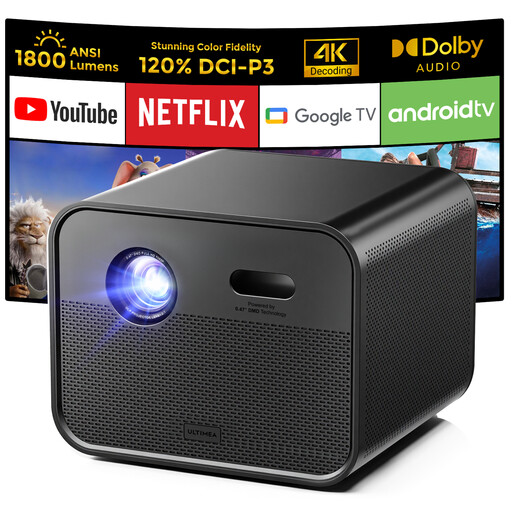 No image available
A good fit for a shared film space if you want to use streaming and built-in speakers.
 No image available
A good fit for a portable film setup with a built-in streaming source and speakers.
 No image available
A good fit for a setup where you want to adjust the projection direction and use a Full HD film source.
 No image available
A good fit for a dedicated film space if you can plan the available projection distance and preferred image size in advance.
 No image available
A good fit for a portable film setup with a built-in operating system and connections for external sources.
Measure the distance from the lens to the screen and the available wall width. Use these measurements to calculate the achievable image size for the exact model; the advertised maximum screen diagonal alone won’t tell you whether it will fit your room.
Not necessarily. Check the aspect ratio of the specific film release and preserve its intended framing. For example, Criterion lists releases of one film in 1.33:1, 1.66:1 and 1.85:1, so borders beside the image may be part of the correct presentation.
Follow the manual for the exact model when positioning and mounting it. Epson warns that a projector may fall if it isn’t properly secured to the ceiling or wall. If you have a lamp model, check which replacement lamp is compatible.
No. According to the Dutch government, the Netherlands has no fixed statutory warranty period. You’re entitled to a product that works properly for as long as you could reasonably expect it to. If there’s a problem, contact the seller; a manufacturer’s warranty or extended warranty you buy is separate.
The rules aren’t the same for every shared space. Permission matters when making copyright-protected films available to the public; whether a particular residents’ or club film night counts as a public screening depends on how it’s organised. Check with the rights holder or licensing provider before organising a public screening.
Electrical and electronic equipment placed on the Dutch market must carry the correct CE marking. Check the marking on the specific device. The BenQ GV31 is also subject to a specific recall: BenQ asks owners to stop using it immediately and contact the company about the recall.