
Viewer with limited throw distance
You want to show a workshop film at a good size, but there isn’t much room between the projector and the wall. The throw ratio will help you work out whether the set-up will fit.


Start by measuring the distance to the wall and deciding how wide you want the image to be. If a standard throw distance won’t work, compare short-throw models. Then consider the light levels during the workshop, the resolution and the connections you need. A portable model can be put away afterwards, but stated brightness and battery life vary between models and depending on how they’re used. Also check the screening rights: a workshop does not automatically count as a domestic setting.
You want to show a workshop film at a good size, but there isn’t much room between the projector and the wall. The throw ratio will help you work out whether the set-up will fit.
You want people to be able to watch the film while participants use their workspaces. So take the ambient light into account, along with whether you can darken the room.
You want to put the projector away after the workshop rather than mount it permanently. Also think about a stable spot, a power supply and how to connect it to your film source.
First, measure the distance to the wall and decide how wide you want the image to be. Then consider the light in the room, the level of detail you need and how you plan to play the film.
| What to consider | What should you check? | Who is this important for? |
|---|---|---|
| Throw distance | Measure the distance and desired image width, then compare them with the throw ratio of the exact model. | If there’s limited space between the projector and wall, you’ll want to know whether the image you want will fit. Around 33% of consumers put the available throw distance first. |
| Visibility with the work lights on | Check whether you can darken the room, and compare brightness ratings that specify the measurement standard and image size. | If participants need the lights on during the film, you’ll want to judge whether the image will remain clear enough in your room. Around 27% of consumers give visibility with the work lights on top priority. |
| Temporary set-up | Check that you have a stable spot, a power supply and a suitable route for the cables; also look at the stated battery life. | If you want to put the projector away after the workshop, a temporary set-up matters more than permanent mounting. Around 20% of consumers prioritise being able to store and move their projector. |
| Detail and connections | Check the native resolution and whether the input or playback method works with your film source. | If the film includes close-ups or text, you’ll want to make out the details and connect your playback device. Around 20% of consumers give film detail and a suitable connection top priority. |
The maximum image size doesn’t tell you whether the projector can produce the width you want from the distance available in your room.
Measure the distance and image width, then compare them with the throw ratio of the exact model.
Manufacturers use different ratings. On their own, the figures don’t tell you how visible the film will be in the light levels of your workshop.
Note the measurement standard and intended image size, and check whether you can darken the room before comparing brightness ratings.
The exception for screenings within a domestic setting does not automatically apply to a workshop with participants.
Check the rights for the specific film and the nature of the screening before organising your workshop.
You may need permission or a screening licence to show a film outside a domestic setting. The terms depend on the film and the screening.
Epson Netherlands lists both a short-throw model for limited space and a Full HD model for standard placement.
The BenQ TK705STi is a short-throw option worth considering if space is limited and you’re also looking at the stated brightness.
The XGIMI MoGo 4 is designed for a portable set-up, with a built-in stand and battery.
The Philips NeoPix 444 is a compact Full HD option with a rotating stand.
Below are Joybuy projectors relevant to this topic. For each model, compare the stated features with the distance, light levels and film source in your room.
 Image unavailable
This portable model may suit you if you want to put the projector away after the screening.
The product title lists Full HD 1080p, 250 ISO lumens, a built-in battery and a projection screen with stand.
 Image unavailable
The rotating design may be useful if you want flexibility when adjusting the projection direction.
The product title lists 1,000 ANSI lumens, native 1080p and a 360° rotating design.
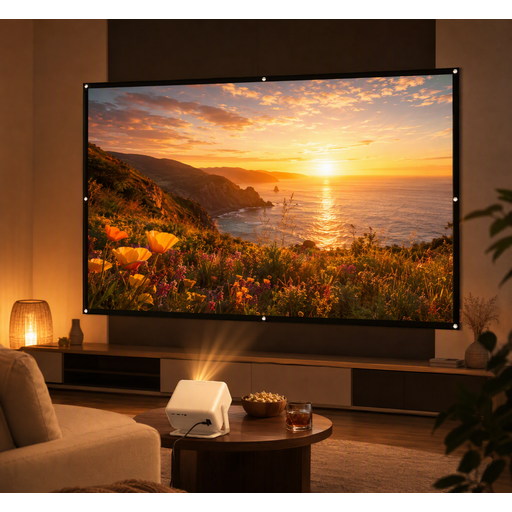 Image unavailable
This portable projector bundle may suit a temporary film set-up where you also need a screen.
The bundle includes a 100-inch projection screen. The product information lists HDMI, USB and AV connections; check that they work with your film source.
 Image unavailable
This portable model may suit you if you want to move or put away the projector after the workshop.
The product title lists Full HD 1080p, 450 ISO lumens and battery life of up to 2.5 hours. Maximum battery life may vary depending on how it’s used.
 Image unavailable
The 180° rotation may be useful if you need to adjust the projection direction to suit the space available.
The product title lists HDMI compatibility, as well as compatibility with devices including TV sticks, USB sticks, iOS, Android and laptops. Check that it works with your film source and playback method.
Measure the distance from the possible projector position to the wall, along with your desired image width. Divide the distance by the image width and compare the result with the throw ratio of the exact model. Also check that you can place the projector securely.
It depends on the projector, the image size and the ambient light. Check the brightness rating and measurement standard for the exact model, and consider whether you can partially darken the room. A lumen figure alone can’t guarantee that the image will be visible in your room.
Yes. You can place a model on a stable surface if the distance, power supply and cable route are suitable. When it comes to alterations to a home, the Dutch government distinguishes between minor changes that can be reversed without much expense and renovations. Whether a particular fitting needs permission depends on the work involved.
Not automatically: a workshop with participants does not automatically fall under the exception for screenings within a domestic setting. The Dutch government explains that permission may be needed to show copyright-protected film material; Auteursrecht.nl defines a domestic setting narrowly. Check the rights for the specific film and, if necessary, obtain permission from the rights holder.
Check the input or playback method of the exact projector model and compare it with the outputs on your laptop or other film source. Don’t rely only on a general compatibility statement; also check that it works with your device and playback method.