
Viewer with limited storage space
You want to watch travel programmes on a big screen, then put the projector away afterwards. BenQ points out that projection distance helps determine whether the desired picture will fit in your room.


Start by checking where the projector can go, how far it will be from the wall and how wide the picture can be. A small device alone doesn’t guarantee a suitable image. Then choose between a portable model, a flexible projection angle or a fixed set-up, and check the brightness and whether your travel programmes can actually be played.
You want to watch travel programmes on a big screen, then put the projector away afterwards. BenQ points out that projection distance helps determine whether the desired picture will fit in your room.
The space you have available is beside a sofa or bed. Philips and BenQ describe models that can be positioned flexibly; you’ll still need to measure the distance and available screen area.
You want to watch travel programmes without setting aside space for a separate device. Philips describes models with apps and connections for external equipment; check whether your specific service works with each model.
First, measure the potential position, projection distance and picture width. Then compare the lighting conditions you’ll be watching in with the playback options offered by the exact model.
| What to consider | What should you check? | Who is this most relevant to? |
|---|---|---|
| Positioning and storage | Measure the distance from the potential position to the wall and the available picture width. Compare these with the throw ratio or distance table for the exact model. | If I want to put the projector away after watching, I still need a suitable place for it while I’m watching. Around 33% of consumers in this viewing situation put positioning and storage first. |
| Visibility in bright conditions | Decide whether you’ll mainly watch in the dark or with ambient light. Compare the stated brightness, paying attention to the unit and intended picture size. | If I want to watch with the lights on too, I want to know whether the picture will be usable in my usual conditions. For around 27% of consumers, visibility in ambient light is the main priority. |
| Playing travel programmes | Check your chosen service, any account requirements and the connections on the exact model; don’t rely on the word ‘smart’ alone. | If I don’t want to set up an extra playback device, I’ll check whether my programme is available directly. Around 20% of consumers put easy playback first. |
| Moving or adjusting the angle | Check the weight, dimensions, power supply and permitted positioning of the exact model. | If my viewing position or the direction of the wall changes, I want to be able to position the projector accordingly. Around 20% of consumers prioritise being able to move or adjust the angle of their projector. |
Even a compact device needs a suitable projection distance to produce the picture width you want.
Measure the space for the device, the distance to the wall and the clear wall width before comparing models.
Ambient light and picture size affect visibility. A stated figure on its own won’t predict the result in your room.
Compare brightness using the same unit, and take into account the picture size and the lighting conditions you’ll be watching in.
Built-in features or apps don’t confirm that your specific service or programme is available.
Check the service and programme for the exact model. If you need an external playback device, allow for the required connection and space.
A model name or general picture resolution alone doesn’t tell you the native resolution of the exact version.
Check the model number and key specifications against the manufacturer’s information before making your choice.
The NeoPix range includes models with different positioning and playback options.
According to BenQ, the GV50 is designed for flexible positioning and offers Google TV.
The CO-FH02 is worth considering if a more permanent home set-up suits the way you use a projector.
Samsung positions The Freestyle 2nd Gen. for flexible positioning and smart TV use.
This selection of Joybuy products focuses on portable projectors and flexible positioning for anyone with limited shelf space. Check the projection distance, power supply and playback method for each model.
 No image available
Built-in Google TV and the flexible stand are useful if you want to stream directly and position the projector somewhere other than directly in front of the wall.
The product name lists native 1080P and two 5 W speakers. Check that your specific programme works with the available playback method.
 No image available
This model is described as a portable ultra-short-throw projector, making it worth considering if you have limited space between the projector and the wall.
Check the projection distance and picture size for this model to make sure they suit your set-up.
 No image available
The product name lists a rotating set-up and Android 14; check whether the available apps include the service you want.
The specifications listed in the product name are native 1080P, 900 ANSI and 180° rotation.
 No image available
The product name mentions projection onto a wall, ceiling or table. Measure the distance and available space before choosing where to put it.
The specifications listed in the product name are Full HD 1080P, 500 lumen and 360° rotation.
 No image available
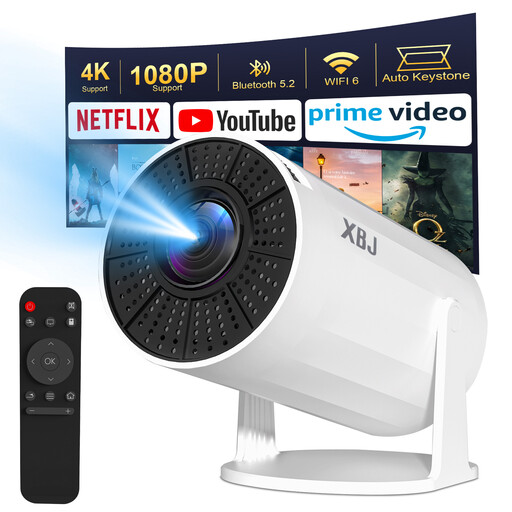
The rotating set-up can be handy if you want to put the projector away after use. This model needs to be plugged into the mains while in use.
The product name lists Android 11, 200 ANSI and 180° rotation. Direct wireless streaming from a phone isn’t supported due to HDCP restrictions; a recommended TV stick is sold separately.
Measure the possible distance between the projector and the wall, then work out how wide the picture can be. Compare these measurements with the distance table or throw ratio for the exact model; BenQ explains that projection distance and picture width are linked.
It depends on the model. Philips lists a rotating stand and image correction for the NeoPix 230; Samsung warns that correction when projecting onto the ceiling with The Freestyle 2nd Gen. may produce a smaller picture. Check the manual and the space required for the exact version.
No, it varies by model. Some models offer built-in apps or Google TV, while the Philips NeoPix 200 has connections and power for an external dongle. Check that your specific programme and service are available on the device you choose.
Check whether any playback device or accessory you need is included. According to the Dutch government, there is no fixed statutory warranty period in the Netherlands; if a consumer product is faulty, the seller must provide a solution.
According to the Dutch government, in many cases you have 14 days to change your mind when buying online from a business. There are exceptions; purchases from a private seller aren’t covered by the same distance-selling rules, according to the Dutch government.